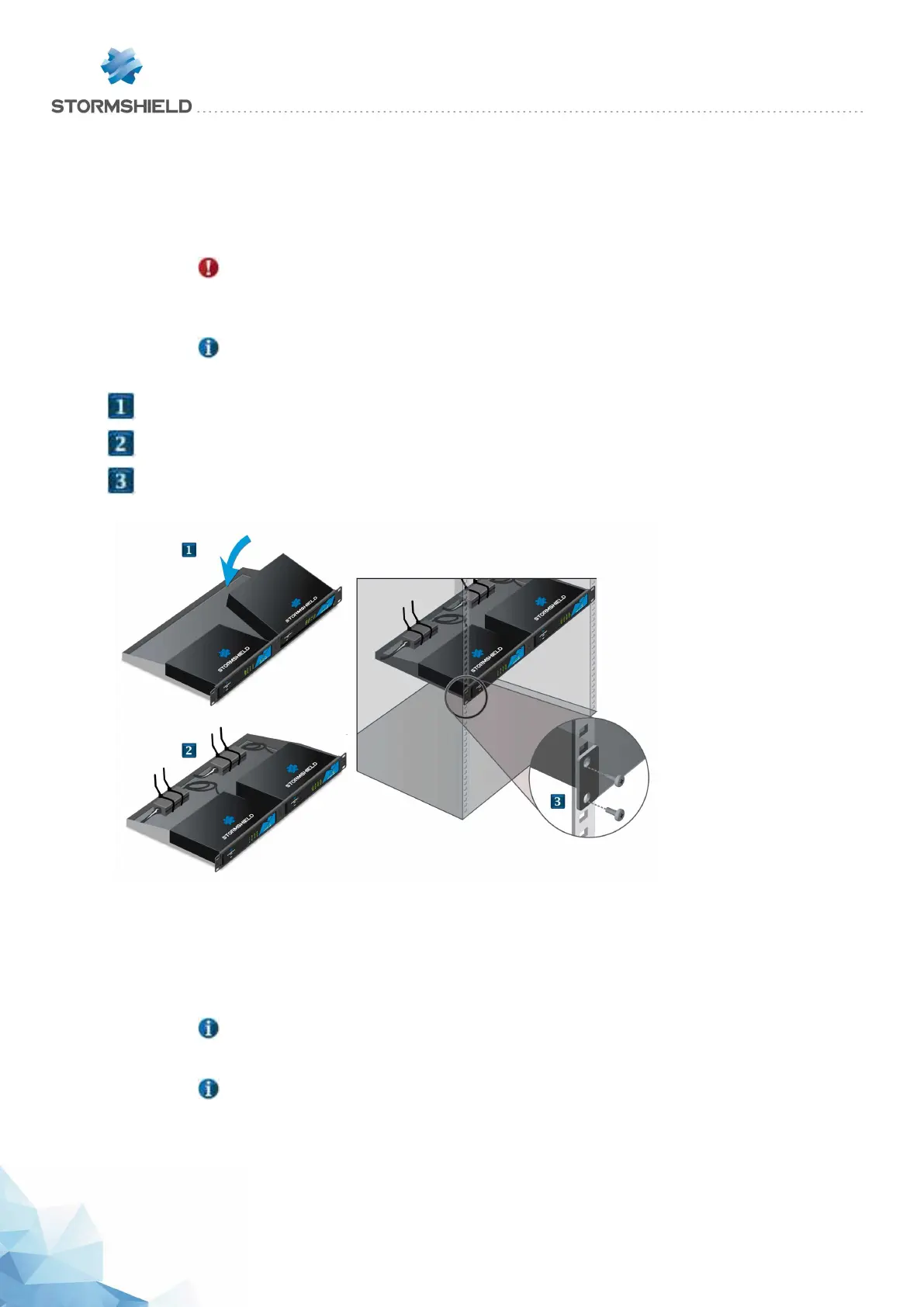
Installing SN210, SN210W and SN310 models in a 19" 1U rack mount shelf
The minimum vertical space needed for installing the shelf is 1U. In this configuration, the shelf
makes it possible to install one or two products. There are indentations to ensure that products
and power adapters are held securely in place.
WARNING
Before any installation, ensure that you have removed the four non-slip rubber feet under
each product.
NOTE
Fasteners for two power adapters are provided with the shelf.
l
Place your firewall in front of its slot at the front of the shelf, then set it upright until it is firmly in place.
l
Install and fasten the power adapter on the shelf. Connect it to the firewall.
l
Using screws and caged nuts (not provided with the appliance), fasten the shelf to the vertical rails
located at the front of the cabinet.
Kit for USB and network interfaces on the front panel option
In this configuration, the shelf makes it possible to install one product. There are indentations to
ensure that product and power adapter are held securely in place.
NOTE
This kit must be ordered separately.
NOTE
This kit allows you to connect the console, via a USB port, and network interfaces on the
front panel of the shelf (cables provided).
SNS - PRODUCT PRESENTATION AND INSTALLATION 2019
INSTALLATION IN A 19" CABINET AND RACK
Page 20/66 sns-en-SNrange_installation_guide-2019 - 09/2019



 To Next Page