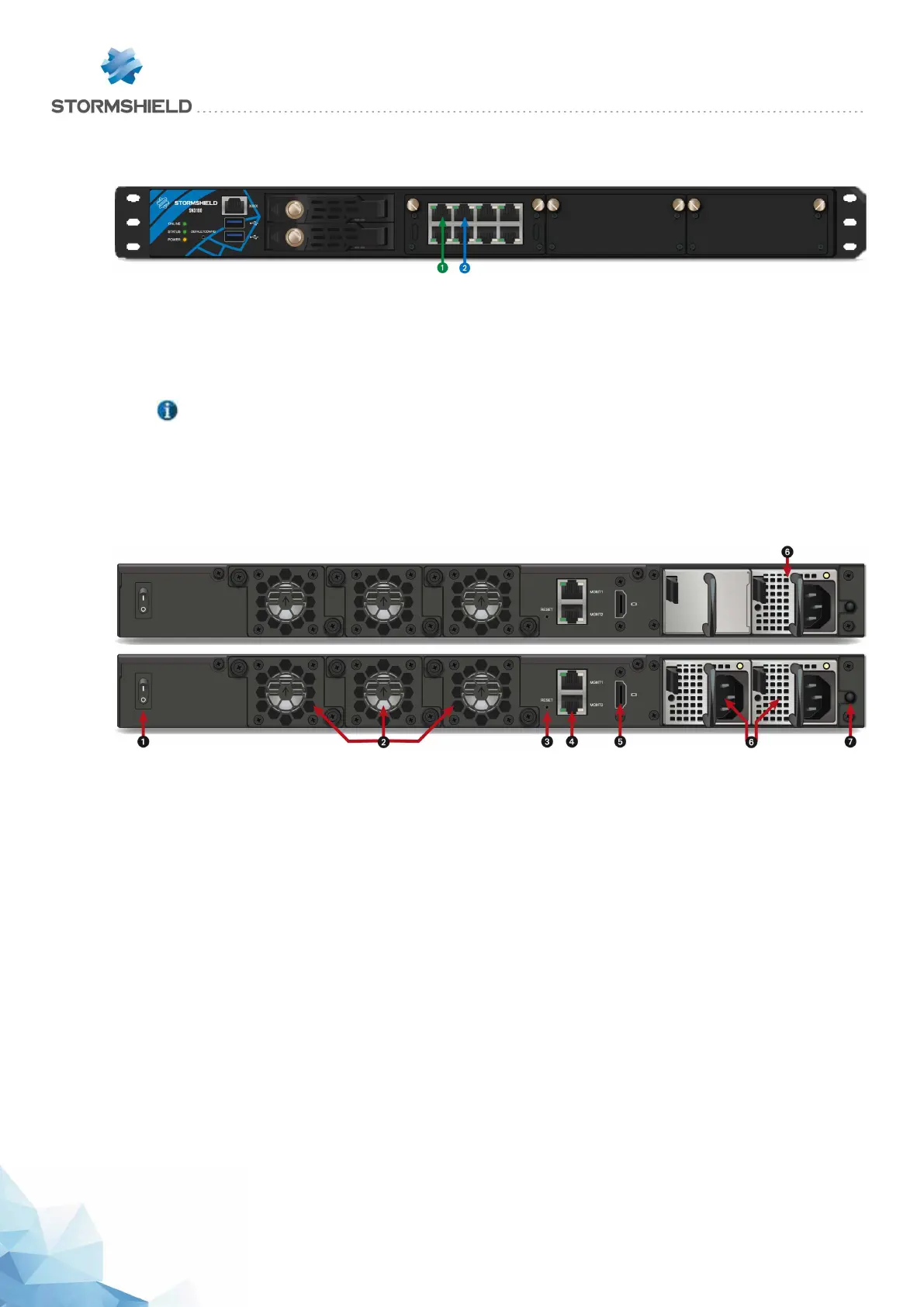
SN3100 model
This model is fitted with a multi-core CPU, making it possible to increase
processing power. This product has redundant internal power supplies.
Two removable SSDs are installed in a RAID configuration.
1 OUT Interface
2 INInterface
The SN3100 model offers 2 1GbE ports and allows the addition of 3 extension modules with
RJ45 (Gigabit or 10 Gigabit) or fiber (Gigabit, 10 Gigabit or 40 Gigabit) connectors.
NOTE
For this model, network extension modules are sold separately and need to be ordered.
Specifications of Stormshield Network-approved extension modules and transceivers are set out
in sections Extension modules (SN710 and upwards) and Fiber Ethernet connectors.
Rear panel: connectors
1 The Power button allows switching the Firewall on or off.
2 Three independent hot-swappable fans in the event of a breakdown.
3 The Reset button: electrically resets the Firewall.
4Two ports dedicated to the management of the appliance (MGMT1 and MGMT2)
5 The HDMI port allows connecting a monitor.
6 A mains socket (SN2100) or two mains sockets (SN3100) for redundant power supplies.
7 The Alarm off button. The alarm rings when a power supply module is missing or when there is
a power failure on either module. Press this button to deactivate the alarm.
SNS - PRODUCT PRESENTATION AND INSTALLATION 2019
PRESENTATION OF SN MODELS
Page 31/66 sns-en-SNrange_installation_guide-2019 - 09/2019



 To Next Page