17
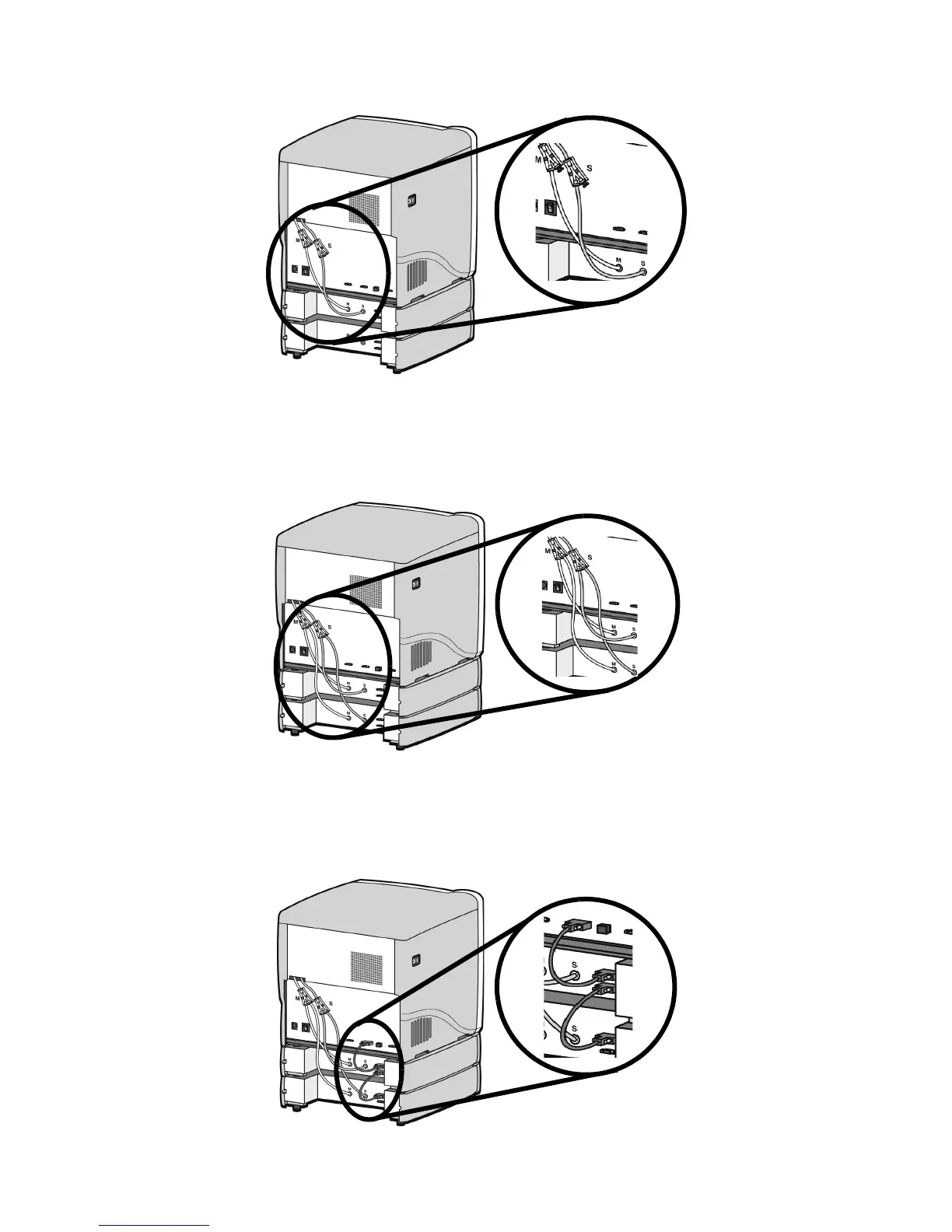
Figure 12 Connecting the short material tubes
19. Connect the long red striped material tube (M2) from model (M) coupler of lower material bay
to right side of model Y block by inserting firmly into red couplers. Gently pull the tube to
ensure it is properly inserted.
20. Repeat with long black striped (S2) material tube for support side. See Figure 13.
Figure 13 Connecting the long material tubes
21. Connect a material bay cable between the printer and the top connector on the upper material
bay.
22. Connect the other material bay cable between the bottom connector of the upper material bay
to the top connector of the lower material bay. See Figure 14.
Figure 14 Connecting the material bay cables














 To Next Page