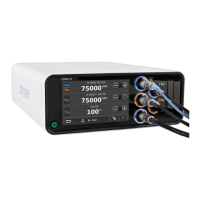
FFiigguurree 3388 –– CChhaarrggiinngg tthhee bbaatttteerryy
EElleeccttrriiccaall ppoowweerr rreeqquuiirreemmeennttss
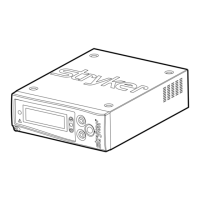
For reliable and effective operation, reference the following electrical power requirements when you configure the electrical
power source for the charger.
PPoowweerr ttyyppee OOppeerraattiioonnaall
vvoollttaaggee rraannggee
FFrreeqquueennccyy MMaaxxiimmuumm
ccuurrrreenntt ddrraaww
SSttaannddbbyy ccuurrrreenntt
ddrraaww
LLooww vvoollttaaggee sshhuutt
ooffff
AC 100-240 VAC, 50/
60 Hz, 1A
50/60 Hz < 1.2A < 50 mA 90 VAC
DC 12-34 VDC, 5A Not applicable < 6.67A < 150 mA 10 VDC
CChhaarrggeerr sseettuupp
During setup, place the charger in an environmentally controlled location that is:
• Free of dust and moisture
• Kept within a constant temperature range (see
Specifications - Alvarium
(page 13))
• Readily accessible for use
Locate and maintain the power supply and power cords to minimize the risk of damage and inadvertent disconnections.
SSeeccuurriinngg tthhee mmoouunnttiinngg ppllaattee ooppttiioonn
WWAARRNNIINNGG
• Always have a certified mechanic, familiar with ambulance vehicle construction, secure the mounting plate option and
charger.
• Always make sure that the mounting plate option is secured to the surface before use.
To secure the mounting plate to a surface (Figure 39):
1. Use the mounting plate as a template to mark the location of the mounting holes (A).
2. Position the mounting plate and check that the:
a. Spring tab (B) is located at the rear of the charger.
NNoottee -- When mounting to a vertical surface, the spring tab should be horizontal and pointed to the left.
EN 50 6507-009-001 Rev AB.3









 To Next Page