S CLASS™ 2 cutter User’s Manual
Setup 1-2
1.1.2 Setting up the stand
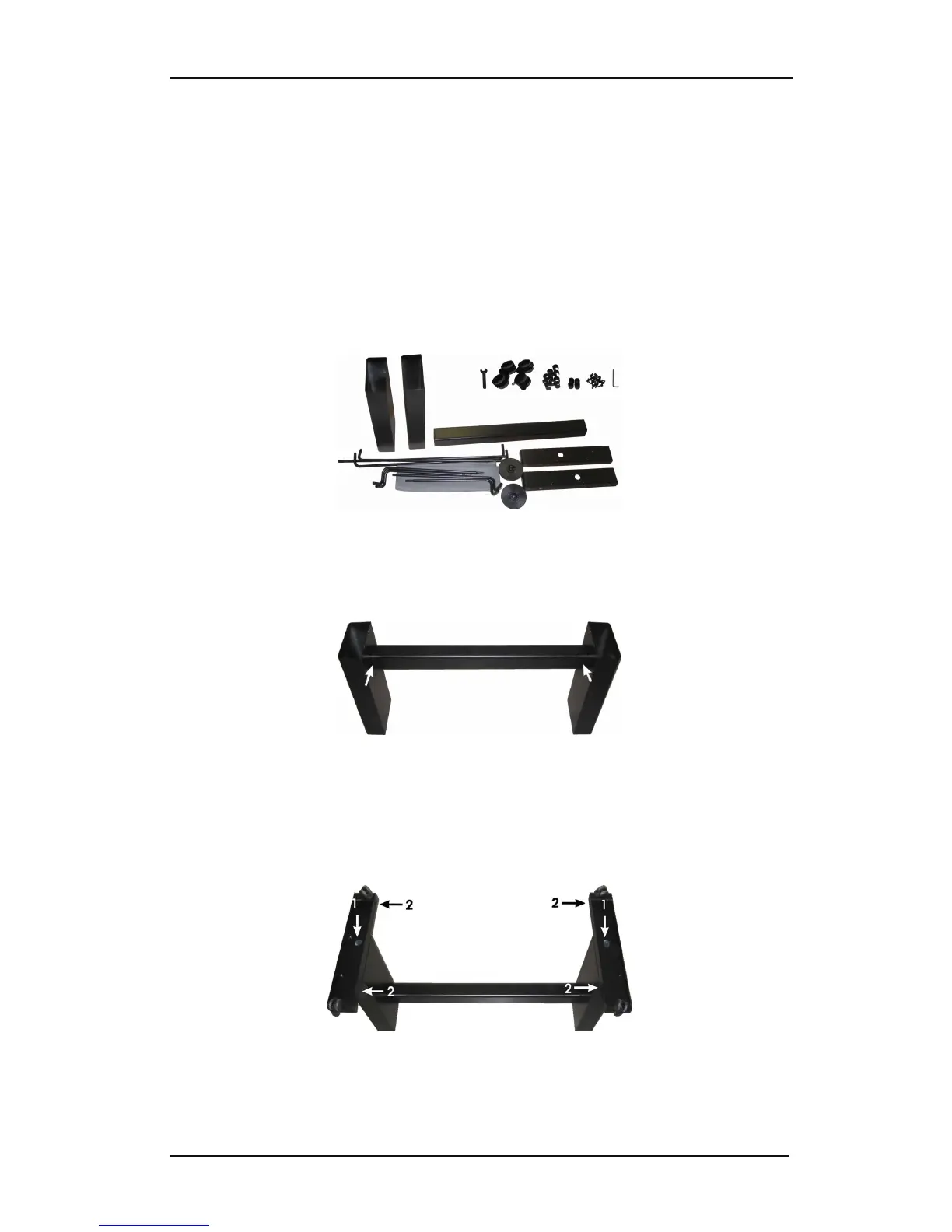
1. Verify whether the stand is complete. The box containing the stand should contain
following:
a. 2 legs, left and right
b. 2 feet, left and right
c. A horizontal panel
d. Media flanges
e. A total of 7 tubes for the [media] basket
f. A linen media basket
g. A bag of 4 casters, screws and other accessories to mount the stand
FIG 1-2
1-2 CONTENTS OF THE STAND BOX
2. Mount the horizontal panel between the two legs of the stand with four screws at each
side.
FIG 1-3
1-3 MOUNTING THE HORIZONTAL PANEL
3. Turn the stand upside down and mount the 2 feet at each side with four screws. Make
sure to position the feet in this way all the holes in the feet correspond to the holes in
the legs (left and right), as in the picture below (1). The four holes in the feet all point
towards the middle (2). Screw in the four casters.
FIG 1-4
1-4 MOUNTING FEET AND CASTERS











 To Next Page