EasyManua.ls Logo

Summa S class 2 series - Page 77

Summa S class 2 series
113 pages
Print Icon
To Next Page IconTo Next Page
To Previous Page IconTo Previous Page
Loading...
S CLASS™ 2 cutter User’s Manual
Contour Cutting 3-17
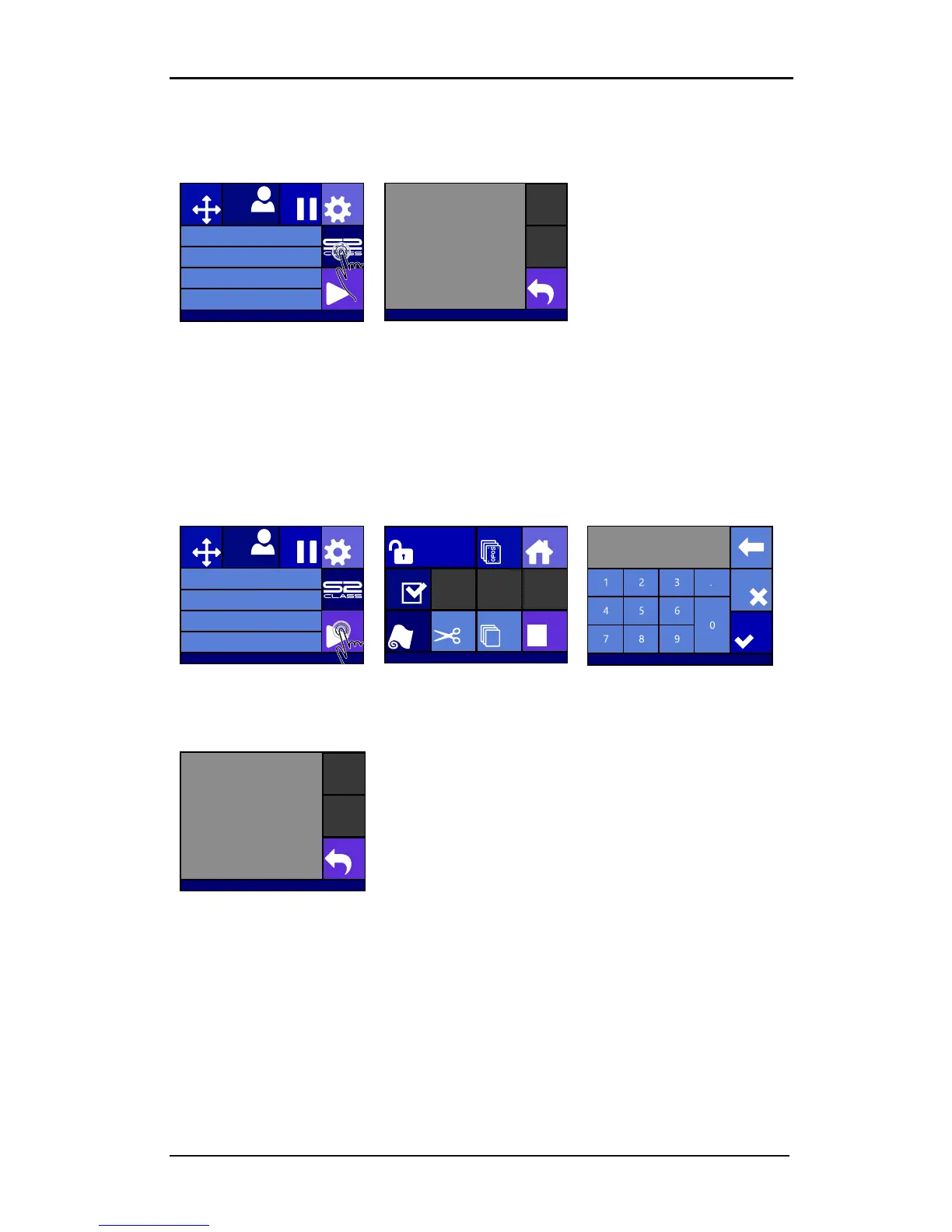
Step one: obtaining the serial number:
Switch the cutter on
1. Press machine button
2. Write down serial
number and press back.
Step two activation of the barcode:
1. Go to the webpage and fill it out. The web page will show a 6 digit number which is the
activation code. A mail will be sent with the serial number and activation code. Please
save this mail for future reference.
2. Power on machine.
3. Press Actions
4. Press Unlock
OPOSbarcode
5. Set the value to the 6 digit
number from the
website
and press Apply
6.
Press Back.
Knife pressure 95 gr
Velocity 800 mm/s
Tool Tangential knife
Media size 50000 x 718 mm
Actions
Settings
Configuration 1
PauseOrigin
Eth. 192.68.1.7
S31211-10132
S2T120
Serial number: S31211-10132
Revision: 017
Build Jan 26 2016
Knife pressure 95 gr
Velocity 800 mm/s
Tool Tangential knife
Media size 50000 x 718 mm
Actions
Settings
Configuration 1
PauseOrigin
Summa USB port 1
Home
OPOS sheet
mode
Cut sheet
Cut offLoad
Reset
Cut tests
Summa USB port 1
Unlock OPOS Barcode
Apply
0
Visit www.summa.eu/barcode
Cancel
S31211-10132
OPOS Barcode is unlocked

Table of Contents

Related product manuals