40 Sun Fire X4170, X4270, and X4275 Servers Installation Guide • December 2009
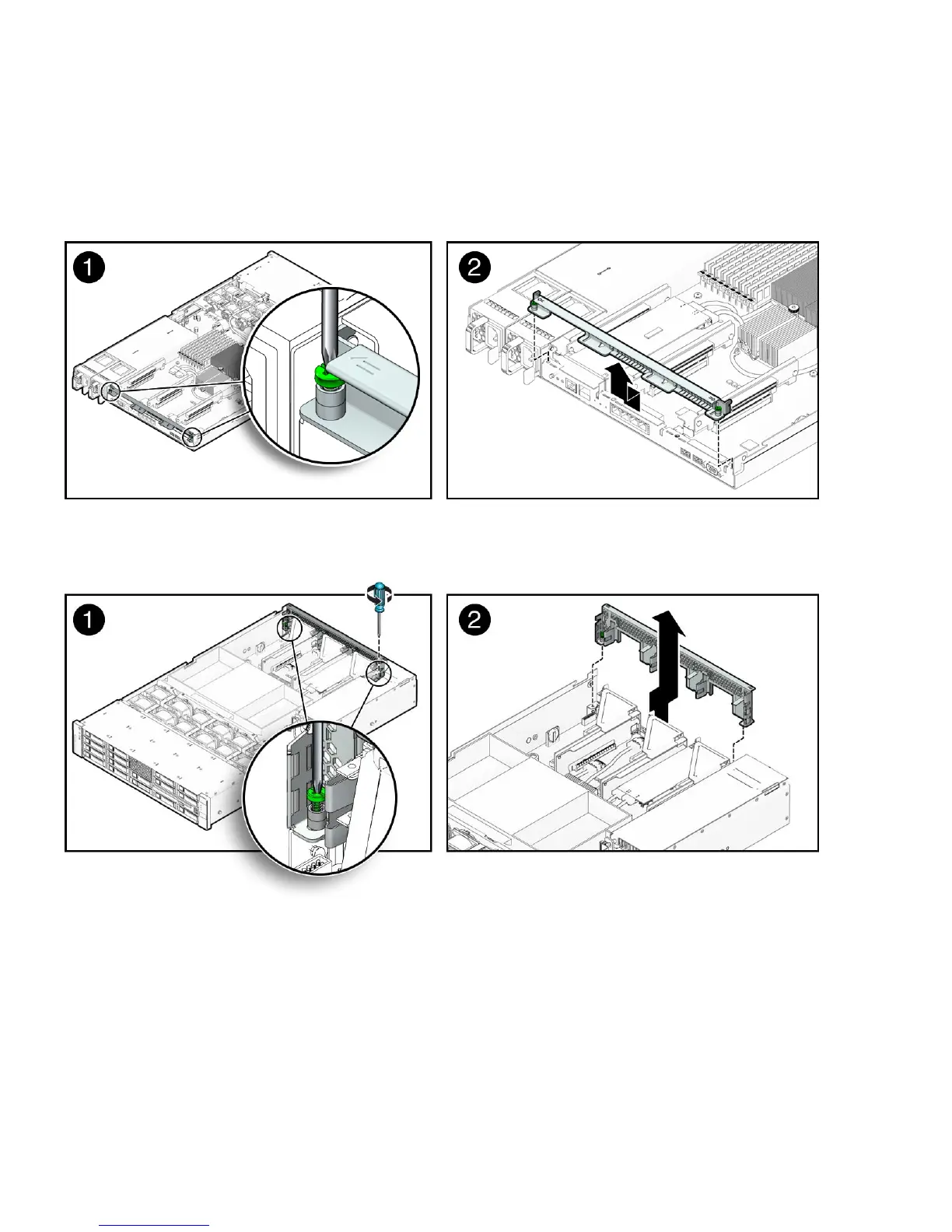
b. Move the crossbar to the rear of the chassis and lift it up to remove it from
the chassis.
FIGURE 2-10 Removing the Back Panel Crossbar From Sun Fire X4170 Server
FIGURE 2-11 Removing the Back Panel Crossbar From Sun Fire X4270 and X4275 Servers
c. Remove the PCI slot filler panel from the slot in the crossbar into which you
intend to install the PCIe card.
FIGURE 2-12 shows the location of the PCI slot filler panels on the Sun Fire
X4170 Server. The PCI slot filler panels are located in the same area on the Sun
Fire X4270 and X4275 Servers.















 To Next Page