60 Sun Fire X4170, X4270, and X4275 Servers Installation Guide • December 2009
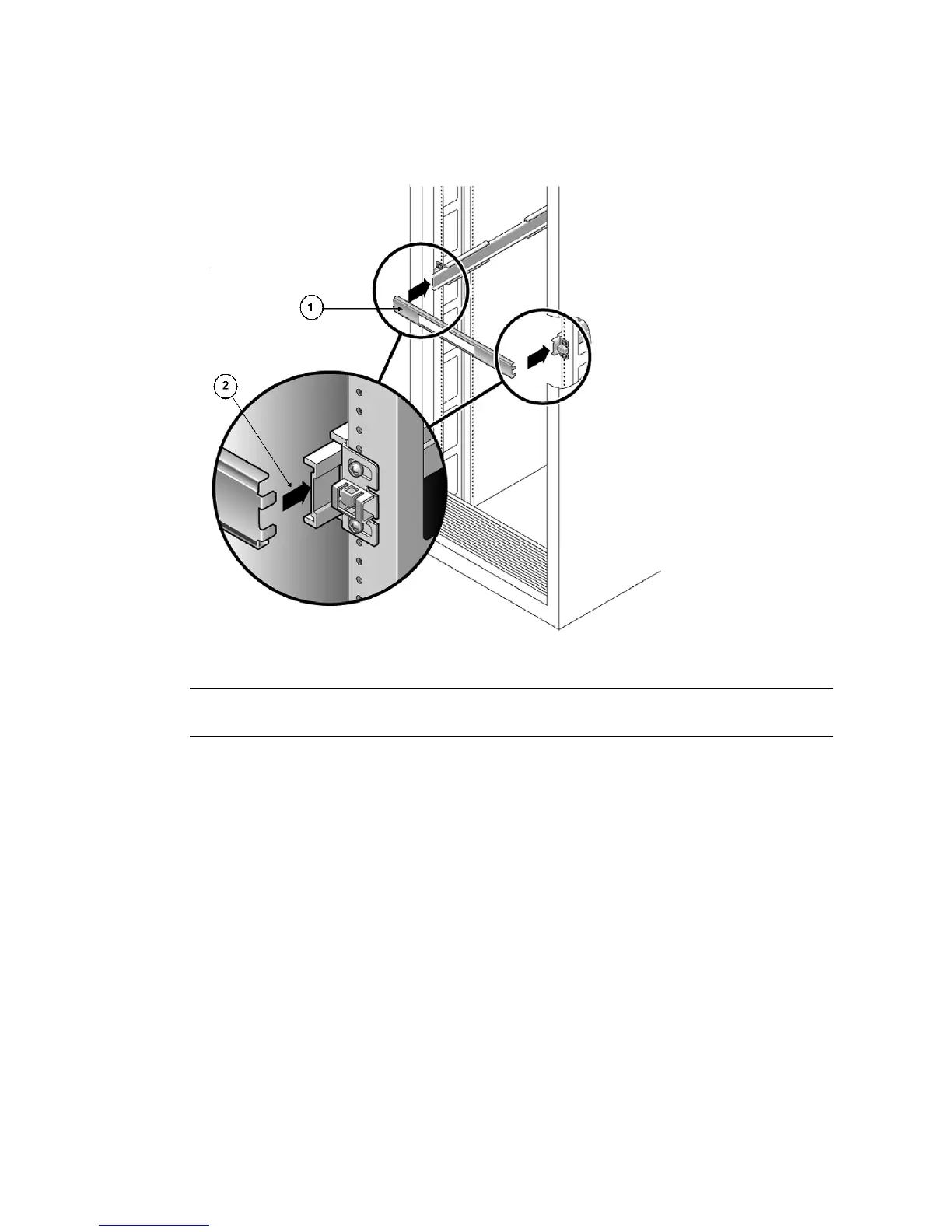
FIGURE 3-4 Setting the Rail Width
5. Tighten the screws on both brackets.
6. Remove the spacer and confirm that the rails are attached tightly to the rack.
7. Repeat Step 4 through Step 6 for the side-rail assembly at the rear of the rack.
Figure Leg end
1 Rail-width spacer
2 Attaching the spacer to the rails















 To Next Page