Chapter 6 Page 111
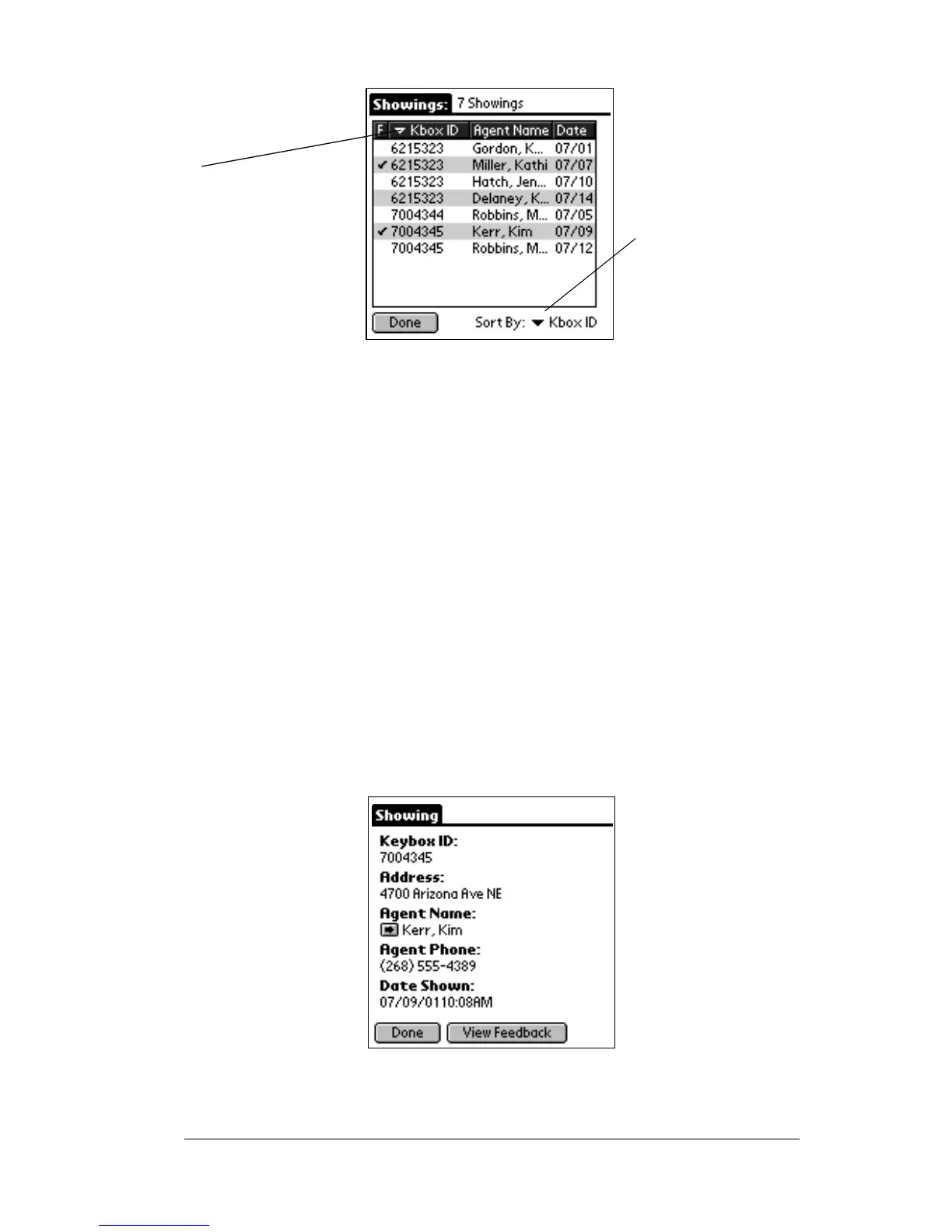
6. The information shown includes a column displaying a check
mark if there is feedback for the showing, either the KeyBox ID or
theaddress,theshowingagent’sname,andthedateofthe
showing. If the KeyBox ID is displayed you can choose to sort by
KeyBox ID or date. If the address is displayed you can choose to
sort by address or date.
Note: The address is only displayed on the showing activity
record if:
! You assigned the listing ID to the KeyBox when
setting your KeyBox assignments in KIMweb (see
Setting KeyBox Assignments inChapter7formore
information), or
! You entered the address in the KeyBox record under
the Inventory option in eDATA.
7. Tap an entry to select it. The Showing Activity Detail screen is
displayed.
Note: Tap on the agent name field to transfer to the Roster record for
the showing agent.
Tap to change the
Tap the down arrow
to display either
the KeyBox ID or
the address
sort order



 To Next Page