Page 24 Getting Started
Setting up your eSYNC Cradle
The Cradle must be connected to a power source and a telephone line
before the eKEY can be used for eSYNC and battery charging. The
Cradle may also optionally be connected to a PC to perform a HotSync
operation.
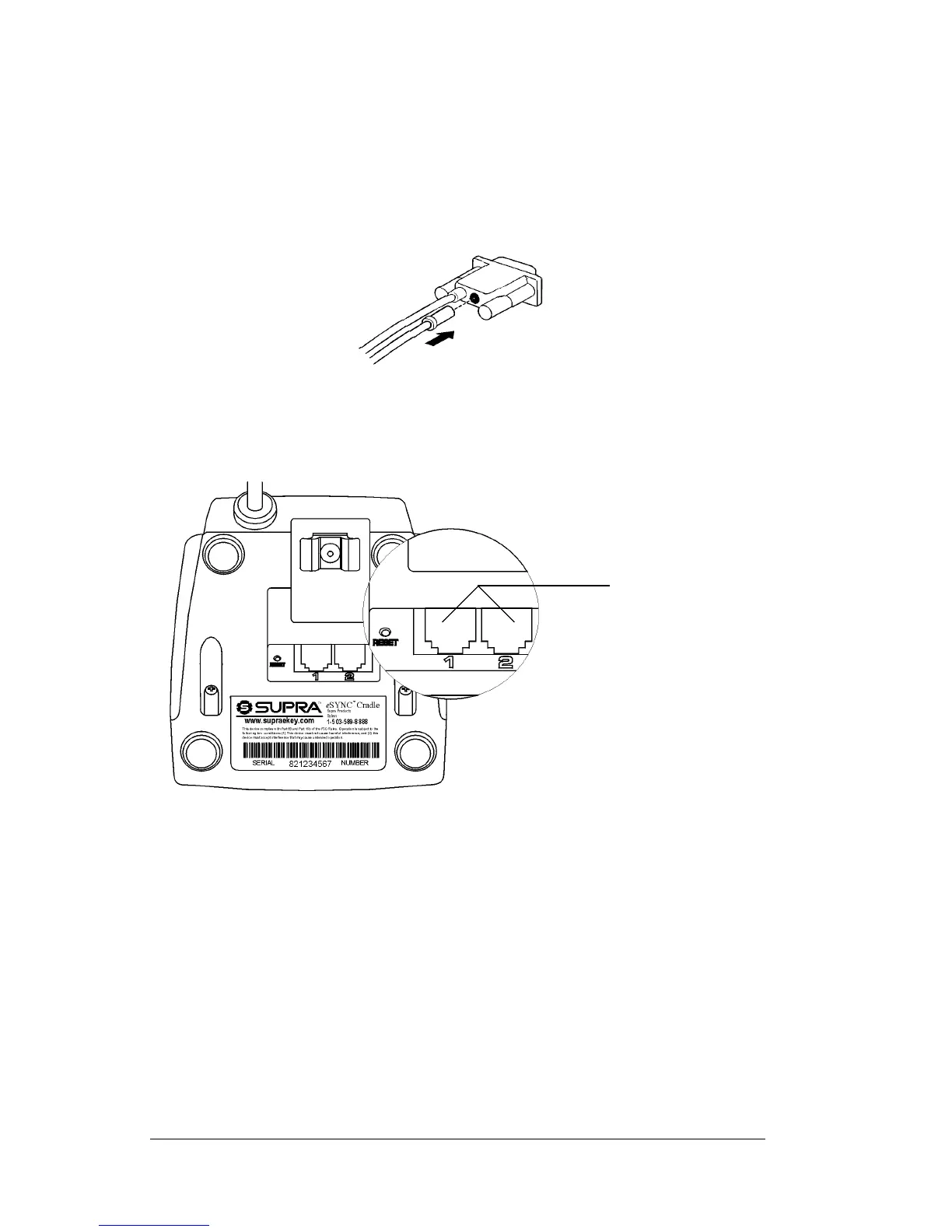
1. Insert the AC adapter cable into the back of the Cradle connector.
2. Insert one end of the phone line, provided with your eKEY, into
either of the two phone ports on thebottom of the Cradle. Insert the
other end of the phone line into an open phone jack.
3. If you are connecting your Cradle to a PC, turn off the PC and
connect the Cradle to a COM (serial) port on your PC.
Important! Do not connect the Cradle to a COM port or disconnect
theCradlefromaCOMportwhilethePCisturnedon.
4. Plug the AC adapter into a wall outlet.
Phone ports



 To Next Page