Page 38 Entering Data in Your SUPRA Handheld Computer
Graffiti writing
Your handheld includes Graffiti writing software as the primary
system for entering text and numbers. With Graffiti, you write simple
strokes with the stylus. They are recognized as letters or numbers.
The Palm Desktop software CD-ROM includes Giraffe, a game you
can use to practice Graffiti. See Installing add-on applications in Chapter
2 for more information. The Memo Pad application is ideal for
practicing Graffiti.
To open Memo Pad:
1. Tap the Memo Pad application icon.
2. Tap New.
Note: A blinking cursor appears on the first line of the new memo to
indicate where new text will appear.
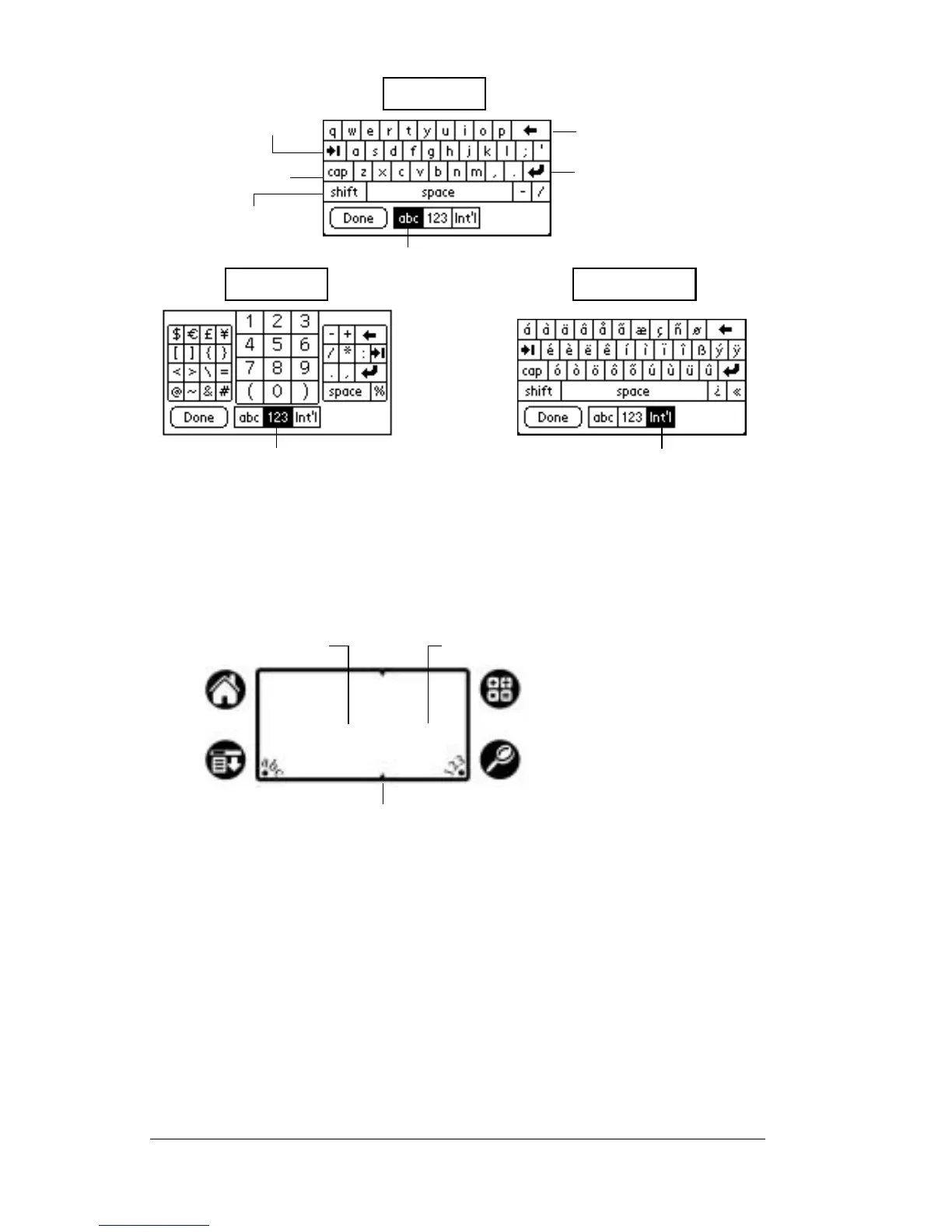
Backspace
Carriage return
Tab
Caps lock
Caps shift
Tap here to display
alphabetic keyboard
Tap here to display
numeric keyboard
Tap here to display
international keyboard
Alpha
Numeric
International
Write letters here Write numbers here
Division marks



 To Next Page