Page 94 Using the eDATA Application
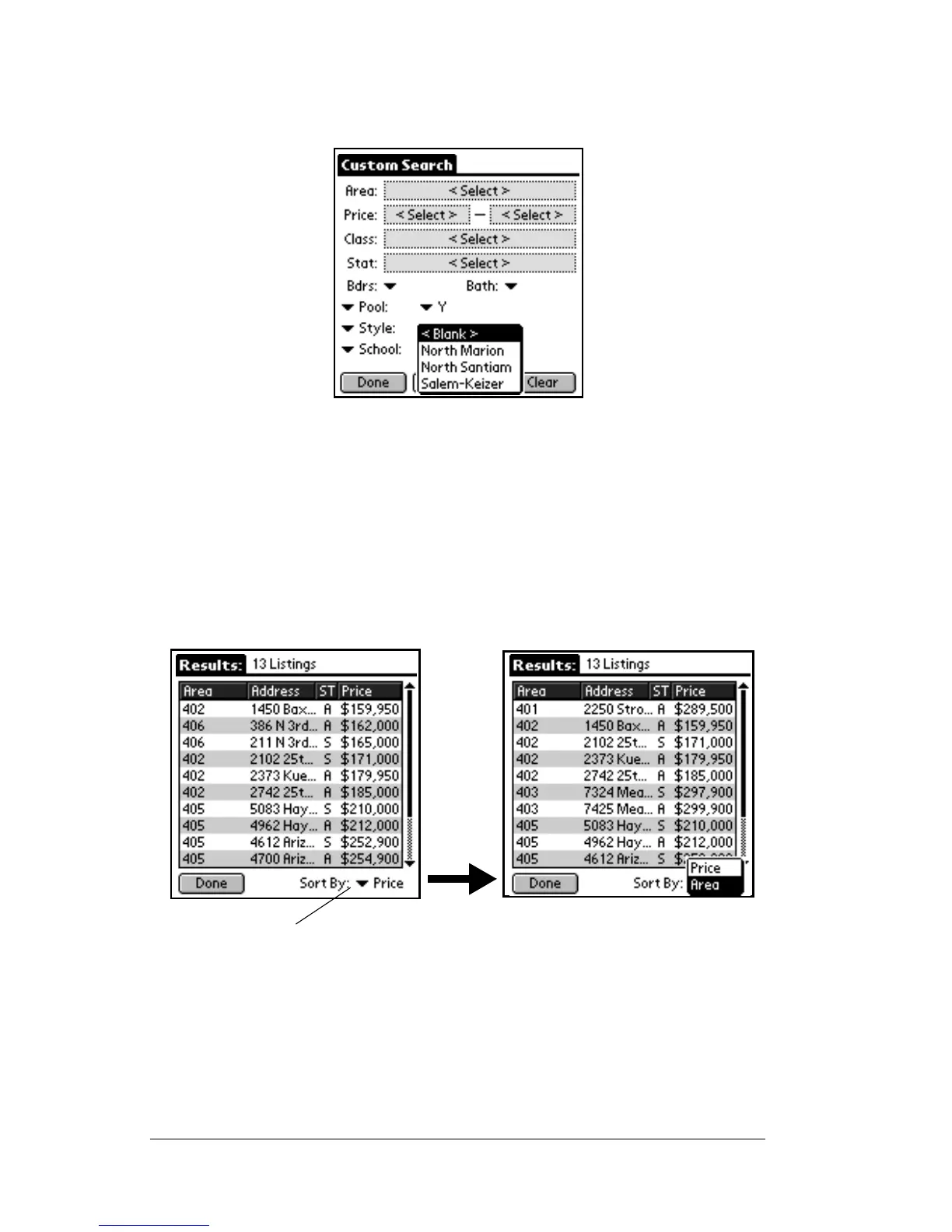
the field name. When you tap on the down arrow, all of the available
choices are displayed. Select one of the choices and all listings with the
value you chose are included in your search results.
Viewing custom search results
1. Once you have entered all of the custom search selection criteria,
tap the
Search
button to display the search results.
2. Use the scroll bar on the right to scroll through the listings in the
search results.
3. To change the sort criteria tap the down arrow in the bottom right
corner of the screen. You may sort by area or price.
4. Tap a listing to view details about that listing. The first screen of
Tap the down arrow to change the sorting of the search
results.



 To Next Page