Page 40 Entering Data in Your SUPRA Handheld Computer
Using Graffiti Writing to Enter Data
Use Graffiti to learn the procedures for creating letters, numbers,
punctuation, and symbols, as well as some Graffiti tips and tricks.
Writing Graffiti characters
Most people find they can enter text quickly and accurately with only
minutes of practice. Graffiti writing includes any character you can
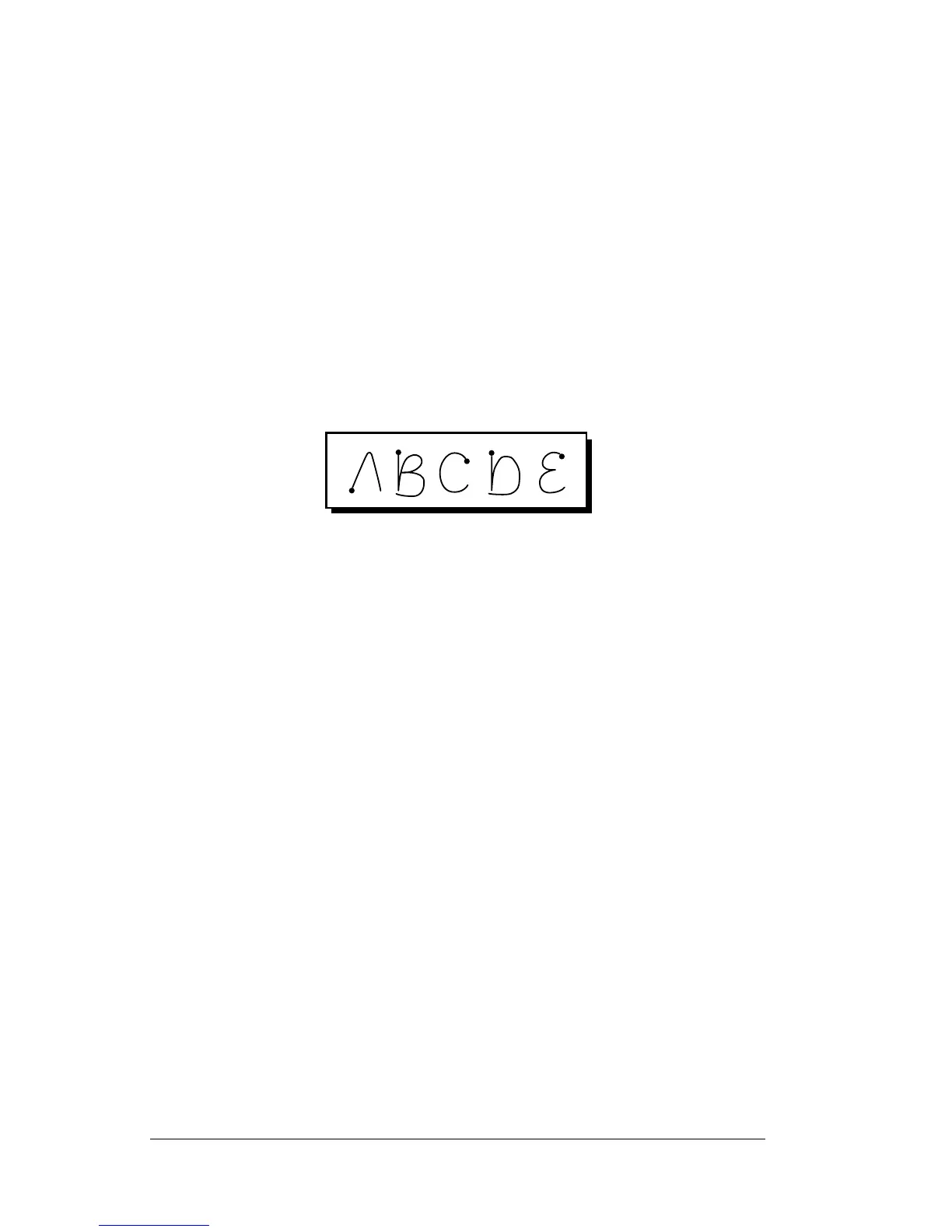
type on a standard keyboard. The Graffiti strokes closely resemble the
uppercase letters of the alphabet.
There are four basic concepts for success with Graffiti writing:
! If you draw the character shape correctly, you achieve 100%
accuracy.
! The heavy dot on each shape shows where to begin the stroke.
Certain characters have similar shapes, but different beginning
and end points. Always begin the stroke at the heavy dot. You
should not create the heavy dot; it is only there to show you where
to begin the stroke.
! Most characters require only a single stroke. When you lift the
stylus from the Graffiti writing area, your handheld recognizes
and displays the text character immediately. To accomplish single
strokes, some Graffiti strokes are portions of the regular alphabet
equivalents.
! The Graffiti writing area is divided into two parts: one for writing
the letters of the alphabet and one for writing numbers. The small
marks at the top and bottom of the Graffiti writing area indicate
the two areas.



 To Next Page