Chapter 5 Page 63
Tip: Ifitisyourlisting,itisagoodideatohaveasparesetofkeys
from the homeowner in case of an emergency or KeyBox
problem.
Replacing the key container
Once keys are placed inside the key container, turn it so the
compartment that holds the keys is facing you. Insert the key
container into the bottom of the KeyBox and push up on the key
container until it closes. The listing keys are now secure.
eFeedback
The eFeedback option allows you to provide feedback to the listing
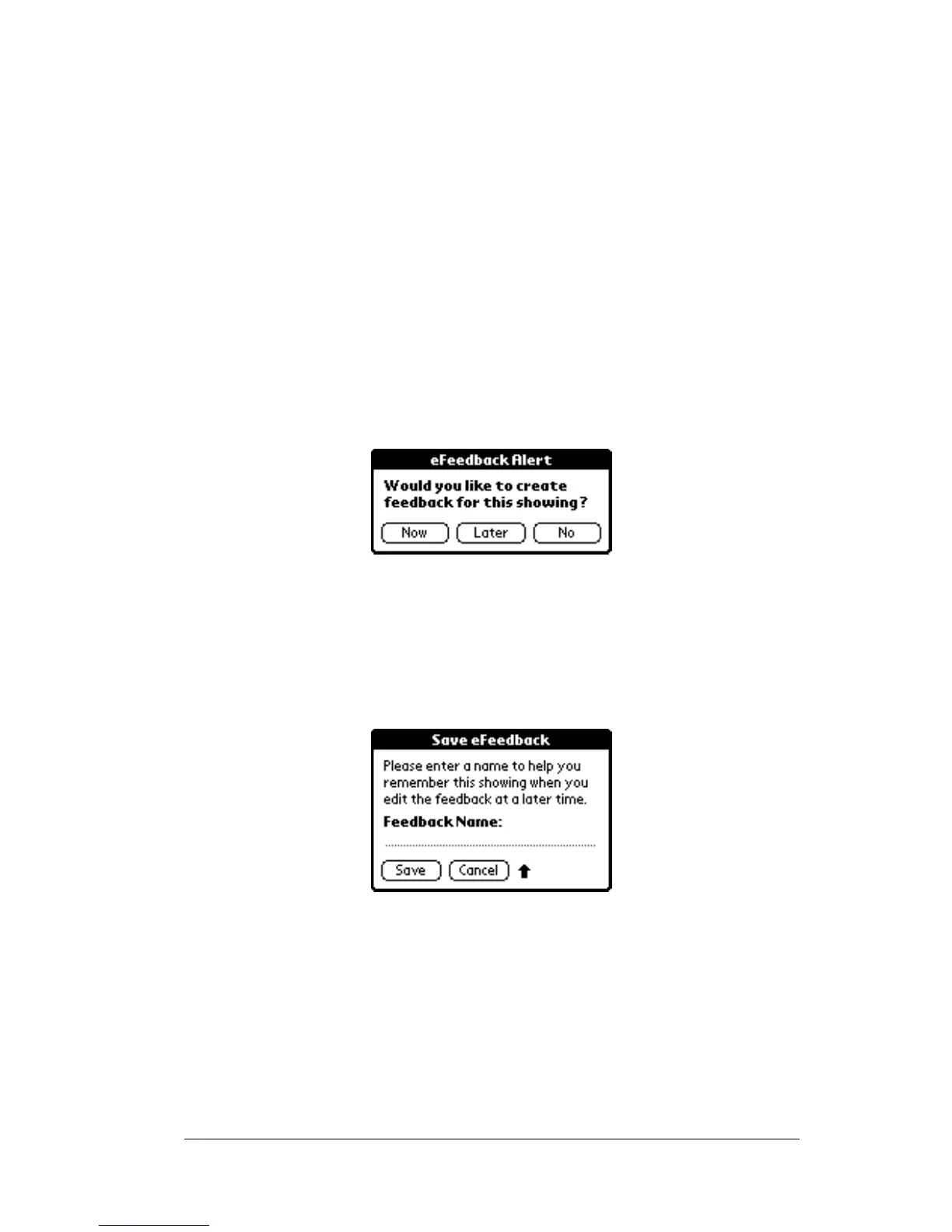
agent. If the eFeedback option is turned on, an eFeedback Alert screen
appears a few seconds after you obtain a key from the KeyBox.
You can indicate to create feedback now, later, or not at all. If you
indicate you do not want to create feedback, you cannot return and
enter feedback later unless you release the key container again.
If you indicate you want to enter feedback later you are prompted to
create a name for the feedback.
At any time you can go to your eDATA application and choose the
eFeedback menu option to enter the information. The KeyBox serial
number, the date you showed the listing, and the name you gave the
showing are displayed so you can recognize the showing.
If you indicate you want to enter feedback information now a screen
provides you with some drop-down menus so you can enter:
! The prospective buyer’s level of interest in the property



 To Next Page