Page 66 Using the eKEY Application
Releasing the Shackle
Each KeyBox has a shackle code which is used to release the shackle
for installation or removal from a listing. Follow these instructions to
release a shackle:
1. Close your eKEY shell.
2. Press the
on
button.
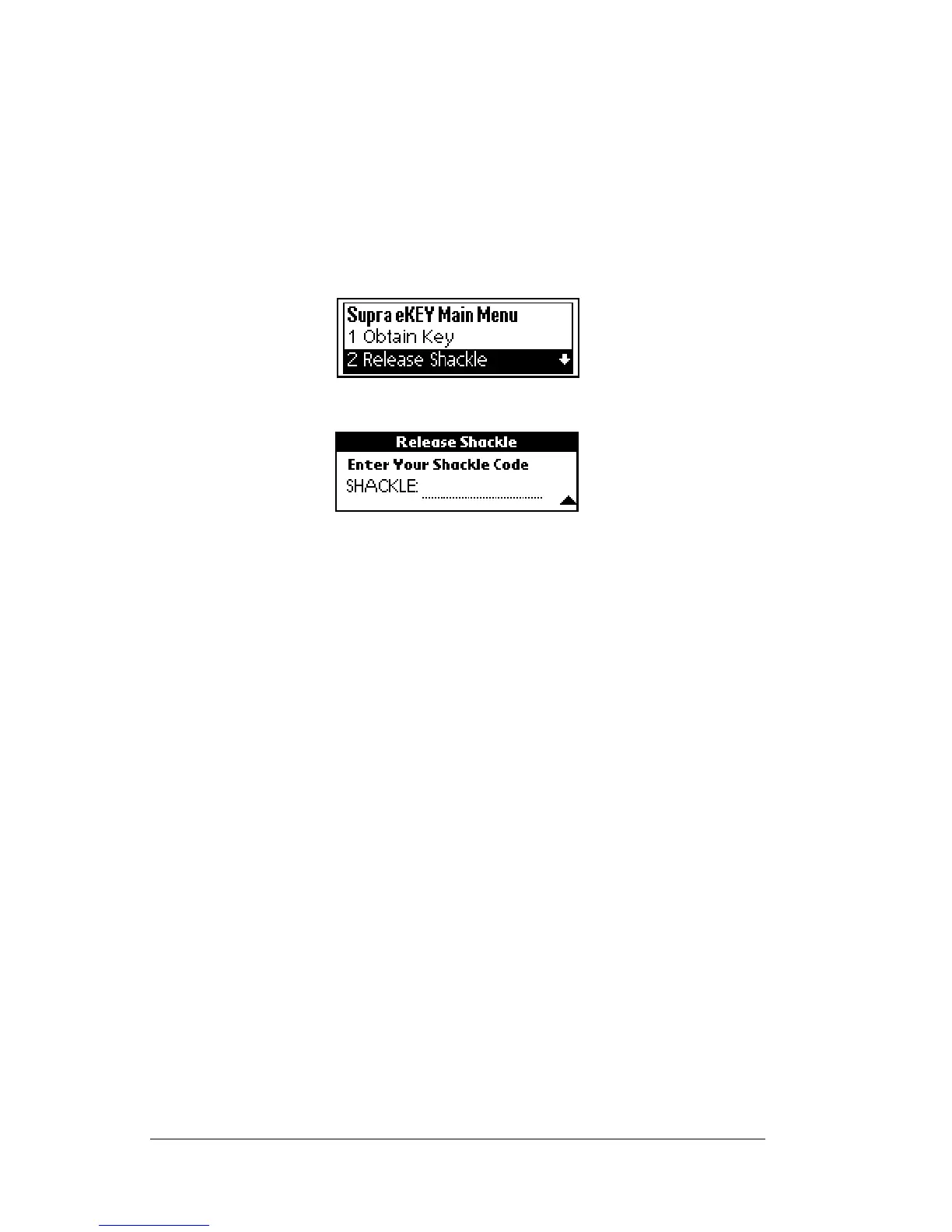
3. Highlight the
Release Shackle
option.
4. Press
enter
. You are prompted to enter the KeyBox shackle code.
5. Enter the four-digit shackle code for the KeyBox.
6. Insert the back of your eKEY into the KeyBox so that it fits snugly
into the KeyBox receptacle. The gold contacts on the eKEY must
match the contacts on the KeyBox. The shackle releases after a
short delay. A Successful message appears in the display screen. If
you receive an error message, see Appendix A: Error Codes for help
in determining how to correct the error.
Removing the shackle
Once the shackle has been opened, it can be completely removed from
the KeyBox by repeating steps 1 through 5 in the above section
Releasing the Shackle.



 To Next Page