Page 96 Using the eDATA Application
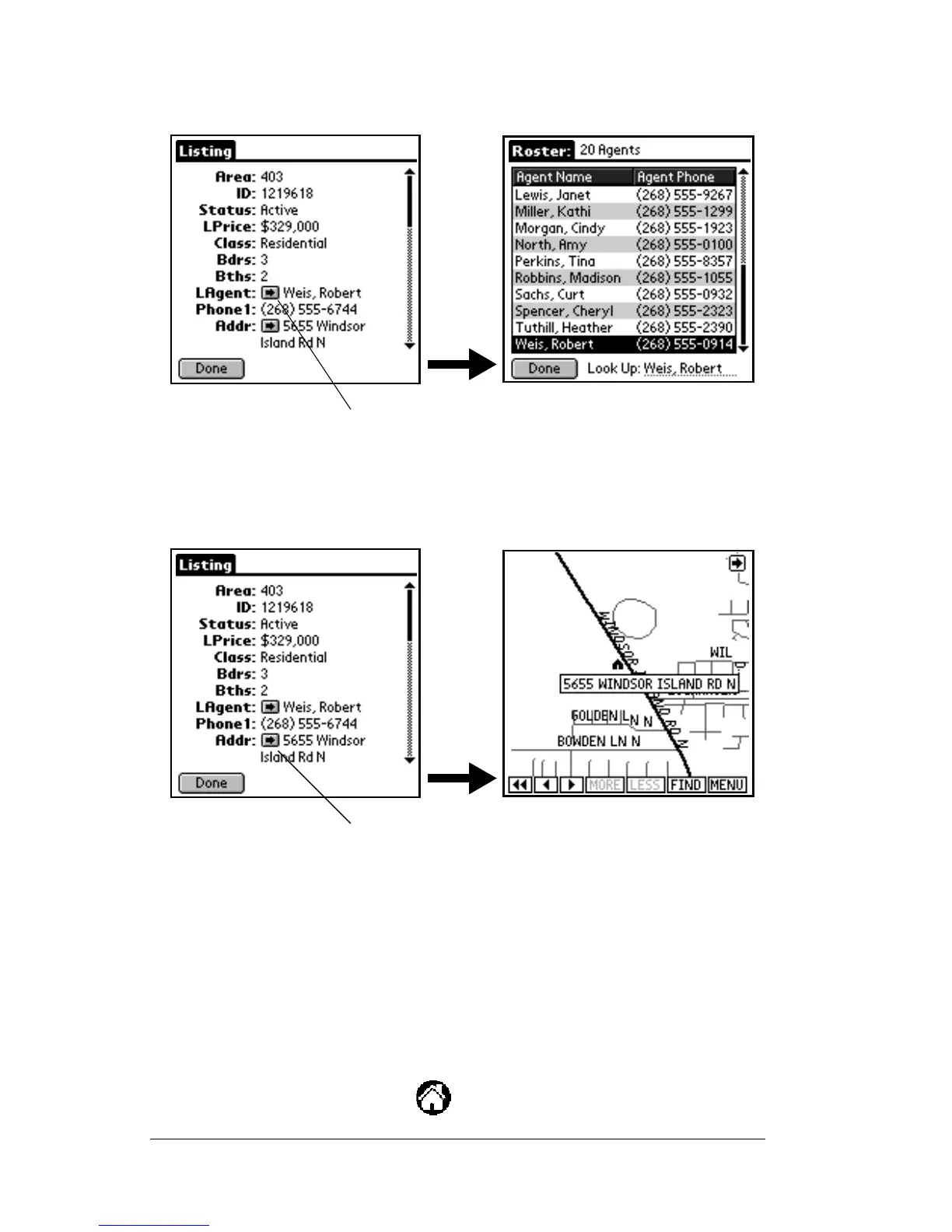
Note: Tap on the right arrow in the Listing Agent field to transfer to
the Roster record for that agent.
Note: Tap on the right arrow in the Address field to transfer to a map
displaying the exact location of the address.
7. Tap
Done
to return to the
Search Results
screen.
Setting up profiles
The profile feature allows you to create customized client profiles.
Each profile lists your client’s preferences.
1. Open the eKEY shell.
2. Turn on the SUPRA handheld computer.
3. Tap the Applications icon .
Tap the arrow on the Listing Agent field
to go to the roster display. Tap the agent
name to see detailed agent information.
Tap the arrow on the Address field to
to go to the map display.


 To Next Page