Page 34 Entering Data in Your SUPRA Handheld Computer
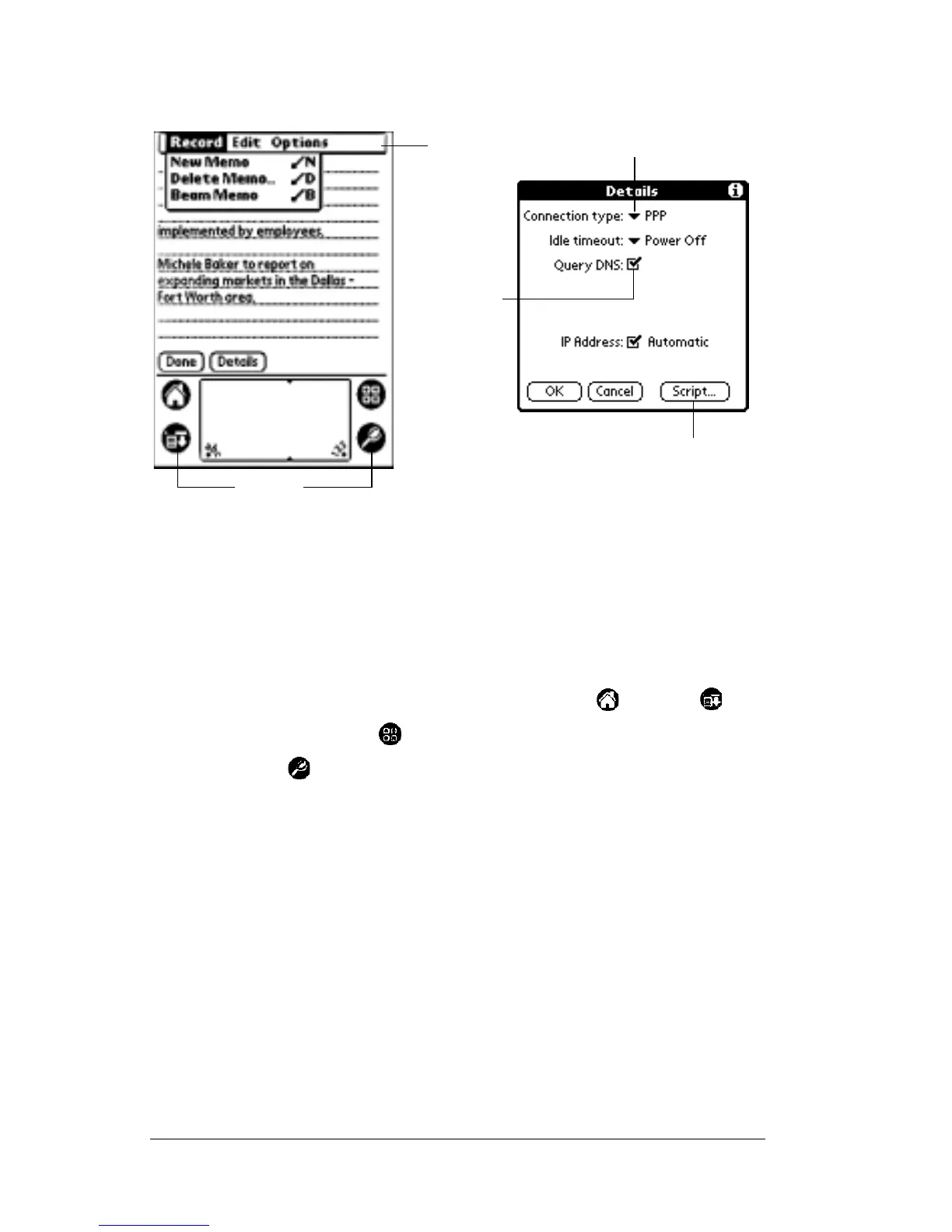
Elements of the SUPRA handheld computer interface
Menu bar A set of commands used in an application. Not all
applications have a menu bar.
Command
buttons
Tap a button to perform a command. Command
buttons appear in dialog boxes and at the bottom of
application screens.
Icons
Tap the icons to open applications , menus ,
calculator , and to find text anywhere in your data
.
abc Withthecursorinaninputfield,tapthedotbelow
the abc field to activate the alphabetic keyboard.
123 Withthecursorinaninputfield,tapthedotbelow
the 123 field to activate the numeric keyboard.
Check box When a check mark appears in a check box, the
corresponding option is activated. If a check box is
empty, tapping it inserts a check mark. If a check box
is checked, tapping it removes the check mark.
Pick list Tap the arrow to display a list of choices, then tap an
item in the list to select it.
Menu
bar
Command
buttons
Icons
Pick list
Check
box



 To Next Page