Chapter 6 Page 93
Text search
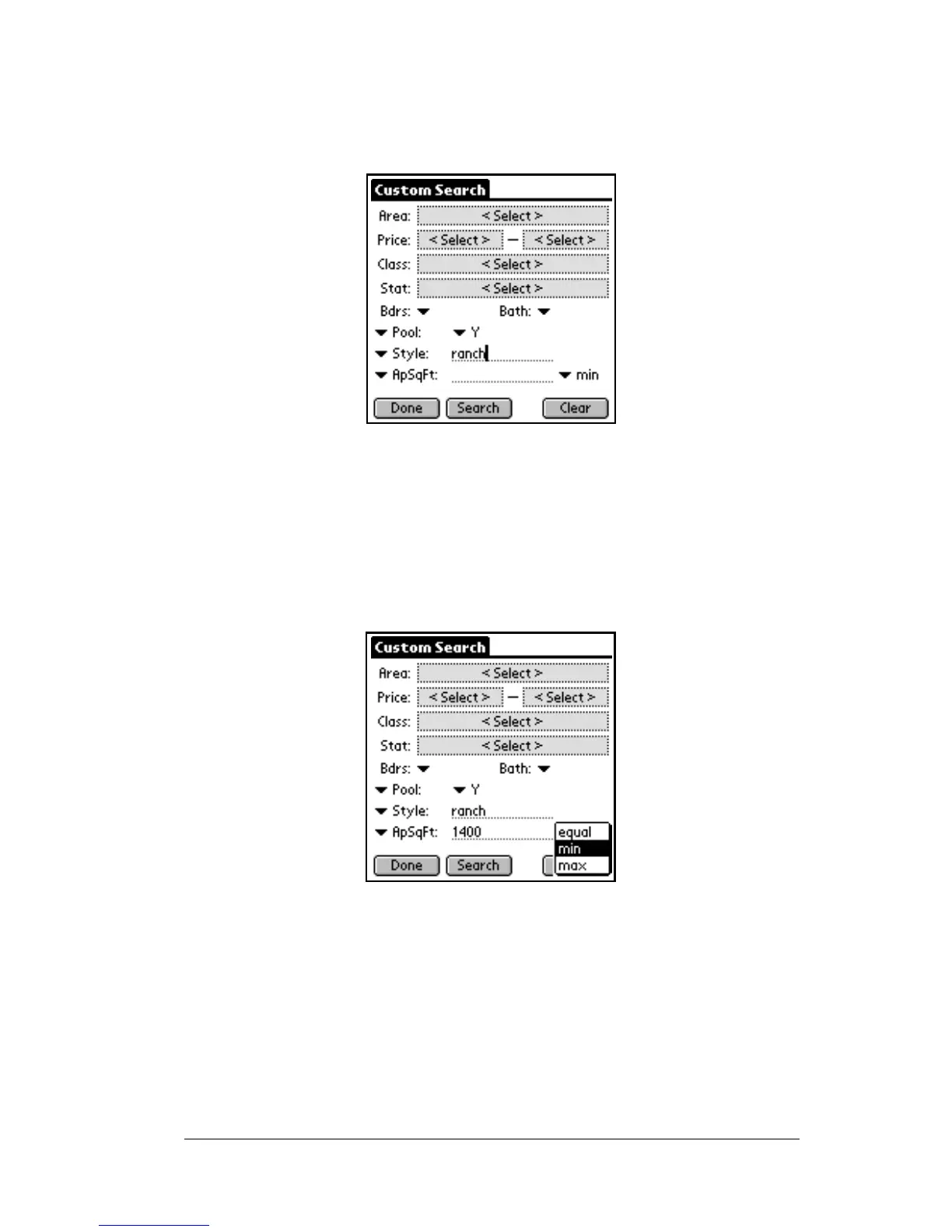
You can recognize a text searchable field when you select it by the
blank line to the right of the field name.
The Text search allows you to enter text either using Graffiti or the
onscreen keyboard to find all listings that match what you enter.
Whether you enter part or all of the text in the field depends on the
criteria for the searchable field determined by your Association/MLS.
On some Text search fields there may be an option to choose whether
you want the text you enter to be an equal match, a minimum match,
or a maximum match.
For example, if the field you chose to search on was Approximate
Square Footage, you might enter 1400 for your text and then choose it
to be a minimum value, then all listings with at least 1400 square feet
are included in your search results.
Pick list
The Pick list type of search allows you to choose from a list of fields.
In a Pick list searchable field, a down arrow is displayed to the right of



 To Next Page