Page 92 Using the eDATA Application
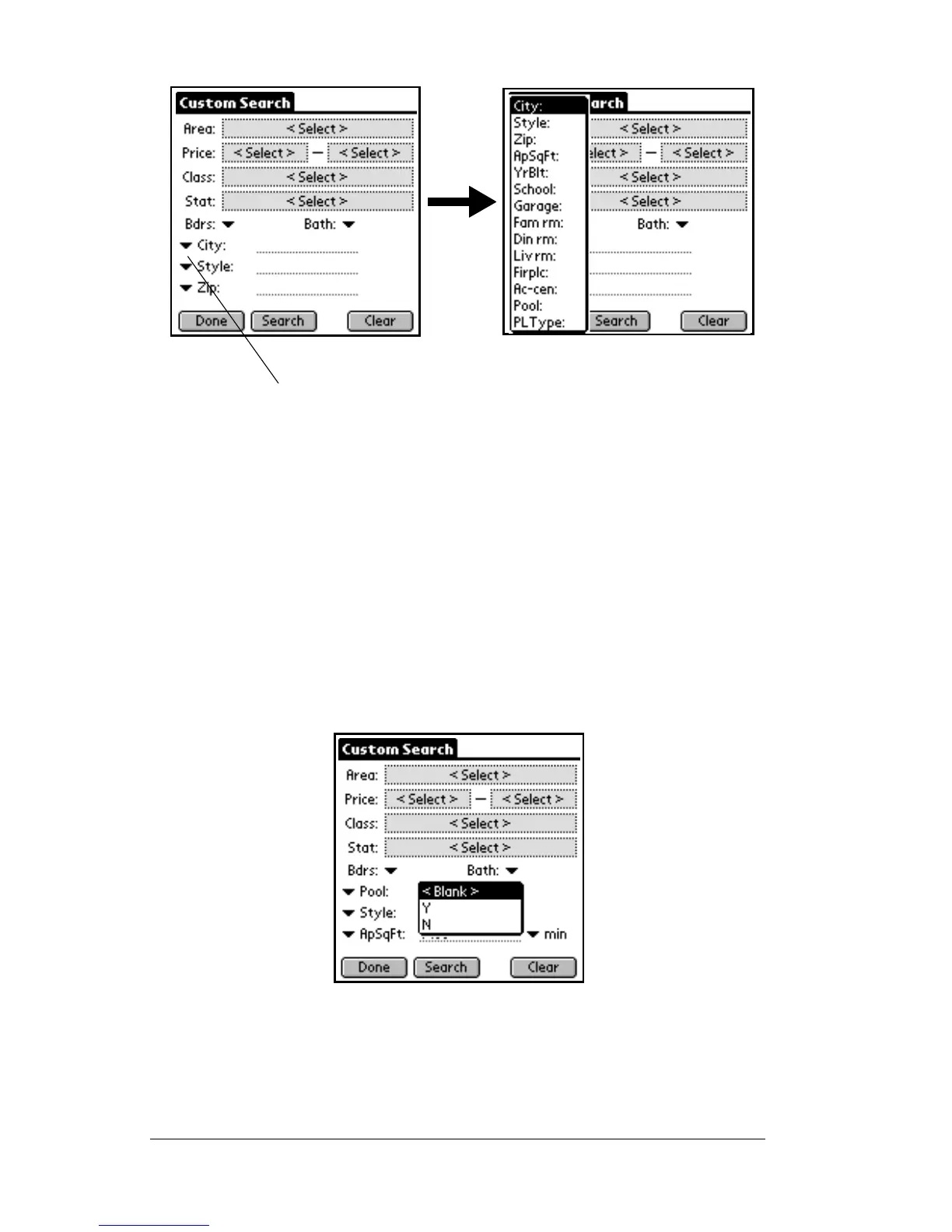
17. To select a field to include in your search, choose the field from the
list of additional searchable fields.
Once you have chosen the field, the field name is displayed at the
bottom of the
Custom Search
screen. There are three types of
searchable fields.
Yes/No search
In a Yes/No searchable field, a down arrow is displayed to the right
of the field name. When you tap on the down arrow, three options are
displayed: Blank, Y for yes, and N for no.
The Yes/No search allows you to include listings with a particular
feature in your search or exclude listings with a particular feature
from your search. For example, if the field you chose to search on was
Pool, and you selected ‘Y’, then all listings with a pool are included in
your search results.
Tap a down arrow next to one of the three fields at the
bottom of the Custom Search screen to display the
searchable optional fields chosen by your Association/MLS.



 To Next Page