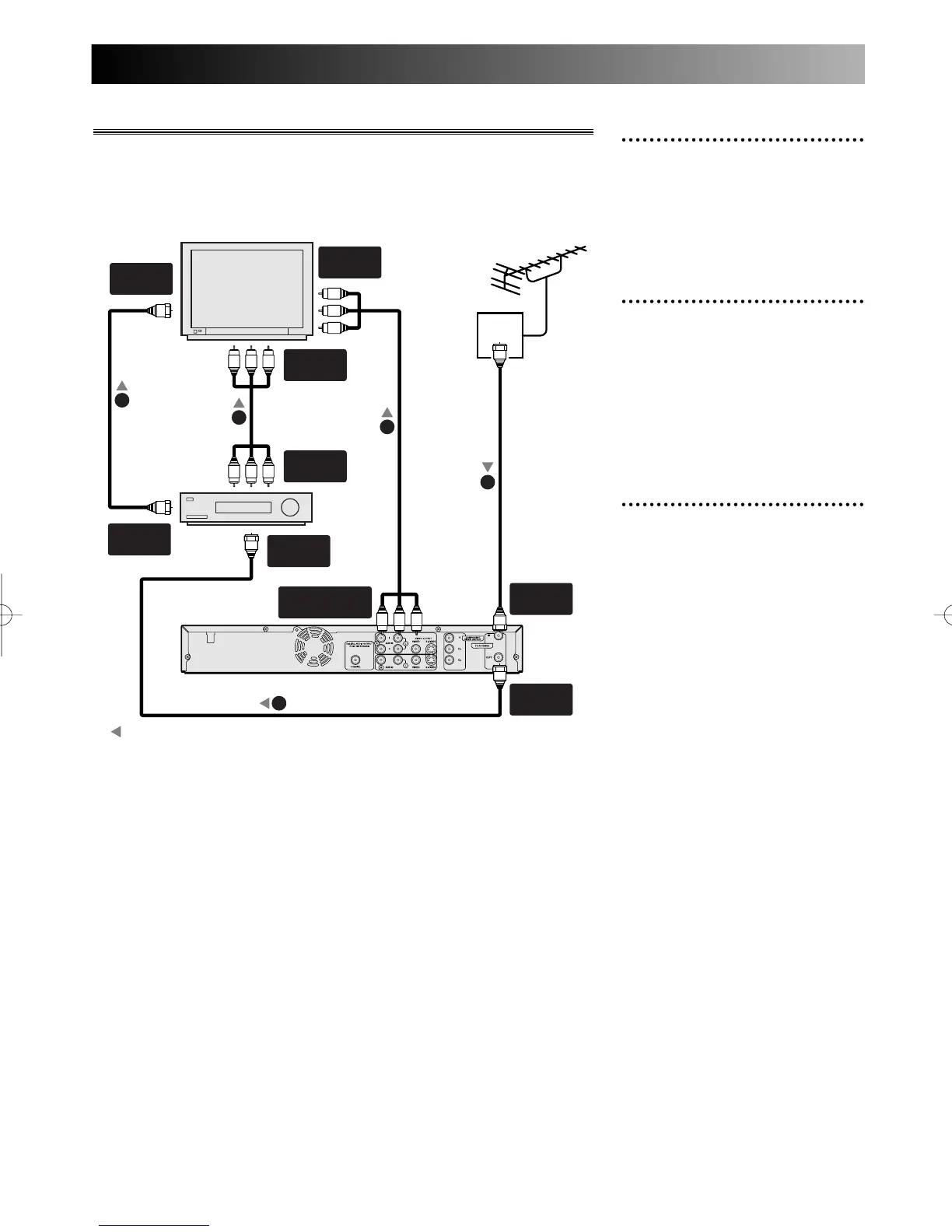
Connections
20
1
Use standard antenna cables
to connect the DVD recorder
and the VCR from the wall
jack socket as shown.
2
Use a standard A/V cable to
connect the AUDIO OUT-
PUT and VIDEO OUTPUT
jacks on the DVD recorder to
the audio and video input
jacks on the TV.
3
Use a standard A/V cable to
connect the audio and video
output jacks on the VCR to
the audio and video input
jacks on the TV.
Connection to TV and VCR
Note:
Antenna and antenna cable are not included.
A piece of Audio/Video cable and RF cable are included.
ANT.
ANT.



 To Next Page