Playing discs
Playing discs
49
POWER
DISPLAY
CH
REC MODE CLEAR
SKIP
REC
PAUSE
SETUP
REPEAT
ZOOM
ENTER
RETURN
REC
MONITOR
OPEN/CLOSE
TIMER
PROG.
1
2
3
4
5
6
7
8
9
0
k
A
K
{ B
L
FWD
g
STOP
C
PLAY
B
h
HG
CM SKIP
REV
MENU
PLAY LIST
TOP MENU/
ORIGINAL
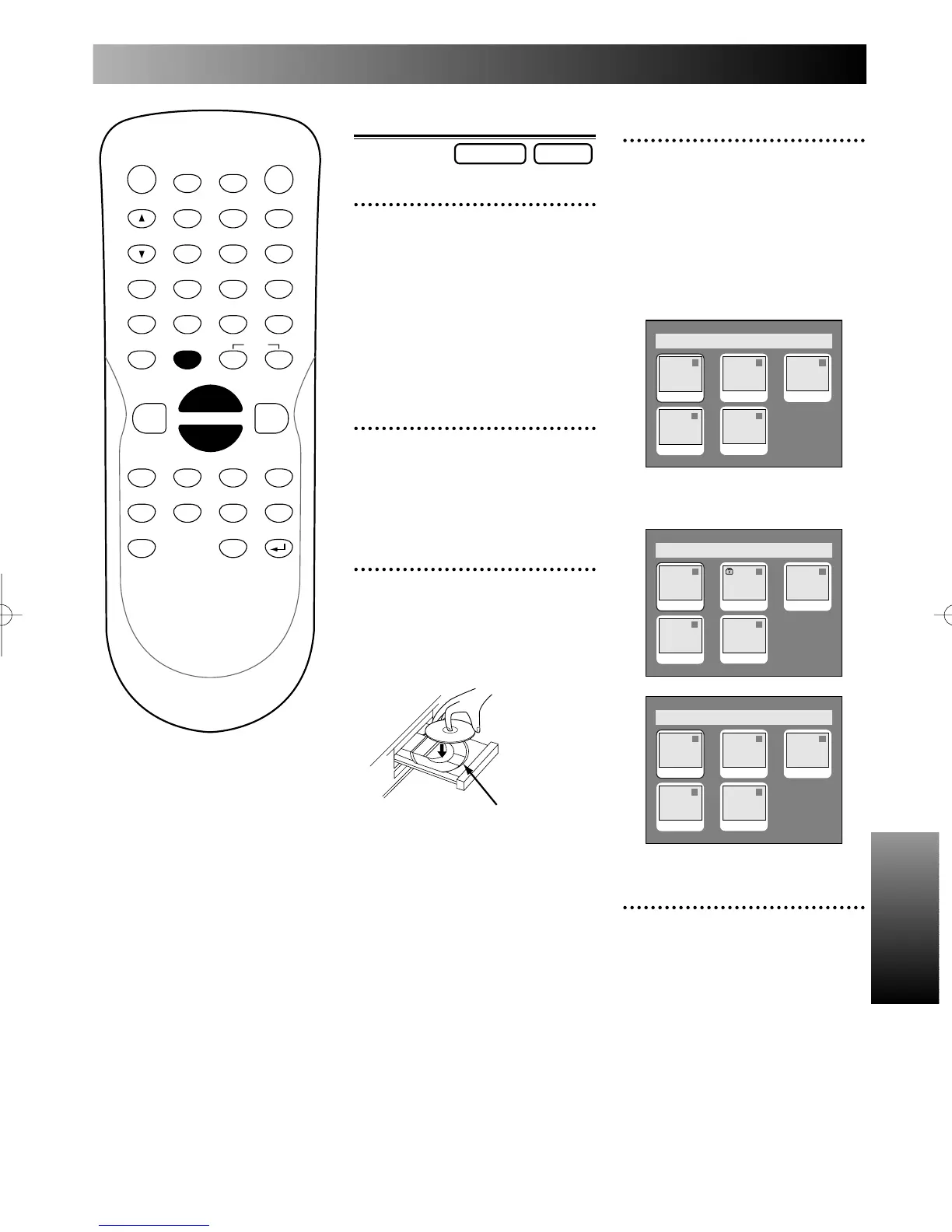
Basic Play
1
Press POWER button on the
remote control or the front
panel of the DVD recorder.
When you are playing a DVD,
turn the TV on and be sure to
select the input to which the
DVD recorder is connected.
2
Press OPEN/CLOSE A but-
ton to open the disc tray.
The disc tray will open.
3
Place the disc onto the disc
tray with its label facing up
and make sure to align the
disc to the disc tray guide.
disc tray guide
DVD-RDVD-RW
4
Press TOP MENU/ORIGI-
NAL button to display the
title menu.
You can change “Original” or
“Playlist” of VR mode using
MENU PLAY LIST.
Video mode:
VR mode:
5
Select a desired title using K
/ L / { / B buttons, then
press ENTER button.
Playing will start.
Playlist
54
1 1 32
JAN/1 1:00AM
JAN/1 1:00AM
JAN/1 1:00AM JAN/1 1:00AM
JAN/1 1:00AM
Original
1 1 32
54
JAN/1 1:00AM
JAN/1 1:00AM
JAN/1 1:00AM JAN/1 1:00AM
JAN/1 1:00AM
Titlelist
1 1 32
54
JAN/1 1:00AM
JAN/1 1:00AM
JAN/1 1:00AM JAN/1 1:00AM
JAN/1 1:00AM
E6500UD.QX 03.12.8 19:07 Page 49



 To Next Page