Getting started
Getting started
27
4
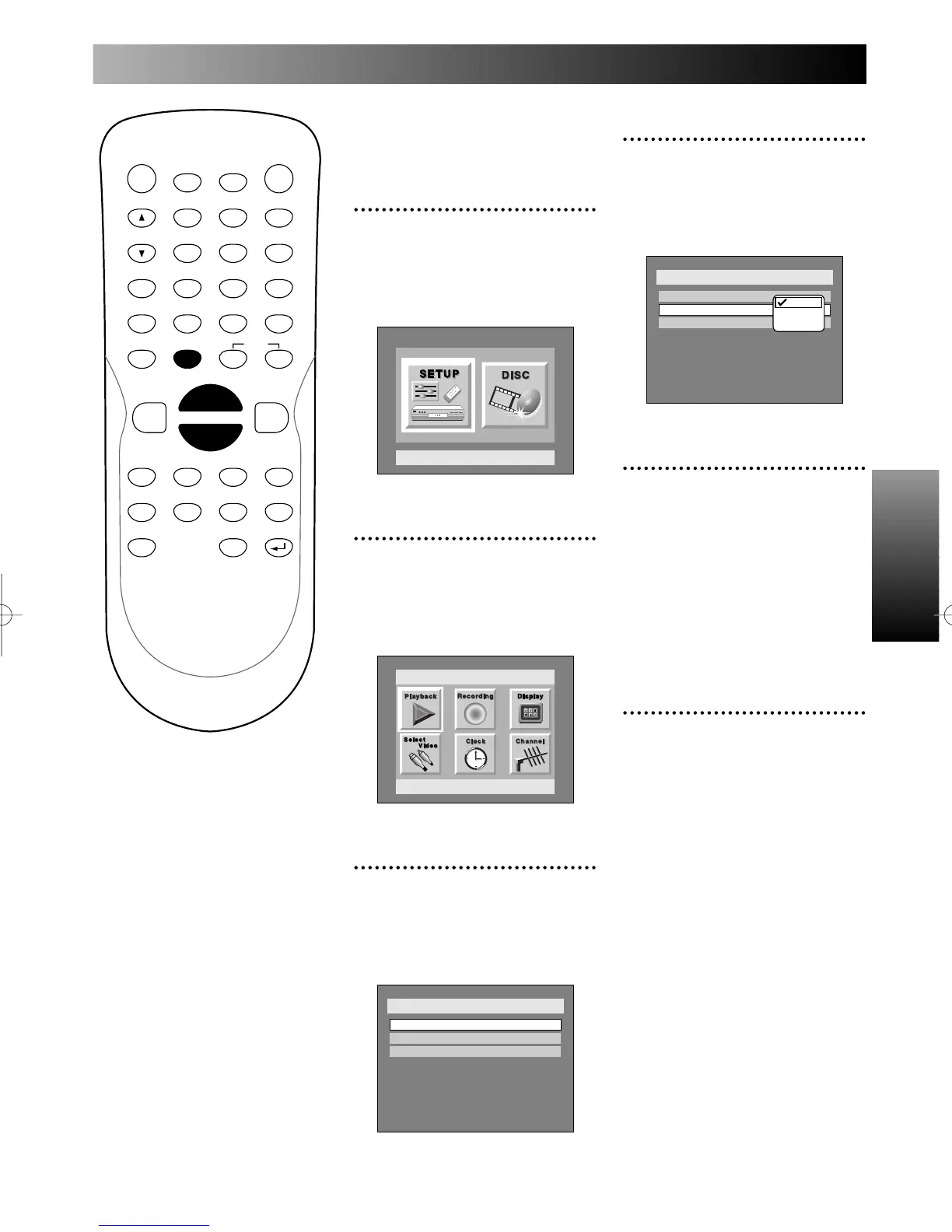
Select “Auto Clock Setting”
using K / L buttons, then
press ENTER button.
Option window will appear.
5
Select “Auto” using K / L
buttons, then press ENTER
button.
“OFF” has been selected as the
default.
We recommend to set the auto
clock setting to “Auto” to use the
clock function effectively.
6
Press SETUP button to exit
SETUP menu.
PROG.
Adjusting the clock
automatically
1
Press SETUP button to dis-
play SETUP/DISC menu.
SETUP/DISC menu will appear.
Screen:
2
Select SETUP using { / B
buttons, then press ENTER
button.
SETUP menu will appear.
3
Select “Clock” using K / L /
{ / B buttons, then press
ENTER button.
Clock menu will appear.



 To Next Page