4. FUEL SYSTEM
4-17
Fuel Tank
Fuel tank removal
Open the seat.
Remove the front cover and front top center cover.
Remove the side covers and lower side covers.
Remove the front fender.
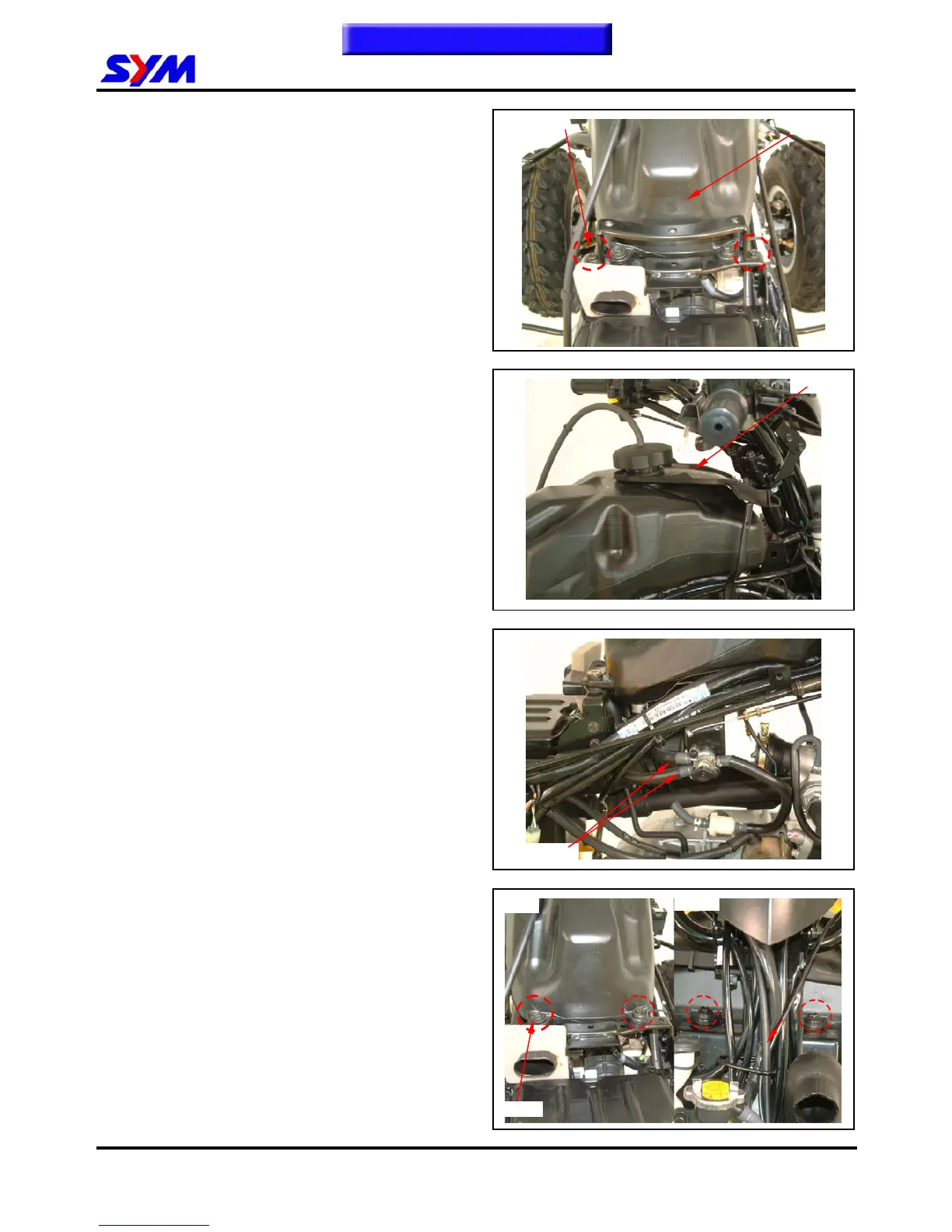
Remove 2 bolts from tank cover BRKT.
(Covers remove please
refer chapter 13)
Remove the tank cap rubber.
remove 2 fuel tubes from fuel valve.
Remove 4 bolts from tank rear side & front side
and then remove fuel tank.
.
Installation
Install the tank in the reverse order of removal.
2 bolts
4 bolts
Fuel tube
To this chapter contents
Fuel tank
FRONT
REAR
2 bolts



 To Next Page