54
5
SYSTEMA EOLO RT rev. 09ENIT04052021
FUNZIONAMENTO
SW2 (DIP 3 and 4)
FUNCTION DESCRIPTION
Temperature probe present, mounted on board the SCP674V202 board
Temperature probe present, mounted on board the SCP674V202 board
Network probe n.2 (PA2), connected to the master controller SCM830 / 850
Temperature probe present, mounted on the remote keyboard.
5.4 SCP674V202 SLAVE CODING FOR SINGLE DEVICE WITH SCP674V122T
TERMINAL
5.5 PROBE CONFIGURATION
It is possible to connect the temperature and humidity probe directly to the network control board or it is pos-
sible to have the temperature values read by the network probes 1 and 2 installed on the master, if present.
To select the probe, set dip switches 3 and 4 of dip switch SW2 as shown in table 5.18
Tab 5.17 Setting for a single device
Tab 5.18 Setting for a single device
SW2 (DIP 1 and 2)
SW1 position (rotary) SLAVE address (module SCO674V202)
F
SCP674V202 slave card disconnected from the SCBus network.
Single machine
Important
The lack of the probe, if active, generates an error on the network controller.
If you enable network probes 1 and / or 2, check that the network controller has set the
correct network probe addresses.
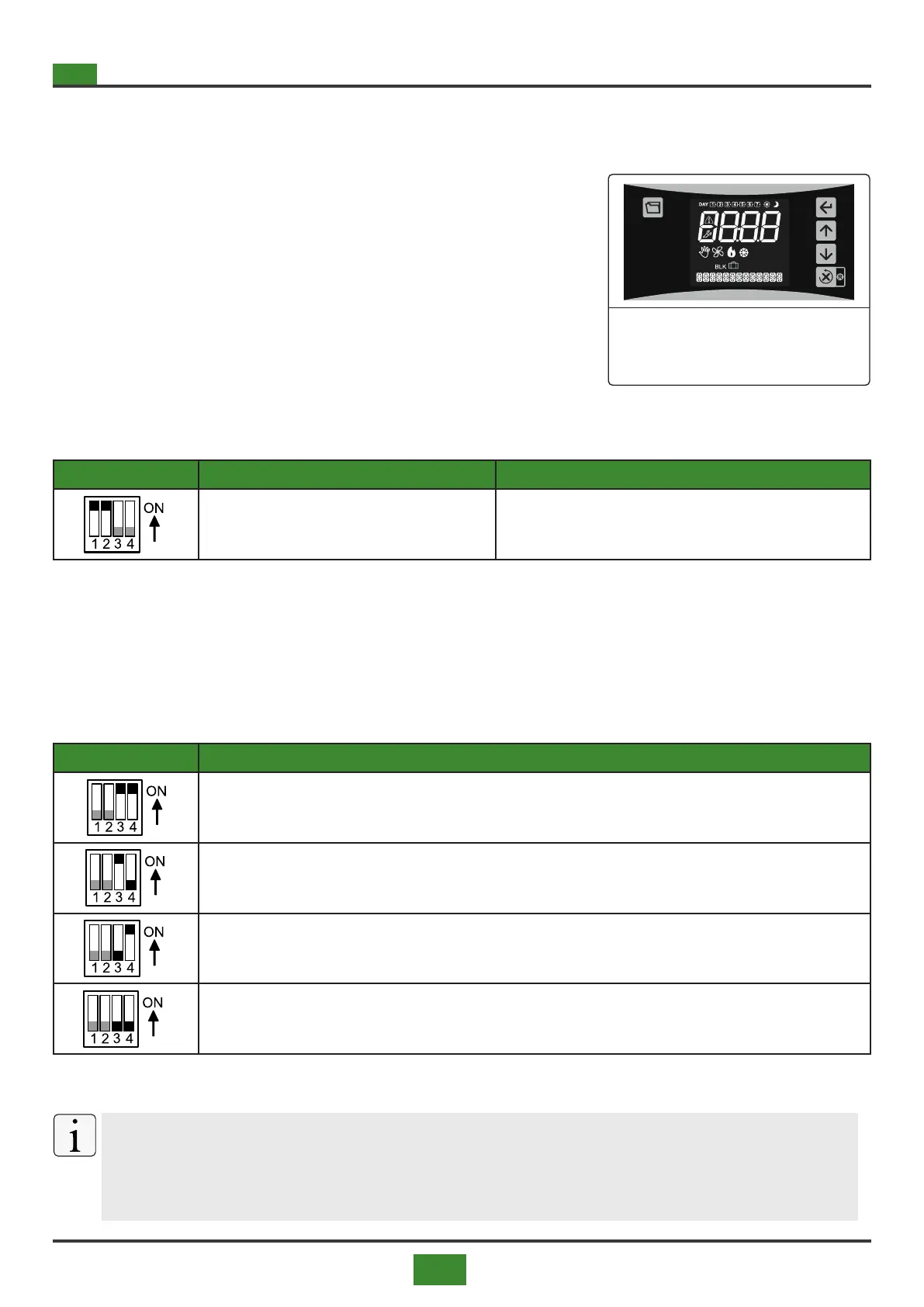
To operate a single device via the SCP674V122T terminal, set SW1
/ SW2 on the SCP674V202 slave board as indicated in tab. 5.17
Fig. 5.4 Terminal SCP674V122T


 To Next Page