80
9
SYSTEMA EOLO RT rev. 09ENIT04052021
MANUTENZIONE
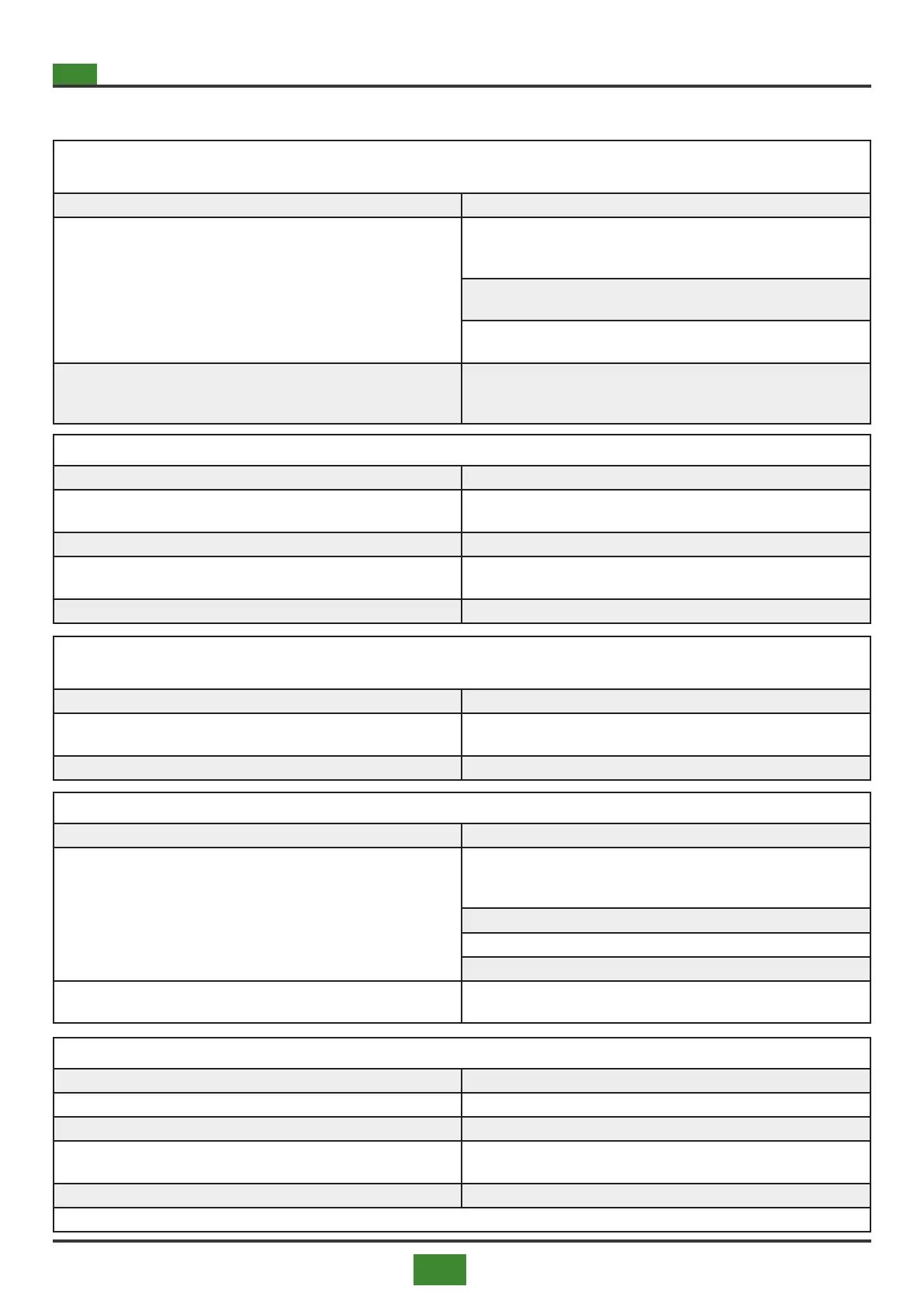
ANOMALY: the appliance does not turn on and after three ignition attempts it goes into lockout, on reset,
after three more attempts it continues to lock out
CAUSES REMEDIES
16) The premix burner motor does not work and / or the premix burner
internal fan board is faulty
16.1) Check that there is voltage in the premix fan of the kettle and
check the electrical connection, connect the motor correctly or, in case
of failure, replace it with an original spare part
16.2) Control unit faulty, check the operation of the control unit and / or
I would replace with original spare
16.3) Motherboard faulty check the operation of the card
mother and / or I would replace with original spare
17) Smoke exhaust blocked or too long
17) Check the maximum length and diameter of the smoke outlet as
indicated in this booklet, and / or check that it is not blocked, then free
the smoke outlet if necessary
ANOMALY: the appliance turns on but after a short time goes into lockout
CAUSES REMEDIES
18) Dirty or clogged air lters
18) Check the air channel lters, faulty lter differential pressure switch
o dirty, blocked, clean or replace with original spare part
19) Check the safety fuses on the motherboard 19) Replace the fuses
20) No communication between the internal control board and the com-
mand and external control panel
20) Check electrical connections and communication, in case of failure
replace either the internal board or the command and control panel
21) Check the minimum gas pressure switch 21) Check the inlet gas supply
ANOMALY: the burner premix motor starts but the control equipment does not give signals to the combu-
stion head and / or to the gas valve
CAUSES REMEDIES
22) Motherboard faulty
22) Check operation of the motherboard and / or replace with original
spare part
23) The ame control equipment is faulty. 23) Replace the equipment with an original spare
ANOMALY: the appliance is electrically powered but does not turn on
CAUSES REMEDIES
24) No communication between the internal control board and the com-
mand and external control panel
24.1) Check power supply, electrical connections and communication,
in case of failure replace either the internal board or the command and
control panel
24.2) Check the remote control panel power supply
24.3) Check the control panel parameters
24.4) Check the correct settings on the motherboard
25) Intervention of a security
25) Check the intervention of the safety devices and relative alarms in
point 5.1 on page 47
ANOMALY: the fans do not start
CAUSES REMEDIES
26) Check the fan safety fuses on the motherboard 26) Replace the fuses
27) Bi-thermostat faulty 27) Replace with original spare part
28) Air temperature probes faulty or not connected correctly
28) Check the correct connection of the probes and / or replace them
with original spare part
29) Faulty fans 29) Replace with original spare part
CONTINUED ON NEXT PAGE


 To Next Page