➤ Automatic single sheet
feeder, rear (ASF-R)
Preparing the printer Select the ASF-R either in setup mode (see chapter
The menu
) or via
the paper source quick selection function (see chapter
Settings [I]
,
Paper path quick selection
) or via an application program.
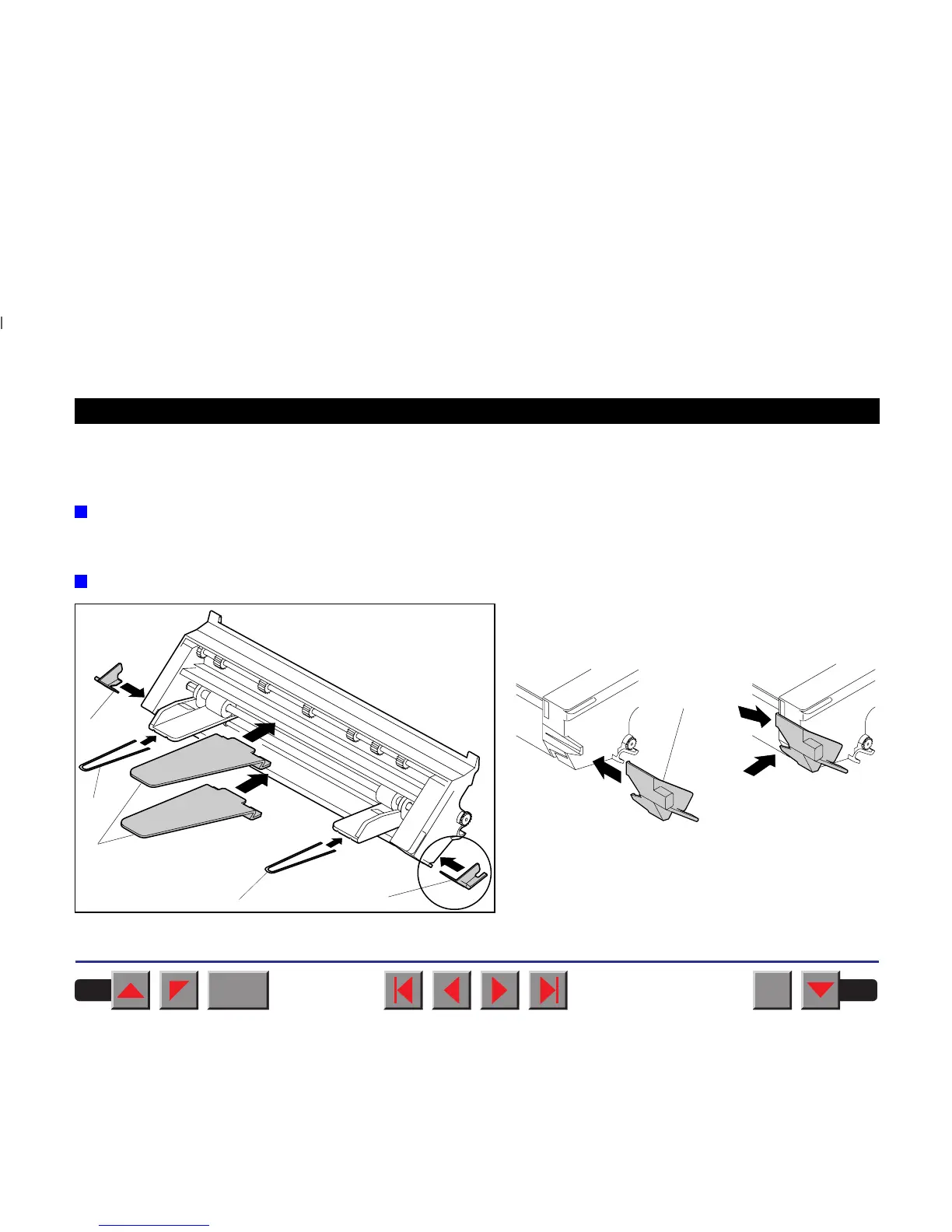
Installing the ASF-R
Mount the two adapters ➀ on the left and right on the
projections provided on the single sheet feeder and
click them into place.
Insert the two paper support brackets ➁ into the ope-
nings provided in the paper guides.
Mount the two paper support plates ➂ to the holders.
➁
➂
➀
➀
➁
➀
BACK
QUIT
?
PRINT
Reference manual Options and Accessories
187














 To Next Page