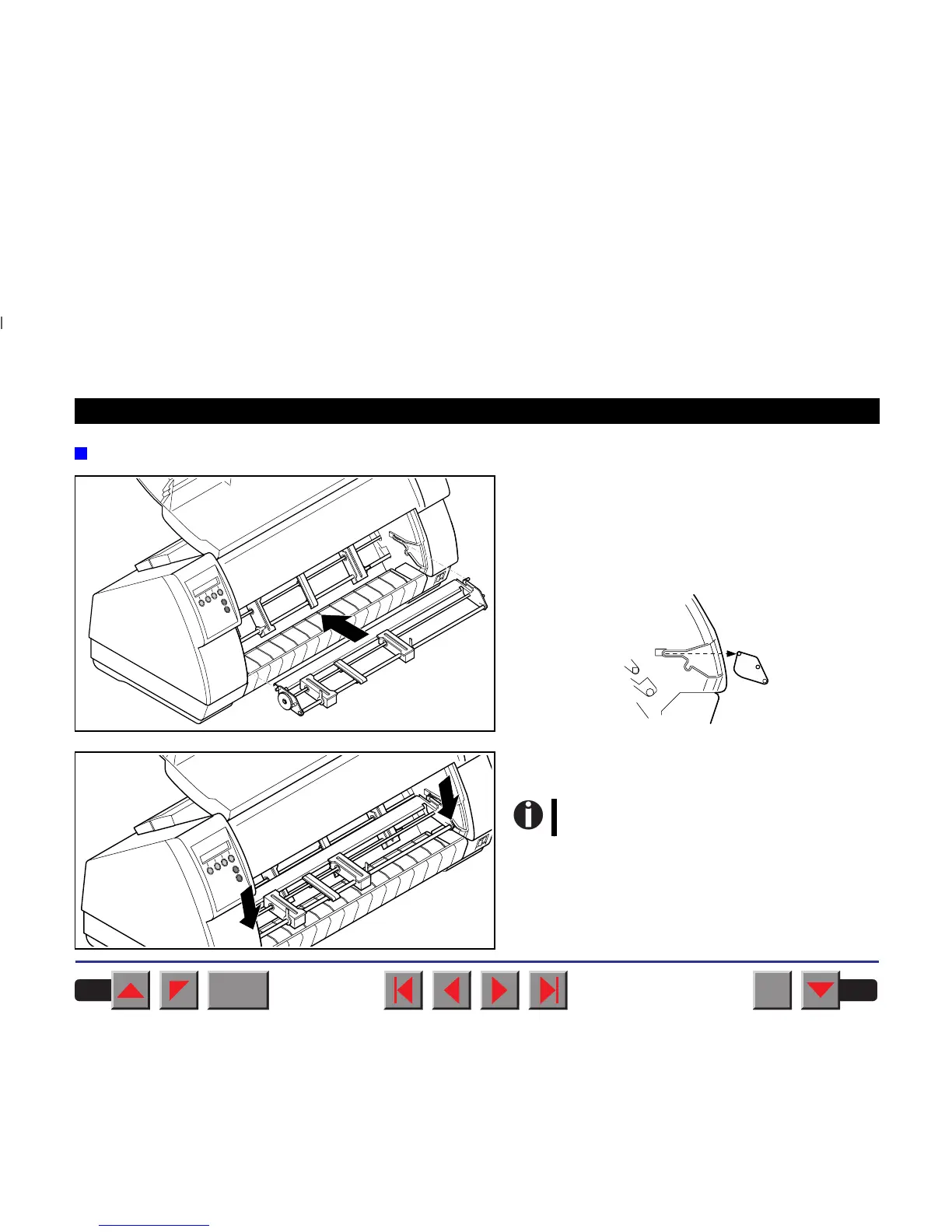
Installing the tractor 2
Raise the front cover.
Installation must be performed with the gear on the
tractor on the left side.
Insert the tractor 2 with the pins on the left and right
in parallel to the stop into the guides provided on the
printer.
Press the tractor down until the front pins click into
place on the left and right.
Loading paper is described in chapter
Loading paper.
BACK
QUIT
?
PRINT
Reference manual Options and Accessories
194














 To Next Page