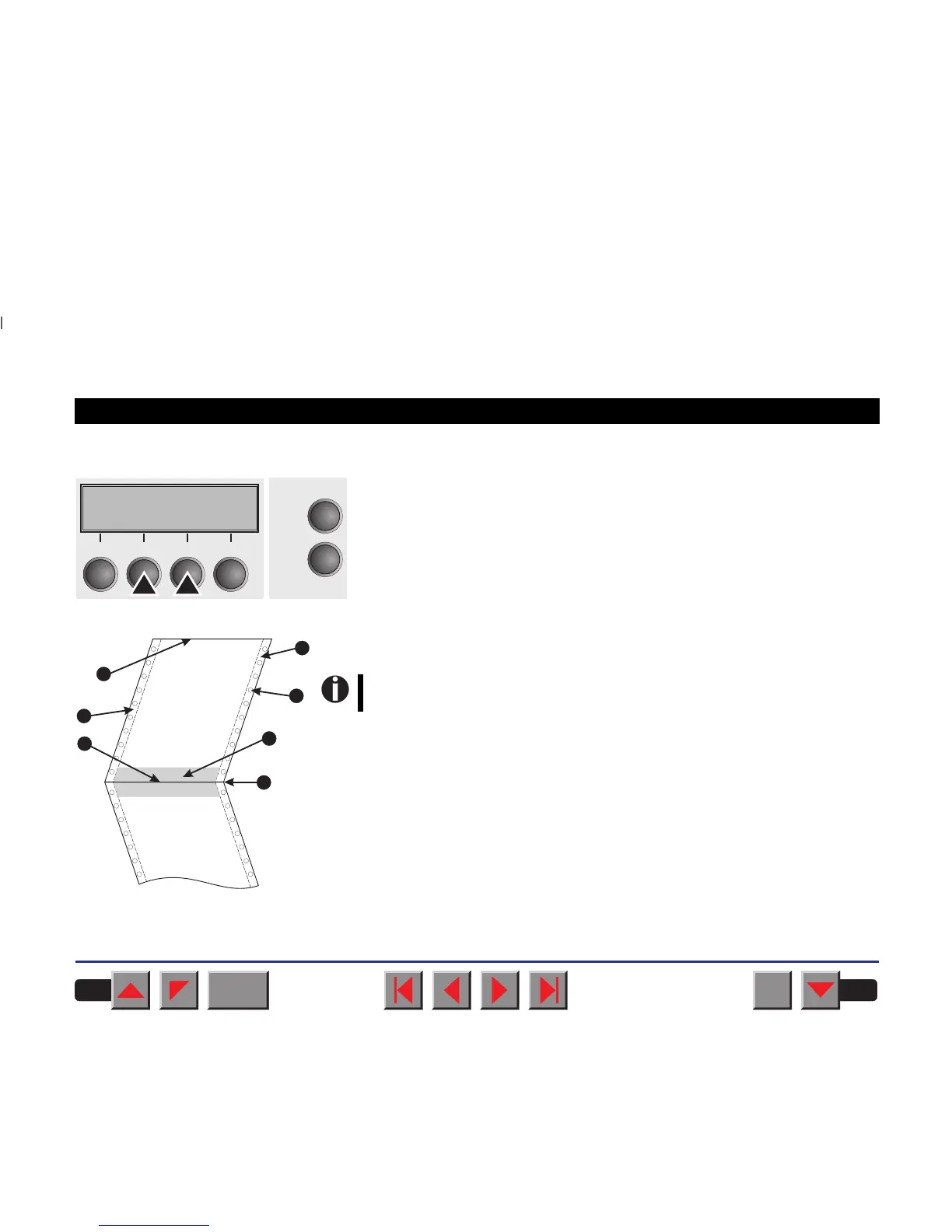
➤Increasing the printhead gap (Head up)
Setting options: On/Off
Default setting: Off
If the parameter is set to On, the printhead gap increases during form feed
and line feed four lines before and after the perforation on the form (pro-
tected zone). The printhead gap is always increased during form feeding
past the perforation even when feeding takes place outside the protected
zone.
Head up=Off *
Online
Setup
Set < > Exit
21
3
4
BACK
QUIT
?
PRINT
Reference manual Mechanical adjustments to the printer
82
Printing is possible in the protected area.
Confirm your settings by pressing the Set key (1).
1
2
2
3
4
5
6
1 Top edge of form
2 Paper transport strip
3 Bottom edge of form
4 Form separation perforation
5 Protected zone
6 Transport holes














 To Next Page