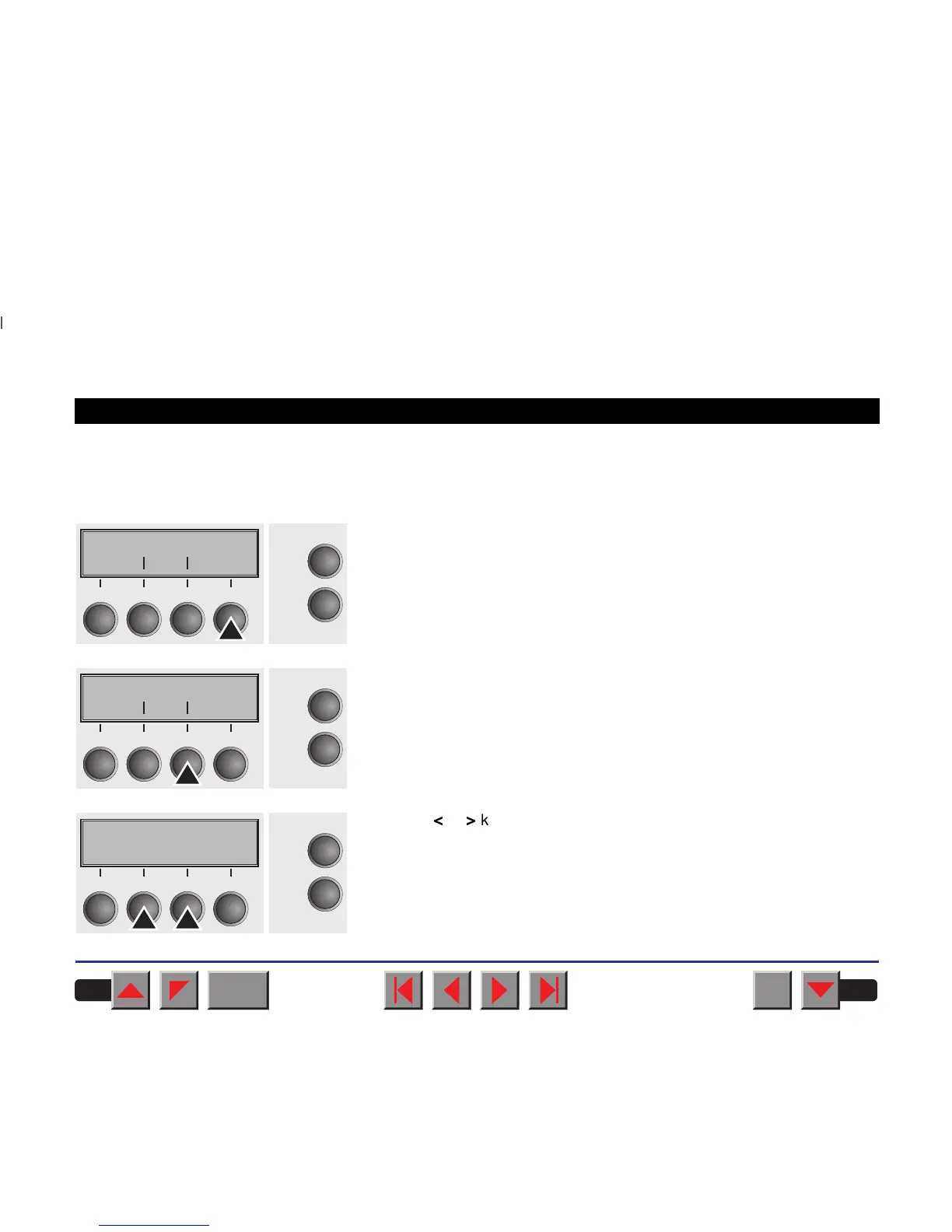
➤ Selecting character
density and font
temporarily
You can use the CPI key in setup mode to select the number of charac-
ters per inch to be printed. You can use the Font key to select fonts.
Press the Setup key, then the Char key.
Press the CPI or Font key (in our example, press CPI).
Use the
<
or
>
key to set the desired character density. Confirm the
selection by pressing the Set key.
You can cancel the selection and leave the setting unchanged by pres-
sing the Exit key.
Adjust Paperway
Menu Char
Online
Setup
21
3
4
Font CPI
Online
Setup
21
3
4
10 CPI *
Set < > Exit
Online
Setup
21
3
4
BACK
QUIT
?
PRINT
Reference manual Settings (I)
26














 To Next Page