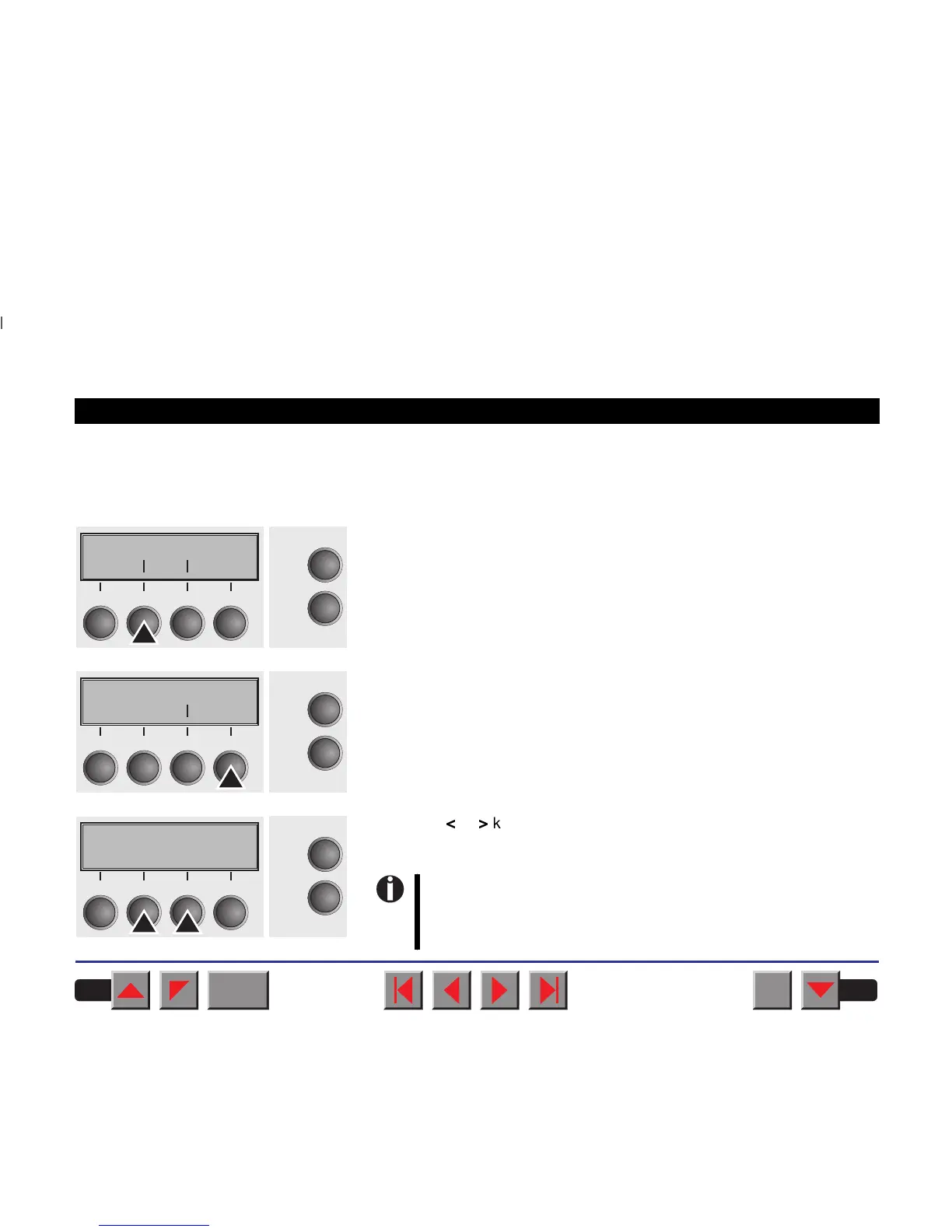
➤ Setting the tear position If the tear position of the paper is not aligned with the tear edge of the
printer, you can adjust it. Loaded paper may have to be torn and re-
positioned to the park position.
Press the Setup key. The printer changes to setup mode.
Press the Adjust key.
Press the Tear key.
Press the
<
or
>
key to move the perforation to the desired position. Con-
firm the setting by pressing the Set key.Press the Setup key. The printer
is reset to the initial status.
Adjust Paperway
Menu Char
Online
Setup
21
3
4
TOF
Head Tear
Online
Setup
21
3
4
TearAdj= 00/72"*
Set < > Exit
Online
Setup
21
3
4
BACK
QUIT
?
PRINT
Reference manual Settings (II)
41
The correction – the range is from -99/72" to +99/72" – made
will be retained after switching off the printer.
Make sure that the set form length corresponds to the
actual length of the forms you are using.














 To Next Page