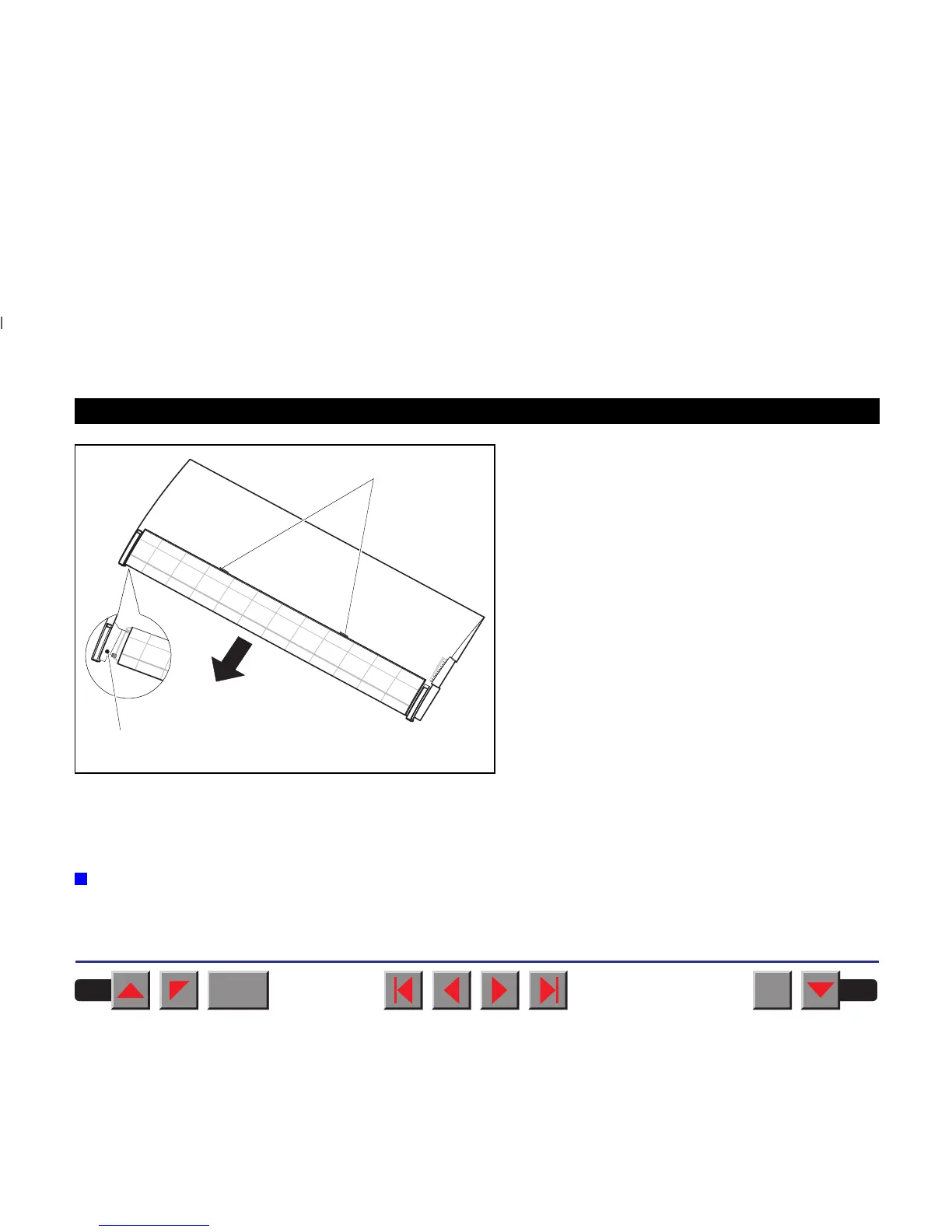
When installing the ASF-R the tear edge must be re-
moved from the top cover. To remove the tear
edge, hold it in the middle and pull it towards the
rear until the locking tabs ➀ slide out of their loca-
tions. Then bend the tear edge slightly to remove it
from the left and right holders ➁.
Remount the top cover.
Press the Online key to set the printer to ready
status. When the printer receives data from the com-
puter, the first sheet is automatically loaded. Press
the Load key to load a sheet before starting the
printout.
➤ Tractor 2
Preparing the printer Select the Tractor2 parameter with the paper path quick selection
feature (see chapter
Settings [I]
,
Paper path quick selection
), in the
Setup menu of the printer (see chapter
The menu
) or via an application
program.
➀
➁
BACK
QUIT
?
PRINT
Reference manual Options and Accessories
193














 To Next Page