GUIDED TOURS
M5GUIDED
Rev 1.1 Page 2
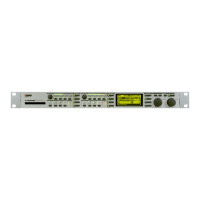
#1: SOFTWARE UPDATE M5000
How do I update with a new software ?
(CONFIGURATION, SOFTWARE INSTALLATION)
1. Make sure that the M5000 is switched off.
2. Switch on power while holding the
BYPASS
button until the following appears:
M5000 SETUP UTILITY
choose option and press Do : Load (DISK)
3. Insert floppy disk into the disc drive or memory card in the memory card slot with new
software.
4. Press
DO
until
"Select file to load :"
appears.
5. Turn the PROGRAM knob to select the software you want to load and press
DO
twice.
6. Wait while FLASH EPROM is updating.
7. Power-down and then power-up to initialize the new software as instructed in the
display.



 To Next Page
 Loading...