GUIDED TOURS
M5GUIDED
Rev 1.1 Page 4
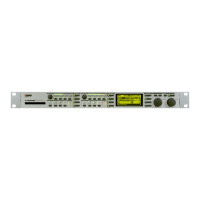
#3: DISK/CARD HANDLING M5000
How do I format a Floppy Disk/Memory Card ?
During a session:
(GENERAL INSTRUCTION, UTILITY HANDLING)
1. Insert floppy disk in the disc drive or memory card in the memory card slot.
2. Press the
UTILITY
button and turn the
PROGRAM
knob until the MENU >>
FILE
<<
appears.
3. Choose which medium you wish to format by turning knob
A
until >>
FORMAT
DISK
<< (floppy disc) or >>
FORMAT CARD
<<
(PCMCIA-card) appears and press
DO
.
4. Turn knob
A
to select 720 Kb or 1.44 Mb formatting for disk size or 64 - 1024 Kb
formatting for card size.
5. Press
DO
twice.
How do I save my programs to disk/card ?
(GENERAL INSTRUCTION, PROGRAM
HANDLING)
RAM programs:
1. Press the
PROGRAM
button.
2. Press the right
PAGE
button twice.
3. Turn knob
A
until >>
Ram to File
<< appears and then press
DO
.
4. Press
DO
when the file menu reads >>
Save Disk
<<.
5. Now give a name to the 'bank' of programs, which are in the FILE buffer.
6. Press
DO
to store the FILE buffer to disk.
FILE programs: Repeat 1-6, except 3.
How do I load programs into the M5000 ?
(GENERAL INSTRUCTION, PROGRAM HANDLING)
Loading From a floppy disk:
1. Press the
PROGRAM
button.
2. Press the right
PAGE
button twice.
3. Turn knob
A
until >>
Load Disk
<< appears and then press
DO
.
4. Select the file to load by turning the
PROGRAM
knob and then press
DO
.



 To Next Page
 Loading...