4. The sunrise Touchscreen
TECAN
4-8 Instructions for Use for sunrise Absorbance Reader No. 30008746 Rev. No. 1.4 2006-03
4.5 Operating the Touchscreen
4.5.1 Introduction
The Touchscreen has to be operated with the Touchscreen pen, which is
included in the package.
Caution
Before starting measurements, make sure that the microplate position
A1 is inserted correctly.
4.5.2 Starting the Software
• Make sure that the USB stick is plugged into the Touchscreen.
• Switch the instrument on.
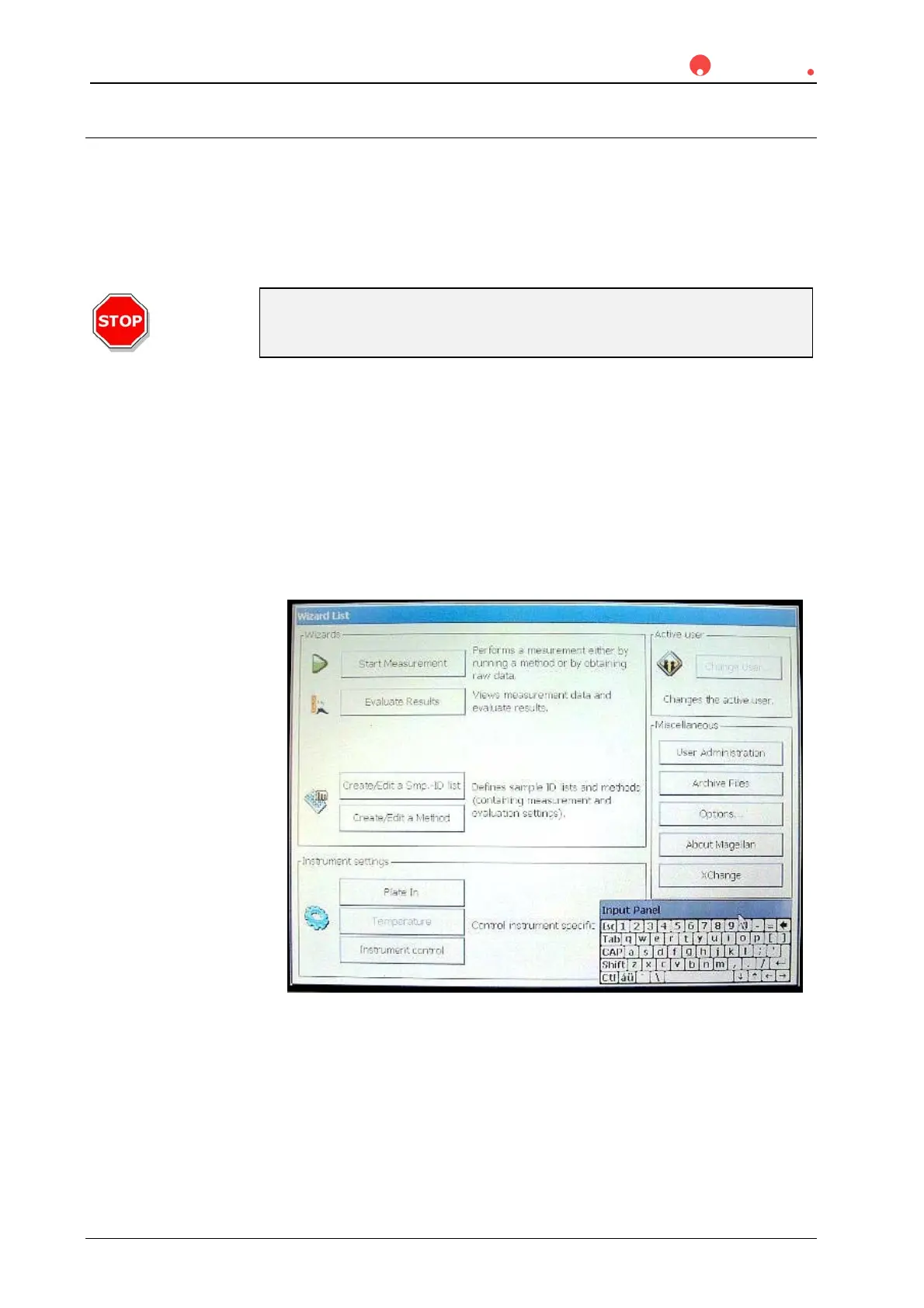
• The wizard list and a keyboard are displayed on the touch panel. The
keyboard is always displayed. When it is not required, it can be dragged to
the edge of the panel by means of the Touchscreen pen.
• The wizard structure guides the user through every step. The starter screen
is displayed:
For further information on how to use MagellanCE please refer to the Magellan
software “Instructions for Use”.



 To Next Page