TECAN
4. The sunrise Touchscreen
2006-03 Instructions for Use for sunrise Absorbance Reader No. 30008746 Rev. No. 1.4 4-11
4.6 Change Instrument Control Mode
To control the sunrise Touchscreen instrument with an external computer the
instrument must be set to remote mode.
4.6.1 Set Instrument in Remote Mode
In the Wizard List dialog box under Instrument settings, select Instrument
control.
To change the instrument control mode select PC Remote Control. The program
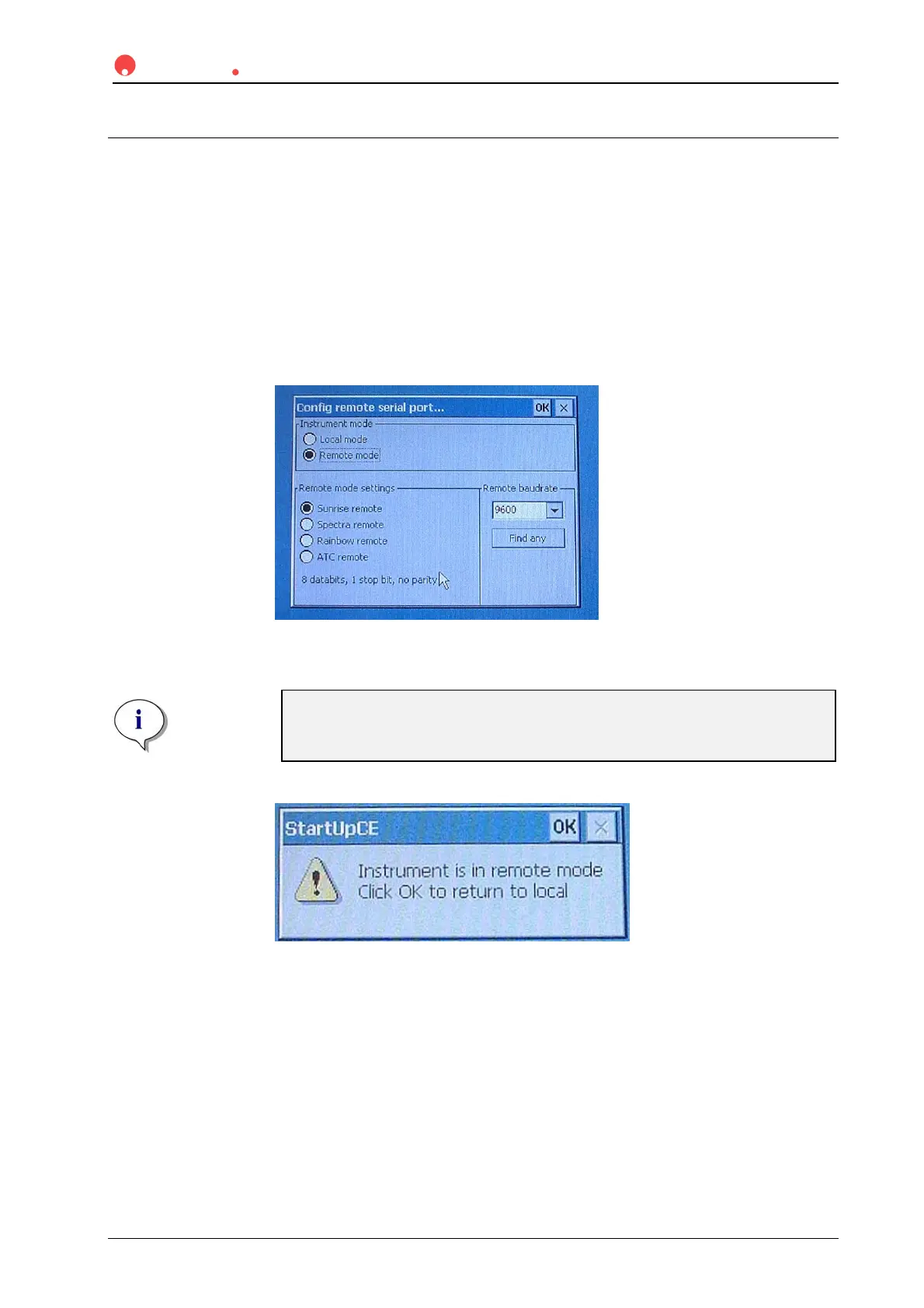
will be closed and the Config remote serial port... dialog box is opened.
Set the Instrument mode to Remote mode and select the remote mode settings
and baud rate.
Note
Tecan reader control programs like XReadPlus or XFluor4 support only
a maximum baud rate of 9600 bauds with the sunrise reader.
Confirm the dialog with OK.
A dialog appears confirming that the instrument is now in remote mode.
Connect the
sunrise instrument to the external computer as described in
3.6 Instrument Installation Procedure.



 To Next Page