10 TEGAM WAY • GENEVA, OHIO 44041 • 440-466-6100 • FAX 440-466-6110 • sales@tegam.com
2-4
LINE VOLTAGE SELECTION
CAUTION: DO NOT APPLY POWER TO THE INSTRUMENT BEFORE READING THIS SECTION:
Unless otherwise specified, the Model 1750 microohmmeter is delivered from TEGAM with its power
supply set for 120 V, 60 Hz operation. However, the 1750 design allows it to operate under 120/240
V @ 50/60 Hz operation. It is recommended that the line voltage, frequency setting and fuse type be
verified before powering the unit.
The following procedure describes the steps necessary to change the 1750 power settings from factory
default settings to 240 VAC @50 Hz.
1. Verify that there is no power connected to the unit. Remove the top cover.
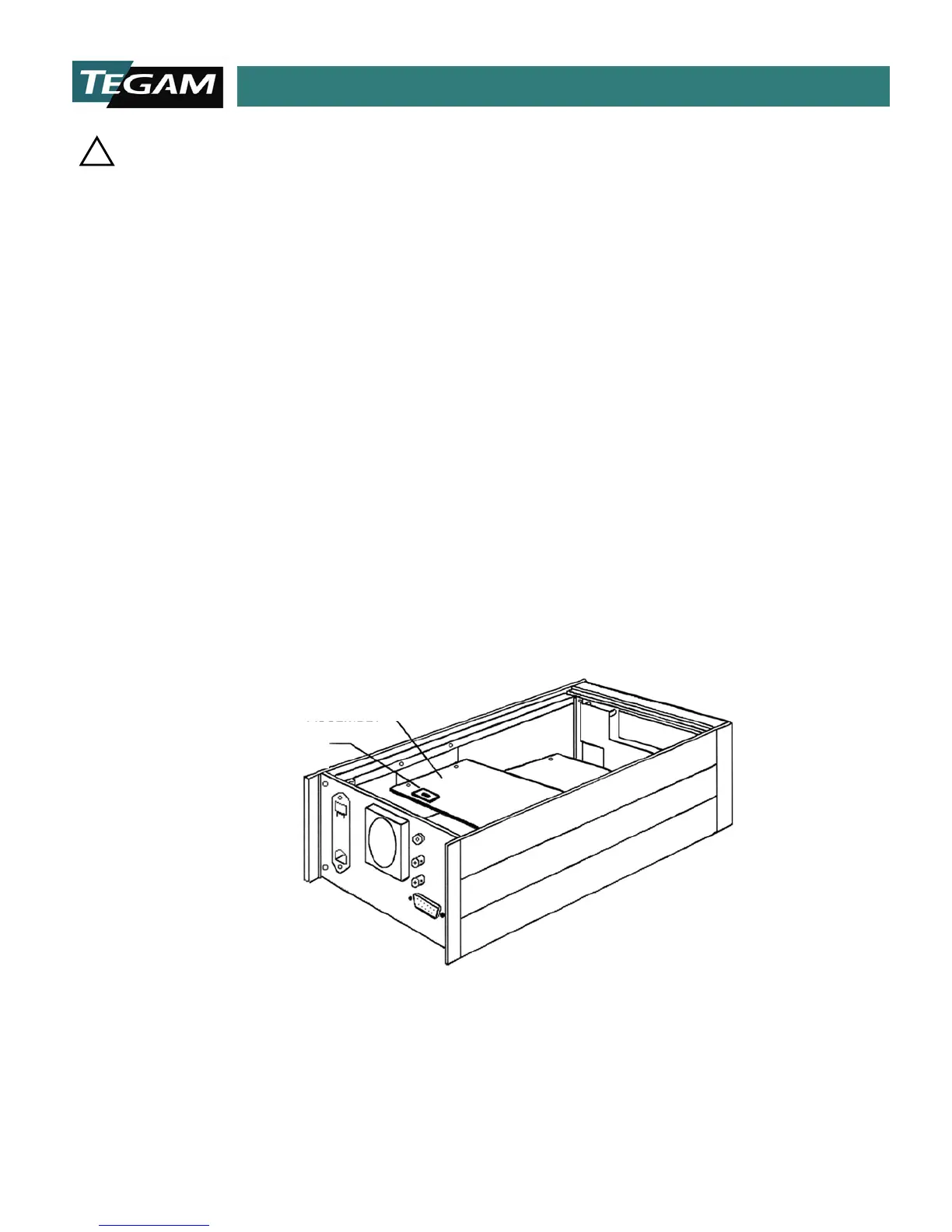
2. Change the line selector switch on the power supply printed circuit board from 120 VAC to 240
VAC. The switch is located toward the rear panel of the 1750 on the top most PCB board. Refer
to the figure below:
3. Replace the top cover and connect the 1750 to its power source. Power the unit by depressing
the power switch located on the front panel.
4. Press the [MENU/CLEAR] key then press the 50/60 Hz key, (Key #1). Scroll the menu by pressing
either the [▲] or [▼] keys. Once 50Hz is displayed on the LCD then press [ENTER]. The 1750 is
now set for 240 VAC @ 50 Hz operation.
Fig 2.1: Line Voltage Selection Location
NOTE: The 1750 microohmmeter uses line cycle integration in order to prevent interference from affecting the
instrument readings. For proper readings, the frequency setting of the instrument must match the line supply.
You can change the frequency setting simply by following the instructions in step #4.
SWITCH
POWER SUPPLY
ASSEMBLY



 To Next Page