Versa User Manual www.teledynetekmar.com
CONFIGURING AN ACTIVE INSTRUMENT
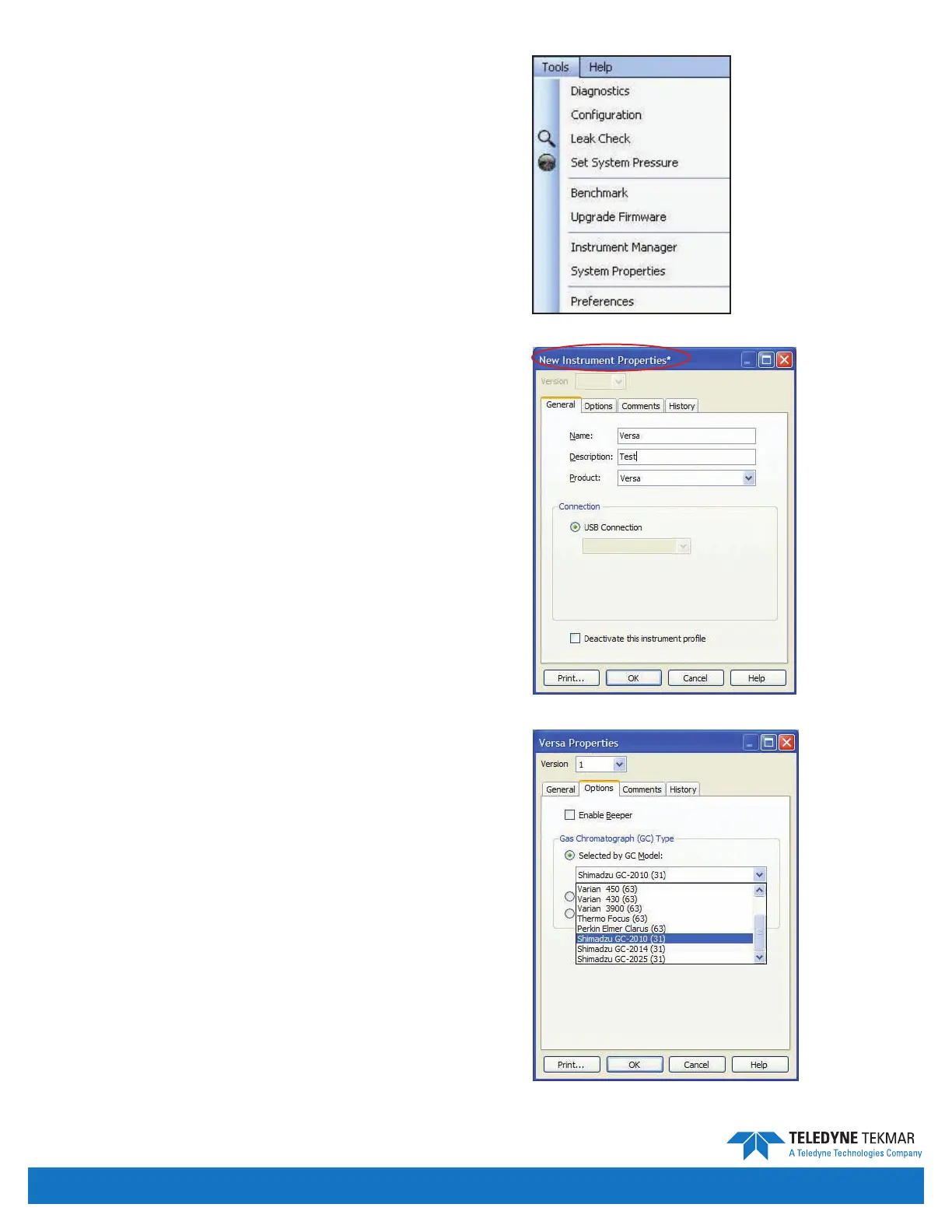
To specify the conguration of an active instrument, click
Tools | Conguration.
The subsections below describe the contents of the
General, and Options tabs in the Conguration screen.
The Comments tab contains a text box in which comments
can be placed and has no other function. The History tab
displays the history of the instrument prole.
Note: Anytime the conguration is changed, an “*” will
appear by the name until saved.
Conguration - General Tab
Name - The user must enter the name of the active or
selected instrument.
Description - A user-dened, brief set of text to identify
the instrument.
Product - Shows product type.
Connection - The Versa connects through a USB port to
the user PC.
Deactivate This Instrument Prole - Disables the
instrument prole and releases the USB port, thus
allowing it to be used for another instrument.
Conguration - Options Tab
Enable Beeper - Toggles the associated feature ON or
OFF. When ON, the instrument uses an onboard speaker
to create an audible alarm in the event of an error.
Gas Chromatograph (GC) Type - species the type of
gas chromatograph system. To change the type, follow
the directions below.
1. Select the Selected by GC Model radio button and
attempt to nd and select your GC from the drop list.
2. If you cannot nd your GC on the predened list,
follow the GC/IO cable instructions to determine
whether you need to select the Standard Type or
User Type radio button.
Figure 4-4: Tools | Conguration
Figure 4-5: Conguration Screen - General Tab - Unsaved
Figure 4-6: Conguration Screen - Options Tab
Introduction • Page 4-3


 To Next Page