Versa User Manual www.teledynetekmar.com
EXPORT FEATURE
The Versa TekLink™2G oers the exportation of methods
and schedules. The following are the steps necessary to
export desired information to another source.
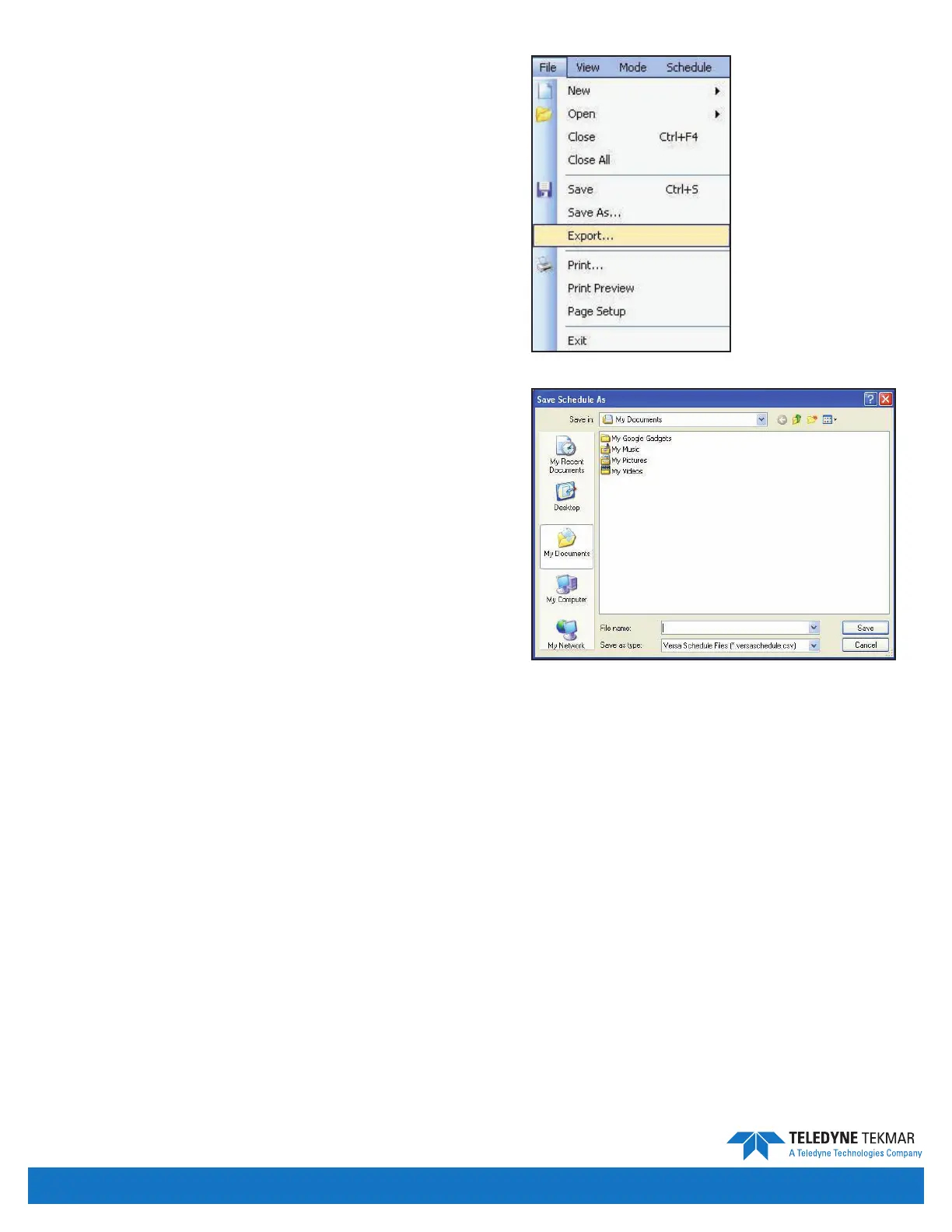
Once the appropriate screen, Method, Schedule etc. has
been selected and you are ready to export, from the tool
bar, select File | Export.
Once the Export tab has been selected, the Save As
window will open. Here you will use the pull down tab to
select the correct pathway and le for your information.
Once the correct pathway and le has been selected, press
the Save button at the lower right hand corner to save
your selection.
Figure 4-45: File | Export
Figure 4-46: Save As Screen
Introduction • Page 4-17


 To Next Page