Versa User Manual www.teledynetekmar.com
Introduction • Page 2-12
Connecting to the Versa
USB DRIVER INSTALLATION
In order for the Versa to communicate with your PC, you will need to install the drivers for the USB port. At this step,
the process will be dierent depending on which operating system you have on your PC. Follow the steps below that
pertain to your PC’s operating system.
If you are running Windows XP:
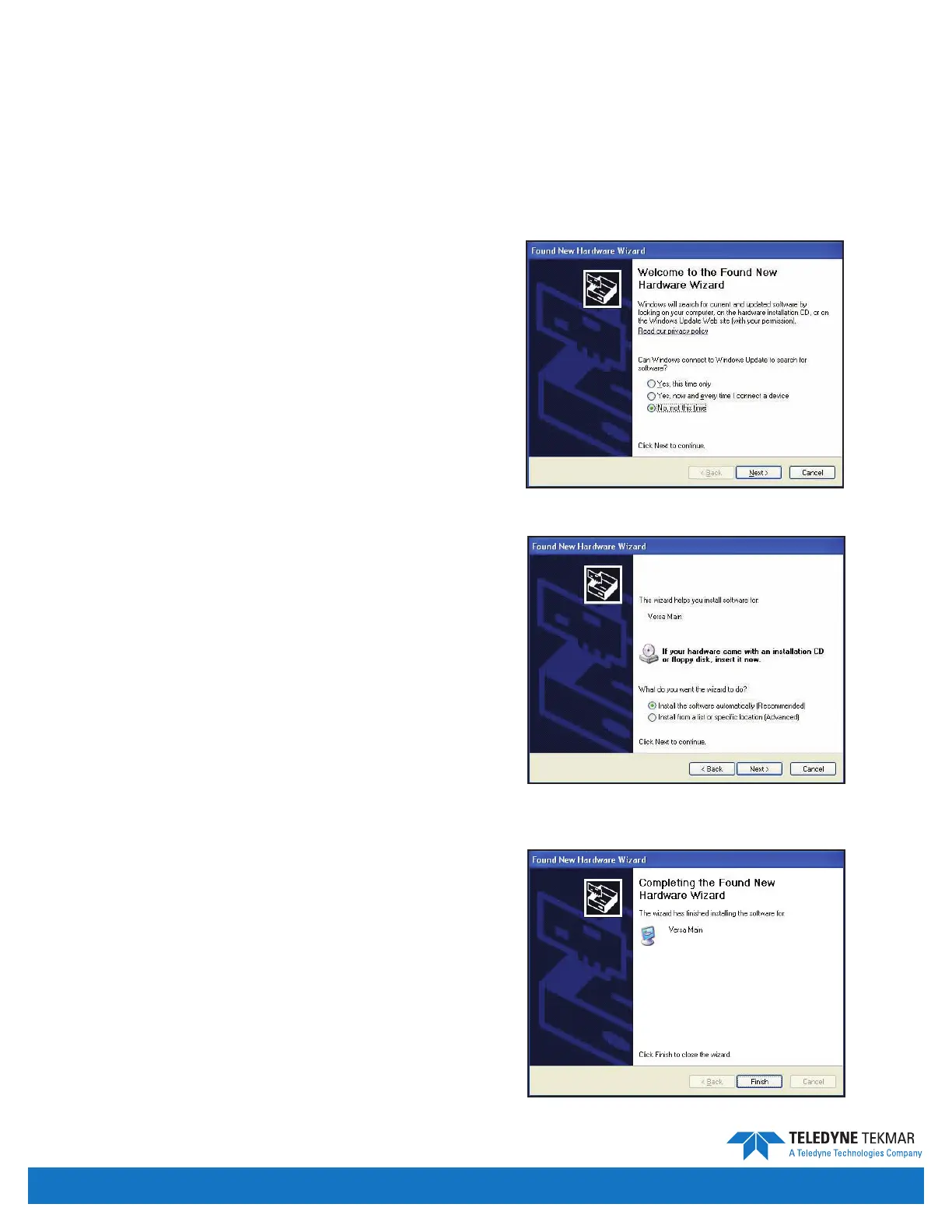
1. When you power up the Versa, the Found New
Hardware Wizard will begin. Choose No, not this time,
and click Next.
2. Choose Install the software automatically and click
Next. The Wizard will then install the new software.
3. Once the install is complete click Finish to close
the Wizard.
Figure 2-17: Found New Hardware Wizard
Figure 2-19: Install Complete Screen
Figure 2-18: Install Software Screen


 To Next Page