Versa User Manual www.teledynetekmar.com
Introduction • Page 2-14
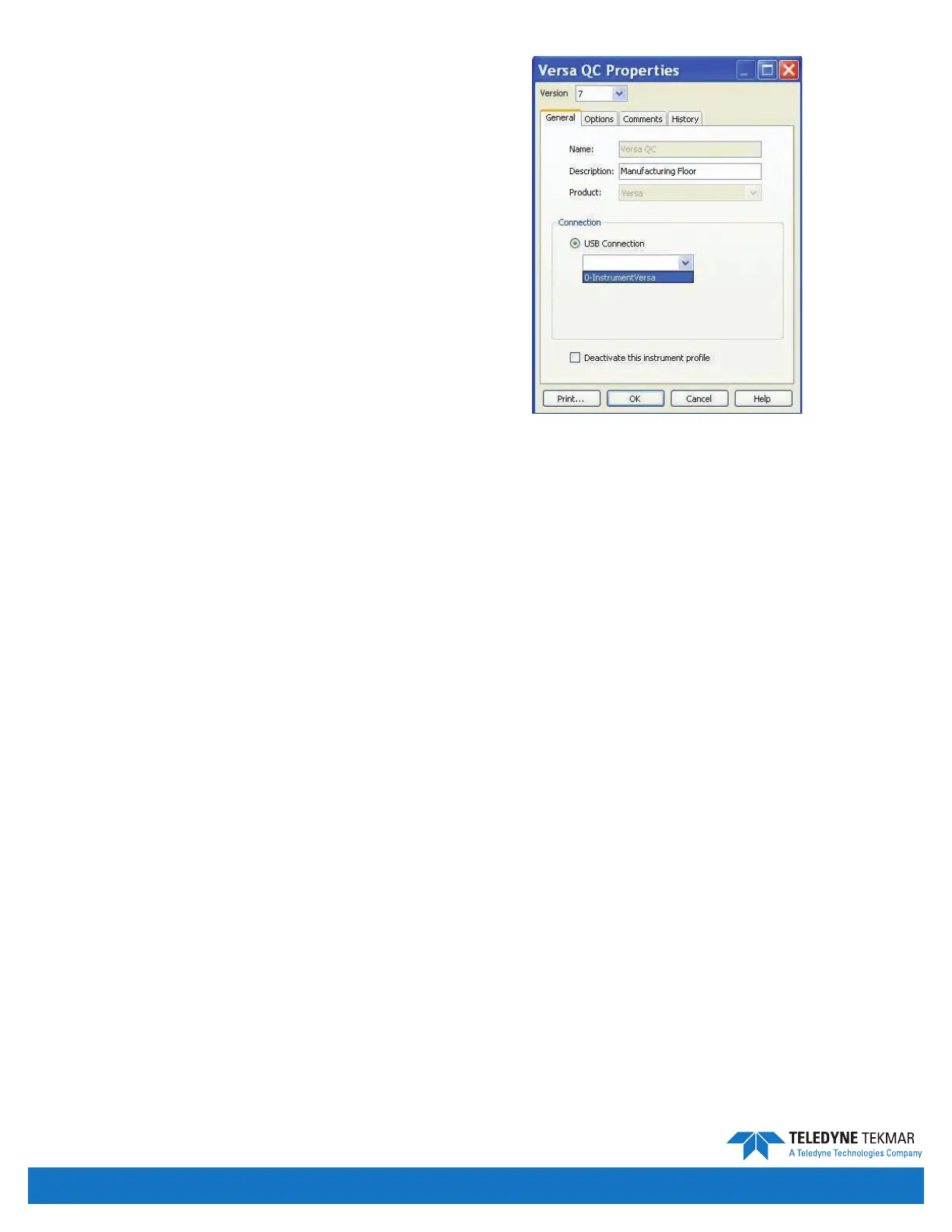
SELECTING YOUR USB CONNECTION
Now that your USB driver has been installed, and you are
connected to the unit you have just set up, you will need
to select the correct USB connection by clicking on Tools |
Conguration.
1. Select the USB dropdown menu.
2. Choose the available USB connection.
Note: If you replace the Versa or add a second Versa, you
will need to return to the Conguration screen and
select the corresponding USB connection.
Note: If you disconnect your Versa from the USB port on
your PC, and then reconnect it using another USB
port, you will need to reinstall the USB driver and
reselect the USB connection.
Figure 2-26: USB Connection Dropdown Window


 To Next Page