Versa User Manual www.teledynetekmar.com
21 CFR Part 11 Compliance • Page 5-8
CHANGE JUSTIFICATION
Change Justication notices are used anytime a change
is made for any reason on any eld within the Versa
Teklink
TM
2G software if the Change Justication has been
selected for that user within their “Preferences” tab. If
the need arises to create (add) or delete current Change
Justication selections the following steps will guide you
through the proper process.
If you do not want to utilize the Change Justication
notice for a particular user(s) it will be necessary to see the
“Permissions” section of User Properties.
Note: Default Change Justications are provided
when a user is initially required to give change
justications.
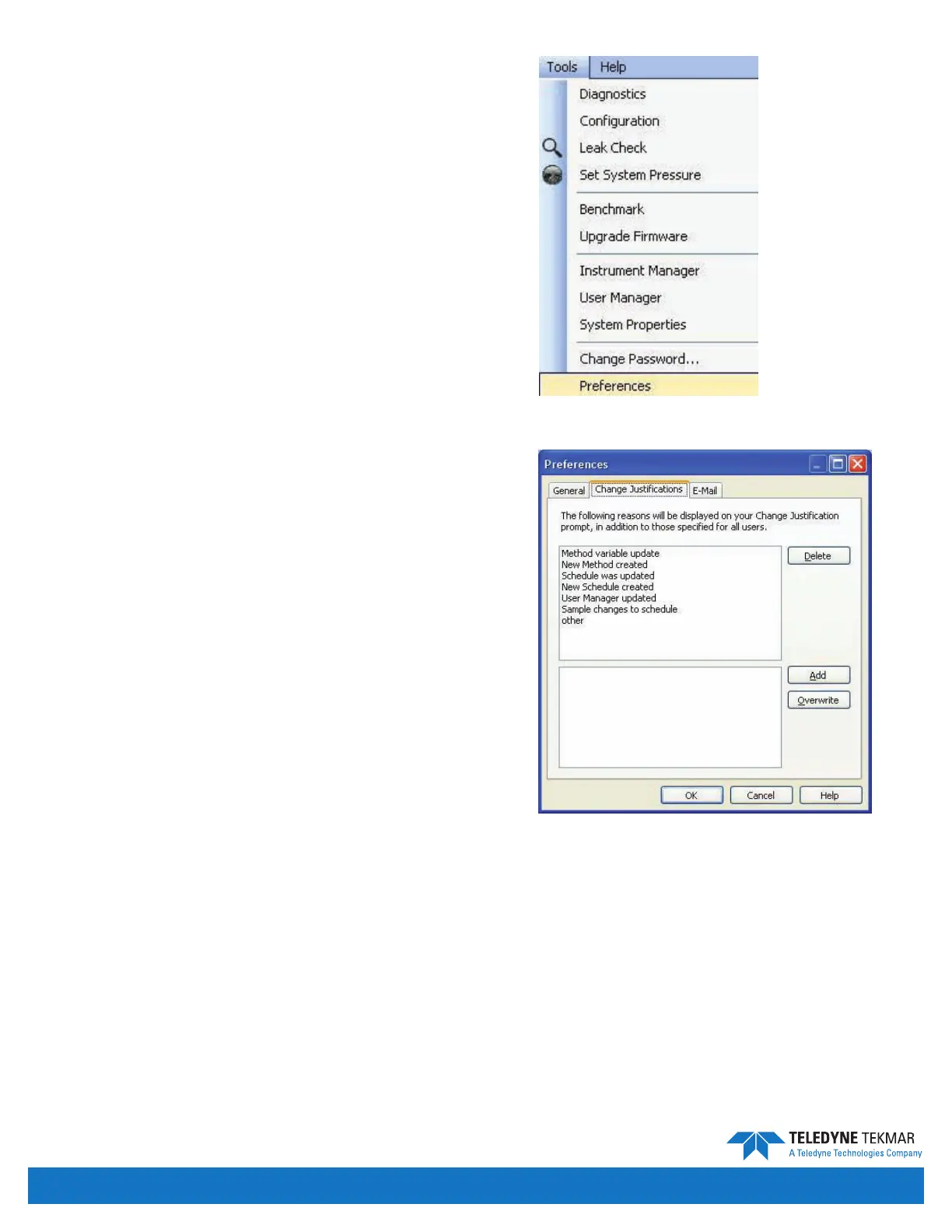
To Add/Delete Change Justications from the tool bar
go to “Tools” and from the drop down menu select the
“Preferences” tab.
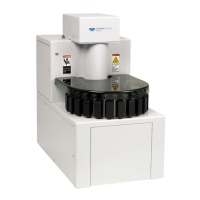
A “Preferences” box will appear on the screen. Select
the “Change Justications” tab. If you wish to add a new
Change Justication it will be necessary to type in the
name of the justication you will use for future reference.
Once you
have named the new justication, select the “Add” button
form the lower right hand corner of the screen and then
select “OK”.
To delete a current Change Justication the menu will
appear with all current justications available. Select the
justication to be deleted by clicking on the name. Select
the “Delete” button from the top right hand portion of the
screen and click the “OK” button.
Figure 5-12: Tools Menu - Preferences
Figure 5-13: Preferences - Change Justications


 To Next Page