Versa User Manual www.teledynetekmar.com
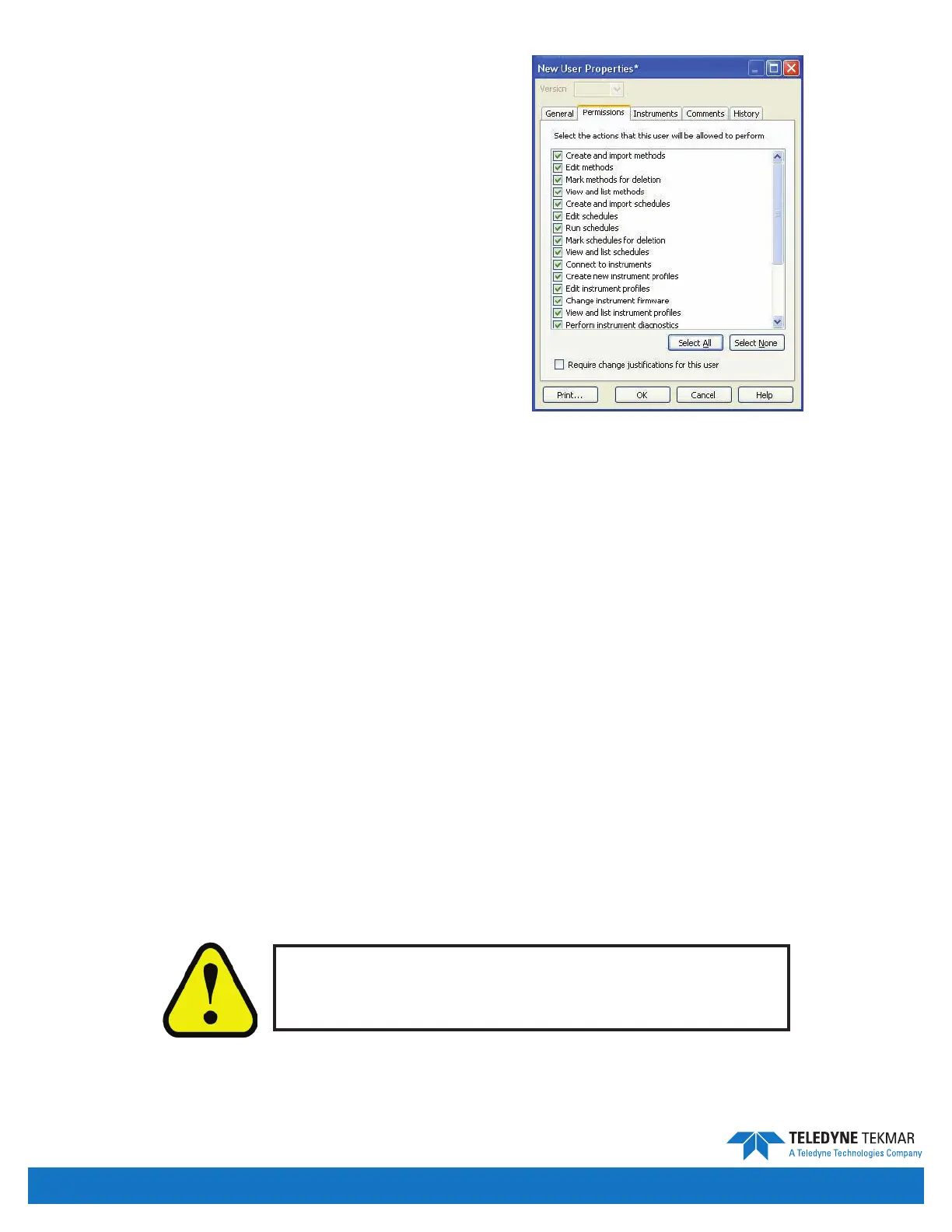
Permissions Tab
User permissions can be edited by selecting the desired user,
accessing the New User Properties screen, and selecting the
Permissions tab. Using the option boxes, the user permissions
can be individually allowed or disabled. A user that has
restricted permissions will either not be able to select the
restricted option or will receive a message when they attempt
to perform a restricted action.
Create and Import Methods: User can create new method les
or import existing ones.
Edit Methods: User can edit standard parameters in an existing
method le.
Mark Methods for Deletion: User can mark methods for deletion.
View and List Methods: User can read the method list.
Create and Import Schedules: User can create a new schedule
and/or import a schedule le.
Edit Schedules: User can edit existing schedule les.
Run Schedules: User can run existing schedule les.
Mark Schedules for Deletion: User can mark schedules for deletion.
View and List Schedules: User can read the schedule list.
Connect to Instruments: User can connect to instruments.
Create New Instrument Proles: User can add a new instrument.
Edit Instrument Proles: User has access to the Instrument Conguration screen.
Change Instrument Firmware: User can update rmware.
View and List Instrument Proles: User can read the instrument proles list.
Perform Instrument Diagnostics: User has access to the diagnostics screen.
Create New User Accounts: User can create new users.
Edit User Accounts: User can edit existing user in the database.
View and List User Accounts: User can read the user list.
Edit System Properties: User has access to the System Properties screen.
Create Archives At Will: User has access to the archiving functions.
Receive E-mails and Other Alerts: User can receive e-mails and other alerts from Versa TekLink™2G.
The Require Change Justication for this user check box, when selected forces the user to give justication for changes.
Click OK to accept all settings.
Figure 5-6: User Properties - Permissions Tab
Some Permissions are inter-dependant. Instrument
permission also requires that instruments are
permitted on the Instruments tab.
21 CFR Part 11 Compliance • Page 5-4


 To Next Page