124
GPON ONT
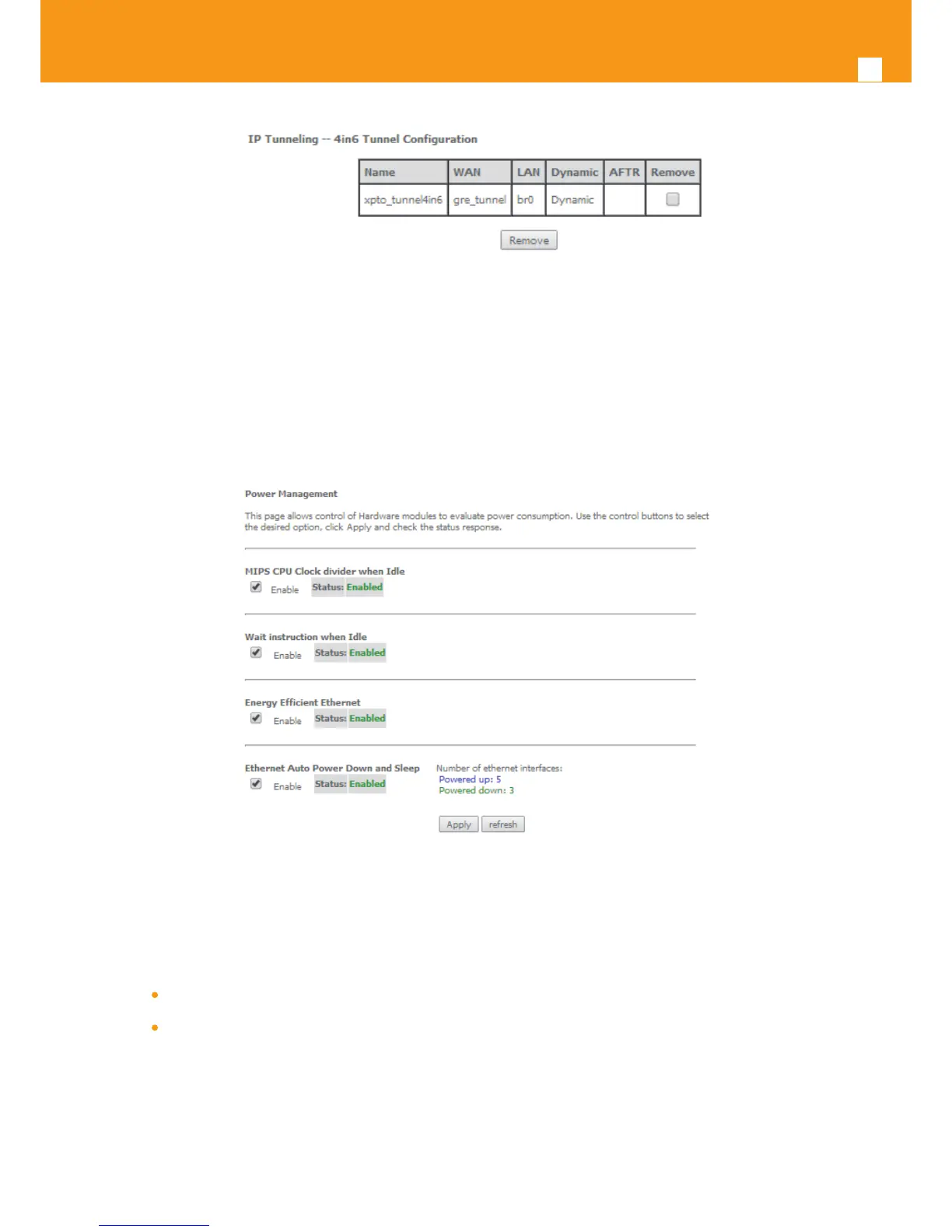
Figure 5-150: Advanced Setup, IP tunnel IP- Tunneling-4in6 Tunnel Conguration window- current conguration
5.6.15 Power Management
Selection of Advanced Setup, Power Management item, will display Power Management control and information window, Figure 5-151.
This window allows the control of Hardware modules to evaluate power consumption. Hardware modules can be enabled by selecting the cor-
responding checkbox and use the enabled button. The Apply button will nalize the power management conguration. Refresh button allows the
updating of module power consumption status, that can be consulted by selecting the module respective status button.
Figure 5-151: Advanced Setup, Power Management Conguration window
5.6.16 Multicast
Selection of Advanced Setup menu, item Multicast will display a Multicast (IGMP and MLD) Conguration window, Figure 5-152. This window al-
lows the conguration of the:
IGMP
MLD
A short on line help text is provided in the conguration window.
Figure 5152 provides a Multicast conguration example.
In order to congure Multicast, Figure 5-152



 To Next Page