78
GPON ONT
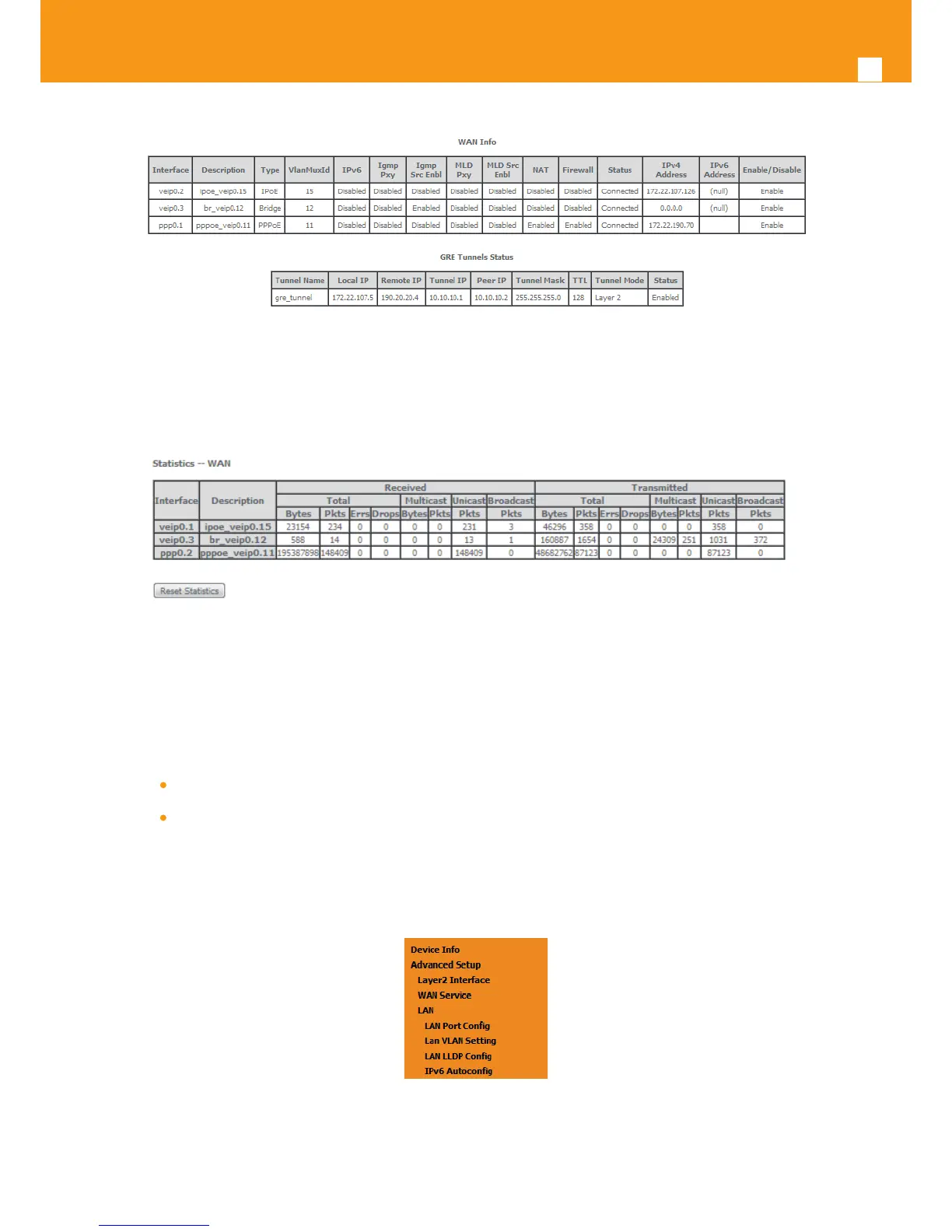
Figure 5-71: Device Info- WAN Service Current conguration and IP Address
Service statistics can be obtained by selecting at the menu Device Info the submenu Statistics, item Wan; a Services-WAN statistics window will
be displayed, Figure 5-72. Please refer to Table 5-5 for the description of the statistics window displayer parameters.
Figure 5-72: Device Info/Statistics/WAN-- WAN Services Statistics Information
5.6.3 LAN
Selection of Advanced Setup submenu item LAN will display a LAN submenu with two items, Figure 5-73:
Lan VLAN Setting
IPv6 Autocong
In the main window a Local Area Network (LAN) Setup window is displayed, Figure 5-74.
This window allows the conguration Multicast, rewall and DHCP in the LAN.
Figure 5-73: Advanced Setup LAN Sub-menu



 To Next Page