EN
137
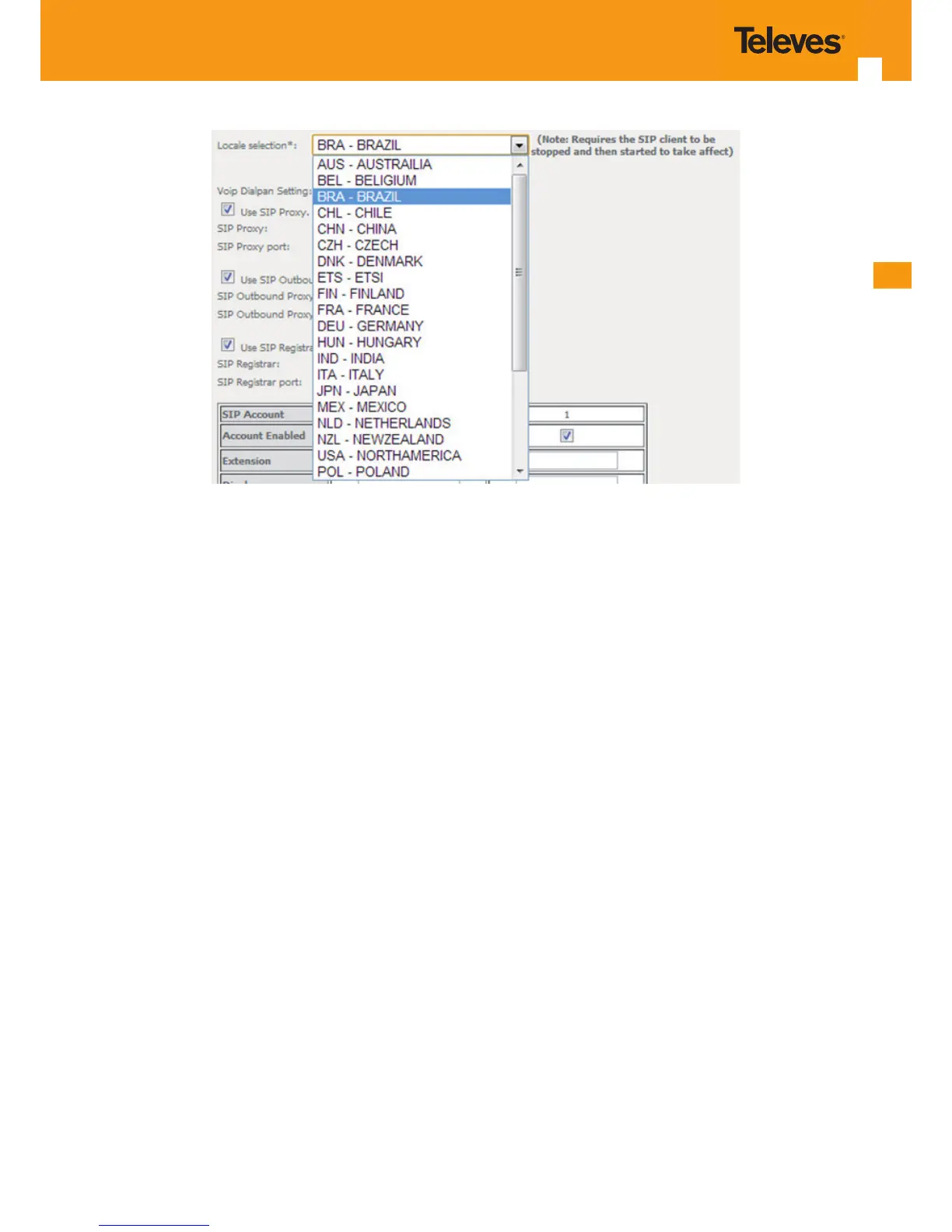
Figure 5-168: Voice, SIP Basic Settings– Service Provider conguration window- Local Selection combo box
5.8.2 SIP Advanced Settings
Selection of Voice menu, item SIP Advanced Settings will display a SIP Advanced Settings–Service Provider conguration window, Figure 5-169
and Figure 5-170.
Figure 5-169 and Figure 5-170, provide a conguration example for the SIP provider parameters ( Advanced settings)
In order to congure Service Provider-Advanced Settings Figure 5-169 and Figure 5-170:
STEP 1. Congure Enable SIP Call Features for the two SIP accounts “0” and “1”, at the “ Enable Call Features” table, Figure 5-169,
In order to enable a desired advanced sip call feature for an account, at the account column, for the desired feature select the respective
Checkbox. Activation instructions for the enabled feature are provided at the column “Activation Instructions”
STEP 2. Type in the Registration Expire Timeout;
Note: Changing this parameter for one service provider aects all other service providers;
STEP 3. Type in the Registration Retry Interval;
STEP 4. Select DSCP for SIP option from the selection combo box;
Note: Changing this parameter for one service provider aects all other service providers;
STEP 5. Select DSCP for RTP option from the selection combo box;
Note: Changing this parameter for one service provider aects all other service providers;
STEP 6. Select Dtmf Relay settings option from the selection combo box;
Note: Changing this parameter for one service provider aects all other service providers;
STEP 7. Select Hook Flash Relay setting option from the selection combo box;
Note: Changing this parameter for one service provider aects all other service providers;


 To Next Page