EN
99
5.6.7 Quality of Service
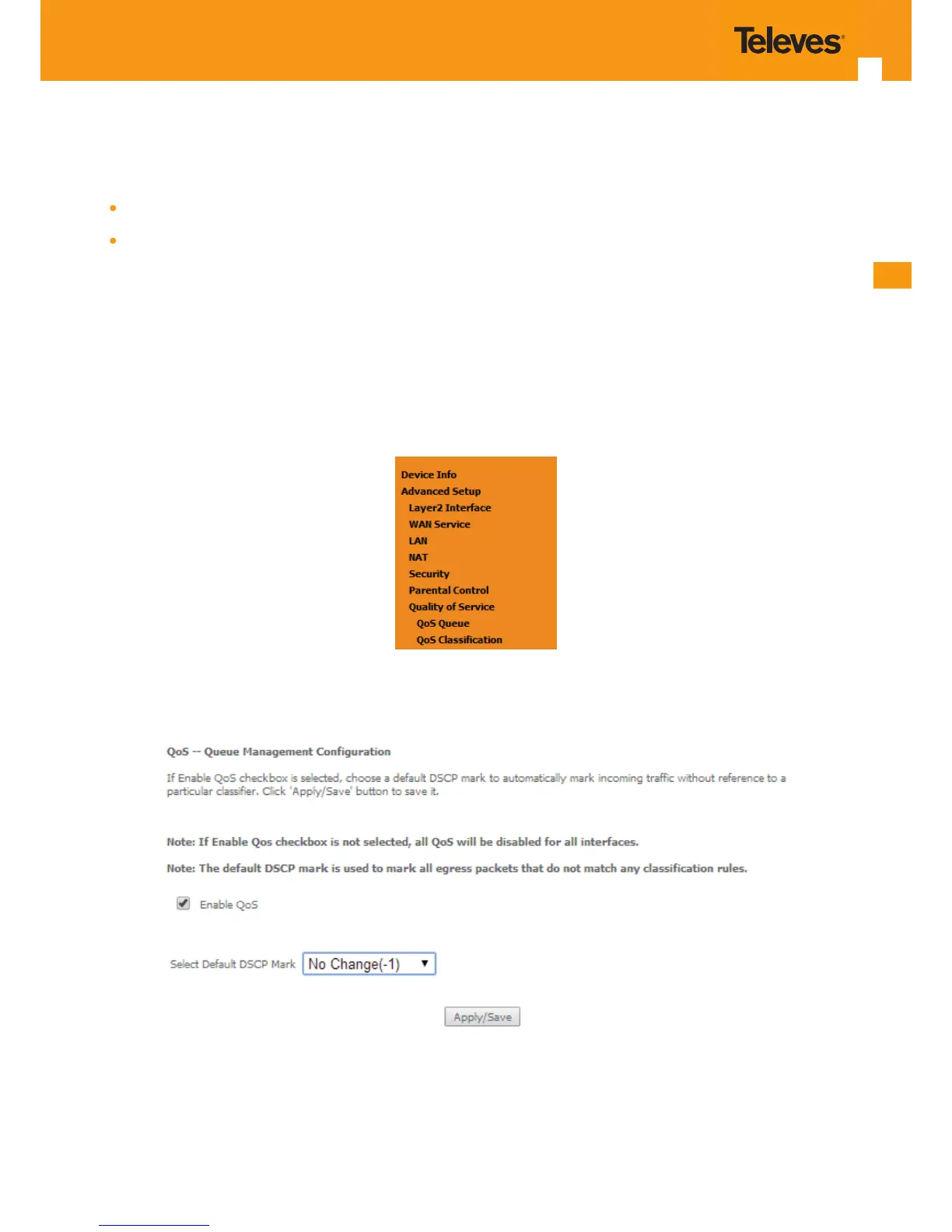
Selection of Advanced Setup submenu item Quality of Service will display a Quality of Service submenu with two items, Figure 5-108:
QoS Queue,
QoS Classication
This Submenu allows QoS conguration. It is assumed that the Refs. 769501-769502 has the following services already congured: IPoE with NAT
and PPPoE services.
In the main window a QoS Queue Management Conguration window will be displayed, Figure 5-109
QoS is disabled by default - it must be enabled by selecting the Enable QoS option, Figure 5-109. Default DSCP mark can be selected from a selec-
tion combo box, Figure 5-110. Use the button Apply/Save to apply this conguration and progress to the next window,
Figure 5-108: Advanced Setup Quality of Service Sub-menu
Figure 5-109: Advanced Setup Quality of Service -Queue Management Conguration



 To Next Page