38
GPON ONT
5.3 Network Setup
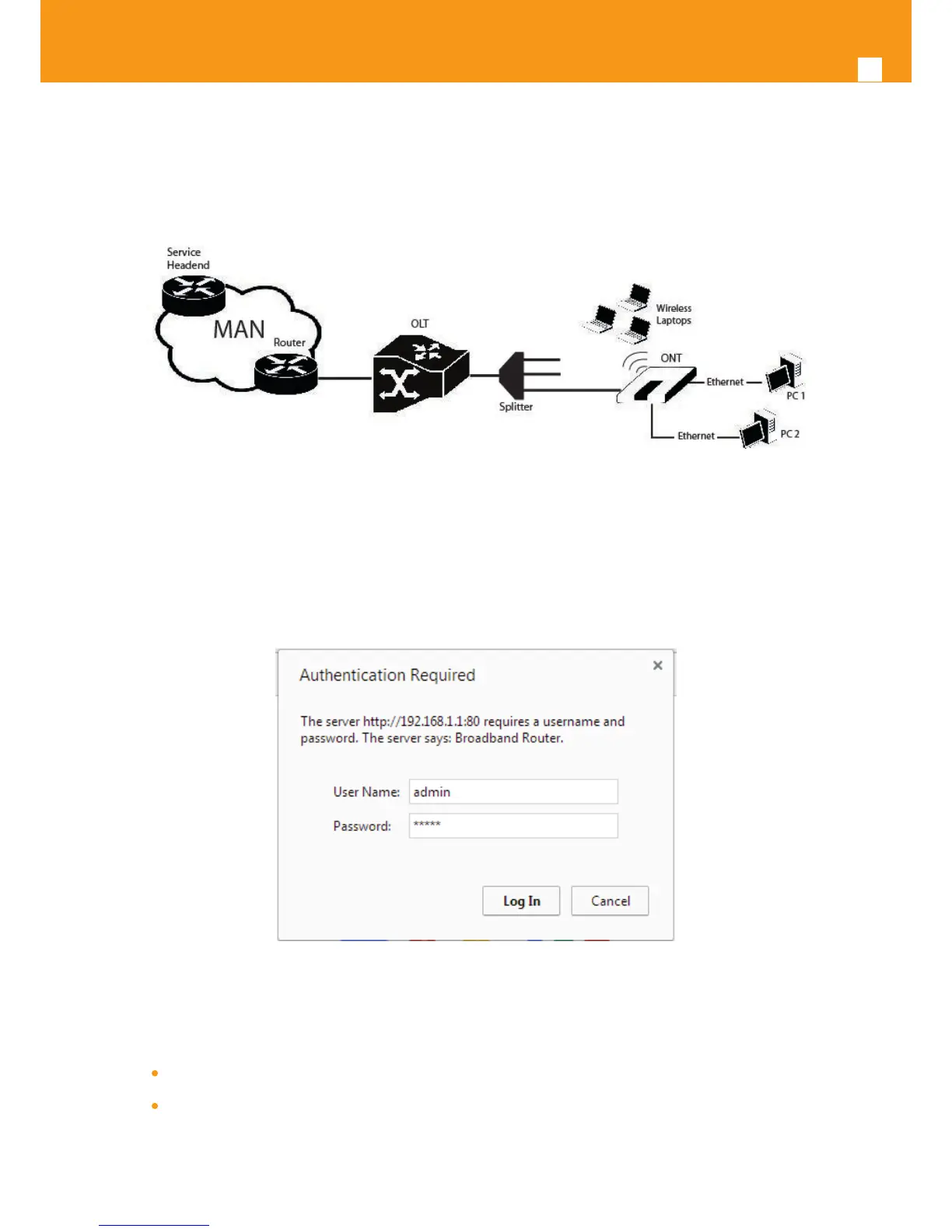
Refs. 769501-769502 is the link between the modem and all of the peripherals in the LAN. The following gure shows a possible network setup
containing three wireless computers and two wired computers.
Figure 5-1: Refs. 769501-769502 Network Setup
5.4 Refs. 769501-769502 General Management Conguration
To congure the Refs. 769501-769502, enter the URL address http://192.168.1.1 address in an internet browser.
Figure 5-2: Refs. 769501-769502 management login
The administrative user and password is:
User: admin
Password: admin
After logging in, the main window is as shown in the next gure. The shown main window is device info summary window..



 To Next Page