136
GPON ONT
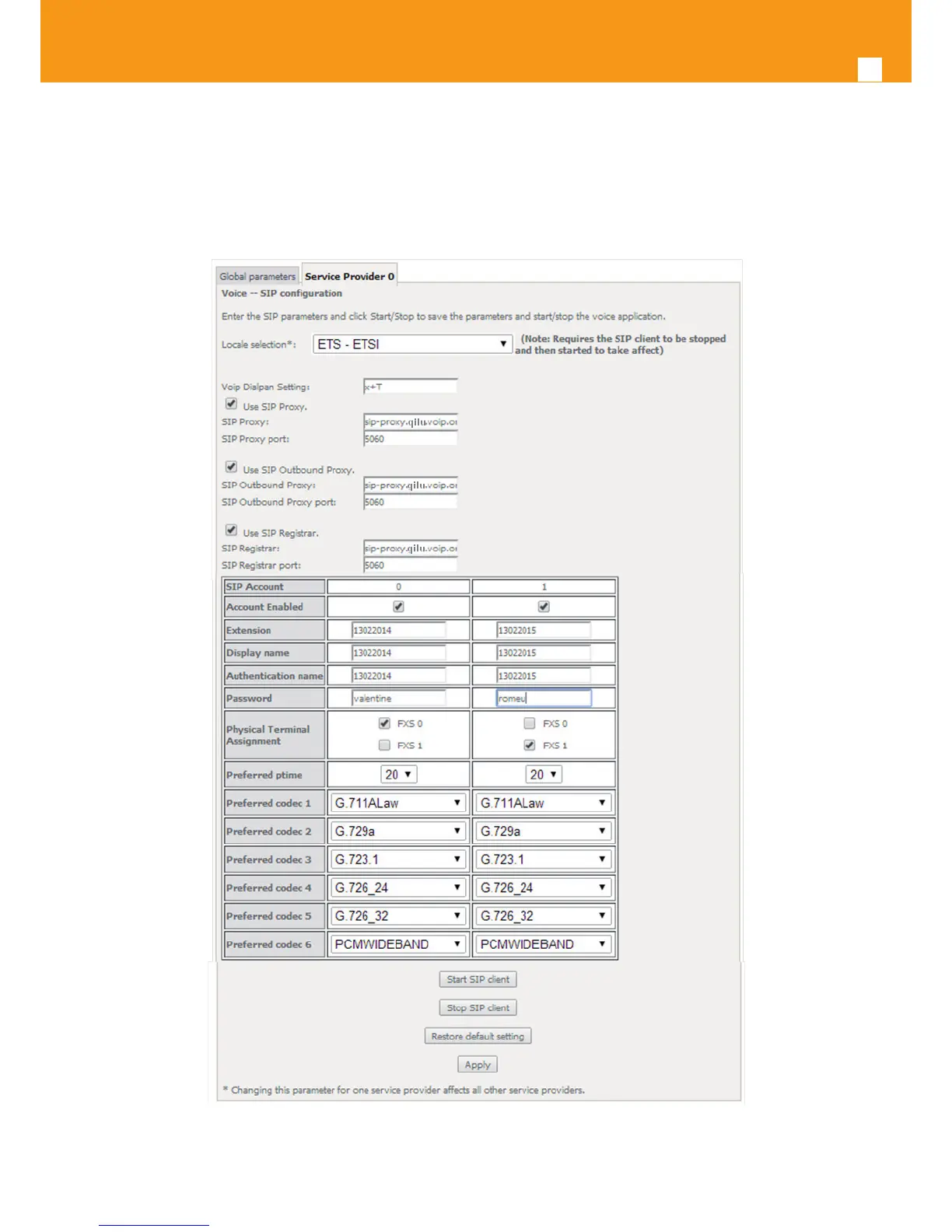
STEP 16. Select the account set of Preferred codecs to use, from the respective selection combo boxes;
To nalize the conguration use the Apply button at the bottom of the window.
To make eective the conguration just done, use the Start SIP client button.
Figure 5-167: Voice, SIP Basic Settings–Service Provider conguration window


 To Next Page