EN
93
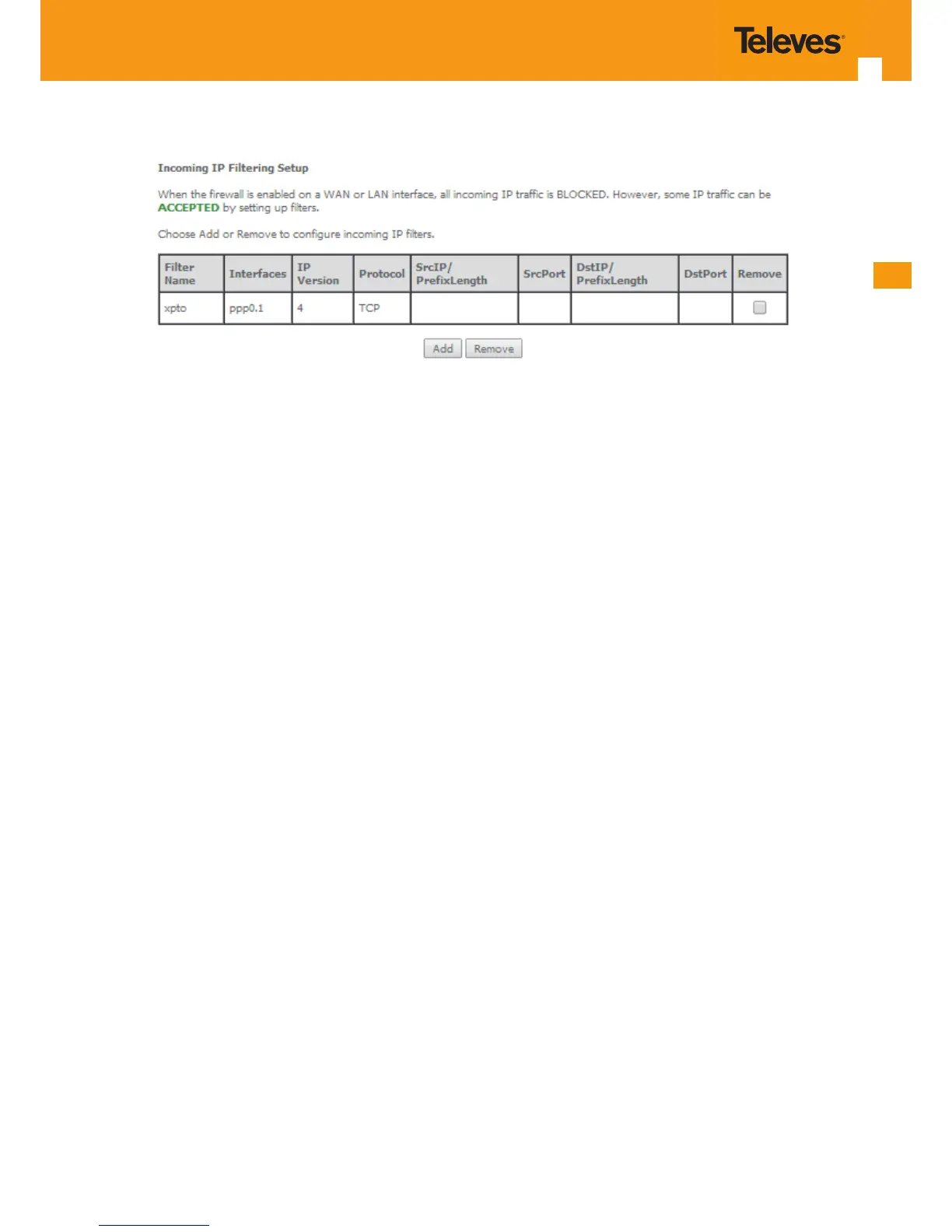
Figure 5-96: Advanced Setup, Security - Incoming IP ltering Setup window – Current Conguration
5.6.5.2 MAC Filtering
Selection of Advanced Setup submenu Security, item MAC Filtering displays a MAC ltering Setup window, Figure 5-97, showing the current MAC
Filtering conguration: Policy and rules.
A short on line help text is provided in the conguration window.
This window allows changing the policy of rules applied: Forwarded/Blocked
If current conguration of policy is forward, all MAC layer frames are forwarded except those matching with any of the specied rules in the MAC
ltering rules table.
If current conguration of policy is blocked, all MAC layer frames are blocked except those matching with any of the specied rules in the MAC
ltering rules table.
The policy can be changed by selecting the change and afterwards use the Change policy button. The policy table will change the value to the
opposite value (from forward to blocked and vice-versa), Figure 5-98.
Changing from one policy to another of an interface will cause all dened rules for that interface to be removed automatically; therefore rules for
the new policy have to be created.
To insert and congure a new MAC ltering rule entry use the Add Button, Figure 115; a new window is displayed, Figure 5-99.
This window allows the conguration of MAC Filtering rule. A short on line help text is provided in the conguration window. Figure 5-99 provides
an outgoing lter conguration example
In order to congure the MAC Filtering rule, Figure 5-99:
STEP 1. Select the Protocol to use from the Protocol Selection combo box;
STEP 2. Type in the destination MAC address;
STEP 3. Type in the Source MAC address;
STEP 4. Select the frame direction from the selection combo box;
STEP 5. Select the WAN interfaces from the selection combo box;
To nalize the conguration use the Save/Apply button. The next displayed window is the initial window, showing the current MAC Filtering con-
guration, Figure 5-100.



 To Next Page