13 testo DataControl PC software
113
13.8 Memory management
In the Memory menu, you can call up all the measurement results stored with
the testo 400 and transferred to the software, analyze them in detail and also
create and save csv data and PDF reports.
In principle, stored measurements CANNOT be edited. The stored
measurement data recorded with the testo 400 cannot be changed.
(The only exceptions are the clo and met values for PMV/PPD
measurement).
When clicking on a measurement, an overview of the measurement results is
displayed. For all measurements, except for HVAC grid measurements as per
EN 12599 and ASHRAE 111, three windows are displayed under the name of
the measurement.
• Characteristics
• Graphic
• Table
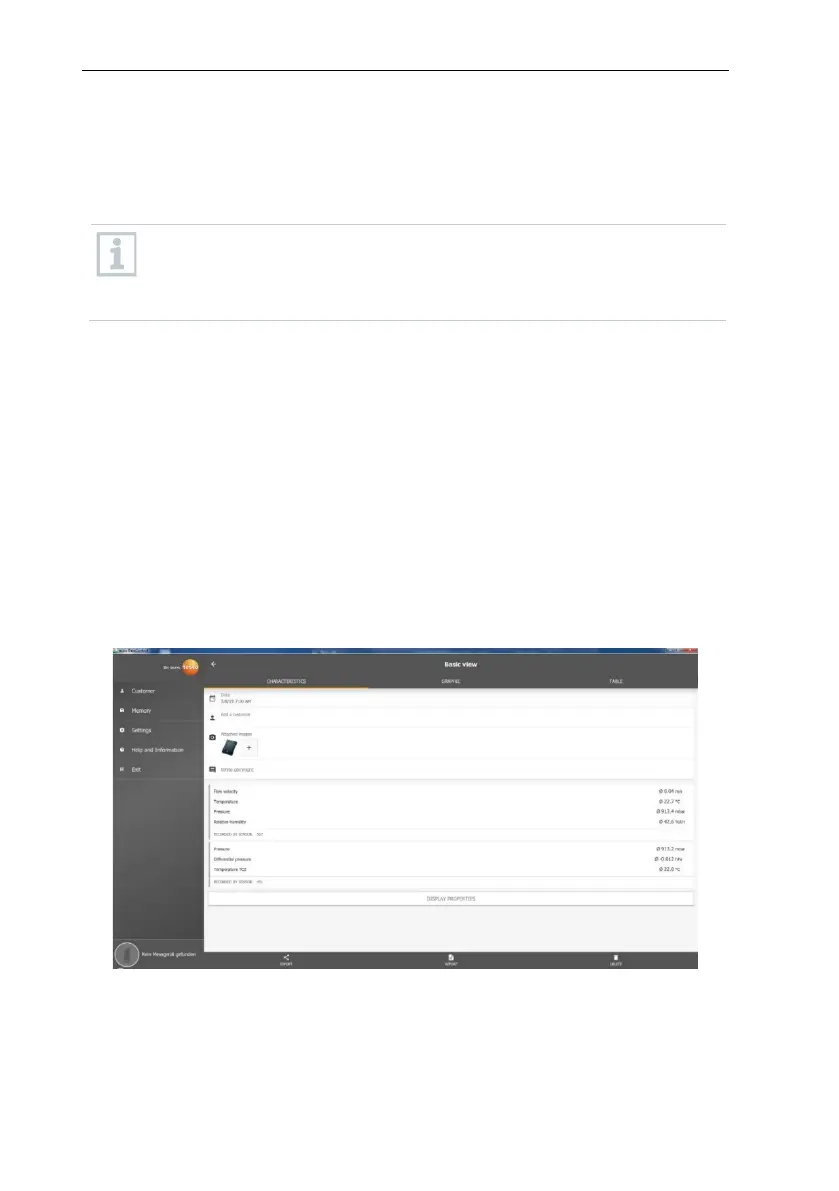
13.8.1 Characteristics view
In the first tab Characteristics, the date and time of the measurement are
displayed. In addition, the measurement’s customer and measuring site data,
images and comments can be viewed and added. The measurement settings
are listed under Display Properties (Measuring mode, Measuring cycle,
Measurement period, Duct geometry, Reference volume flow, etc.).
The measurement results listed are divided into three areas. • Display of the
calculated results of the application menu
• Probes relevant to the measurement, shown in orange
• All connected probes with the average measuring values in each case,
shown in grey.



 To Next Page